
📌 Key Takeaways
- Cloud application development provides a scalable foundation for modern web, mobile, SaaS, and enterprise software.
- Cloud-based mobile applications, SaaS platforms, enterprise solutions, migration, data management, BI, and integration are among the major cloud development use cases.
- The best cloud architecture depends on business requirements, scalability, security, integrations, and budget.
- Cloud application development can cost from approximately $20,000 to $300,000+, depending on project complexity.
- AI, automation, cloud-native development, serverless computing, and intelligent analytics are shaping the next generation of cloud applications.
Introduction
Cloud technology has changed how businesses build, deploy, and scale digital products. Instead of relying entirely on physical servers and traditional infrastructure, companies can use cloud platforms to run applications, store data, connect services, and scale resources according to demand.
From startups launching SaaS products to enterprises modernizing legacy systems, cloud application development provides a flexible foundation for building modern software.
A professional cloud application development company can help businesses handle the complete journey—from planning and architecture to development, cloud integration, deployment, and ongoing optimization.
This guide explains what cloud application development is, which services businesses need, how to build a cloud application, the technology stack, cloud platforms, security considerations, development cost, timeline, use cases, and future trends.
What Is Cloud Application Development?
Cloud application development is the process of designing and developing software that uses cloud infrastructure for computing, storage, databases, networking, APIs, security, and other services.
Unlike traditional software that may depend heavily on a local server, cloud applications can use distributed infrastructure and on-demand resources.
A typical cloud application can work through a structure such as:
User Interface → Application Backend → APIs → Cloud Services → Database & Storage
This architecture allows businesses to build applications that can be accessed through websites, mobile devices, enterprise systems, and other connected platforms.
Cloud applications can be designed for many purposes, including:
- Customer-facing applications
- Internal business software
- SaaS products
- Mobile applications
- Enterprise platforms
- Data analytics systems
- AI-powered applications
- E-commerce platforms
- Financial applications
Why Are Businesses Moving to Cloud-Based Applications?
Cloud adoption is not simply about moving software from a physical server to the internet. For many businesses, it is a way to create a more flexible technology infrastructure.
Scalable Infrastructure
Cloud resources can be adjusted according to application requirements. A growing platform can increase computing capacity as traffic and usage increase.
Faster Deployment
Cloud services provide ready-to-use infrastructure, databases, storage, monitoring, and development tools. This can reduce the amount of infrastructure that developers need to build from scratch.
Remote Accessibility
Authorized users can access cloud applications from different locations and devices, making them suitable for distributed teams and global businesses.
Easier Integration
Cloud applications can connect with third-party services through APIs, allowing businesses to integrate payments, CRM systems, analytics, communication tools, AI services, and other platforms.
Business Continuity
A properly designed cloud architecture can incorporate backup, redundancy, monitoring, and disaster-recovery strategies.
Global Scalability
Businesses planning to serve customers in multiple countries can design cloud infrastructure to support increasing traffic and geographically distributed users.
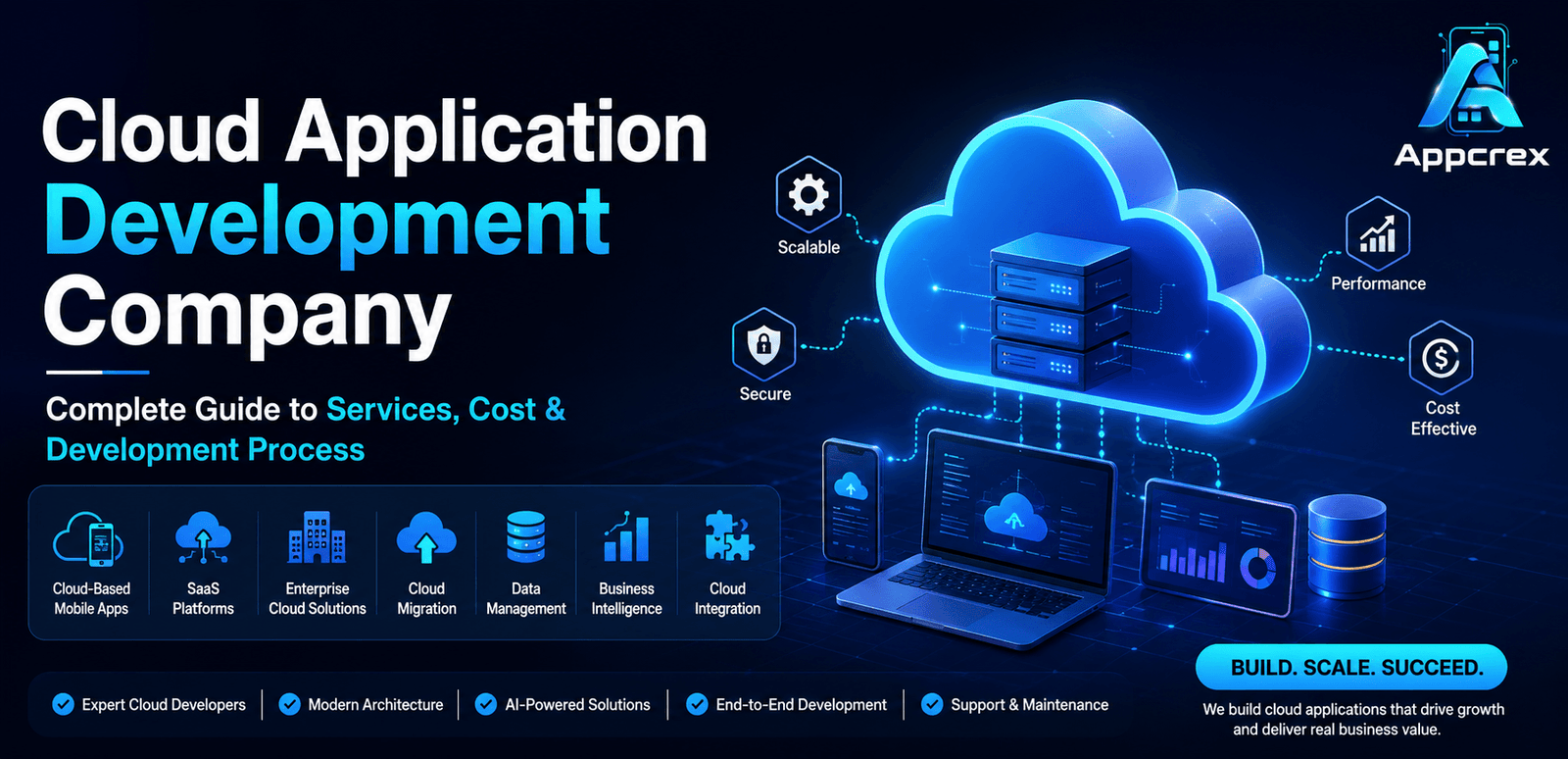
Cloud Application Development Services
A complete cloud development project can involve several specialized services rather than only application coding.
Cloud-Based Mobile Applications
Modern mobile applications often rely on cloud infrastructure for their backend.
A cloud-connected mobile app can use cloud services for:
- User authentication
- Data storage
- Real-time synchronization
- Push notifications
- Media storage
- Payment processing
- Analytics
- API communication
For example, a food delivery app can use cloud infrastructure to manage restaurants, customers, orders, drivers, payments, and real-time delivery updates.
Businesses can work with a mobile app development company to build the mobile experience while the cloud backend handles data, APIs, authentication, and application services.
SaaS Platforms
Software as a Service is one of the most common applications of cloud technology.
A SaaS platform allows customers to access software through the internet, generally through a subscription or usage-based model.
Examples include:
- CRM software
- HR platforms
- Accounting systems
- Project management tools
- Property management systems
- Healthcare software
- Marketing platforms
- Business analytics solutions
A scalable SaaS architecture can support multiple customers while maintaining appropriate data isolation, permissions, billing, and administration.
Enterprise Cloud Solutions
Large organizations often need cloud platforms that work with existing enterprise infrastructure.
Enterprise cloud solutions can include:
- Custom business platforms
- Employee portals
- Enterprise dashboards
- Workflow management systems
- Cloud ERP solutions
- Customer management systems
- Data platforms
- Internal automation systems
The objective is usually not just to move existing software to the cloud but to improve the organization’s overall digital architecture.
Cloud Migration Services
Businesses with legacy systems can use cloud migration services to move applications, databases, files, or workloads to a modern cloud environment.
A typical migration can follow:
Assessment → Migration Strategy → Architecture → Data Migration → Application Migration → Testing → Deployment → Monitoring
The appropriate approach depends on the existing application and business requirements.
Some systems may require straightforward migration, while others may benefit from modernization or complete cloud-native redevelopment.
Cloud Data Management Systems
Cloud-based data management helps organizations store, organize, process, and access information through centralized infrastructure.
These systems can support:
- Data storage
- Data synchronization
- Data processing
- Data backup
- Data integration
- Analytics
- Reporting
- Access management
For data-heavy businesses, cloud data architecture can become an important foundation for analytics and AI applications.
Business Intelligence Platforms
Cloud-based Business Intelligence platforms help organizations turn operational data into dashboards, reports, and actionable insights.
A BI platform can analyze:
- Sales
- Revenue
- Customer behavior
- Marketing performance
- Inventory
- Operations
- Employee performance
AI and ML can also be integrated to support predictive analytics, anomaly detection, forecasting, and intelligent reporting.
Cloud Integration Solutions
Most businesses use multiple software systems, so integration is an important part of cloud application development.
A cloud application may connect with:
- CRM platforms
- ERP systems
- Payment gateways
- Accounting software
- Marketing tools
- AI APIs
- Communication APIs
- Analytics platforms
- External databases
APIs, webhooks, integration platforms, and event-driven architectures can be used to exchange data between systems.
How to Build a Cloud Application?
Building a cloud application requires more than selecting a cloud provider. The development team needs to understand the business objective, application architecture, data requirements, integrations, security needs, and expected scale.
1. Define the Product Requirements
The first step is to identify:
- Target users
- Business objectives
- Core features
- Platforms
- Data requirements
- Integrations
- Expected traffic
- Security requirements
For example, a SaaS platform may require multi-tenant architecture, subscription billing, role-based access, analytics, and automated onboarding.
2. Choose the Cloud Architecture
The architecture determines how different parts of the application communicate.
A basic architecture may include:
Frontend → API Layer → Backend → Database → Cloud Storage
More advanced systems can include:
Frontend → API Gateway → Microservices → Databases → Cloud Storage → AI/Analytics Services
The architecture should be selected according to the project’s actual complexity rather than using microservices simply because they are popular.
3. Design the User Experience
The frontend should make the application easy to use across supported devices.
Depending on the product, developers may build:
- Web interfaces
- Android applications
- iOS applications
- Cross-platform mobile applications
- Enterprise dashboards
Businesses can also hire mobile app developers when a cloud-based product requires dedicated Android or iOS development.
4. Develop the Backend
The backend handles:
- Business logic
- APIs
- Authentication
- User management
- Database operations
- Cloud services
- Third-party integrations
The backend can be developed using technologies such as Node.js, Python, Java, or other suitable frameworks.
5. Configure Databases and Storage
The application may use relational databases, NoSQL databases, object storage, or a combination.
The choice depends on:
- Data structure
- Transaction requirements
- Traffic
- Query patterns
- Scalability
- Application architecture
6. Integrate Cloud Services
Developers can integrate services for:
- Storage
- Authentication
- Notifications
- Analytics
- Search
- AI
- Monitoring
- Queues
- Content delivery
This allows teams to use managed cloud services instead of building every infrastructure component from scratch.
7. Test the Application
Testing should cover:
- Functional performance
- API reliability
- Security
- Load handling
- Database performance
- Mobile compatibility
- Cloud infrastructure
- Third-party integrations
Cloud applications should also be tested under different traffic conditions.
8. Deploy and Monitor
After testing, the application is deployed to the selected cloud environment.
Post-launch monitoring can track:
- Server performance
- API response time
- Errors
- Traffic
- Resource consumption
- Security events
- Application availability
Monitoring helps development teams identify problems before they significantly affect users.
Technology Stack for Cloud Application Development
The technology stack should be selected according to application requirements, scalability, development expertise, and infrastructure needs.
| Development Layer | Common Technologies |
|---|---|
| Frontend | React, Angular, Vue.js |
| Mobile | Flutter, React Native, Kotlin, Swift |
| Backend | Node.js, Python, Java, .NET |
| APIs | REST, GraphQL |
| Databases | PostgreSQL, MySQL, MongoDB |
| Cloud Platforms | AWS, Microsoft Azure, Google Cloud |
| Storage | Cloud Object Storage, Block Storage |
| Containers | Docker, Kubernetes |
| CI/CD | GitHub Actions, GitLab CI/CD, Jenkins |
| Caching | Redis |
| Monitoring | Cloud Monitoring, Application Performance Monitoring |
| AI/ML | Python, TensorFlow, PyTorch, AI APIs |
| Security | IAM, Encryption, OAuth, API Security |
Not every application needs all these technologies. The stack should remain as simple as possible while meeting the project’s functional and scalability requirements.
AWS vs Azure vs Google Cloud: Which Is Better?
There is no universal cloud platform that is best for every project.
| Platform | Suitable For | Key Strength |
|---|---|---|
| AWS | Startups, SaaS, enterprises | Broad cloud service ecosystem |
| Microsoft Azure | Enterprise and Microsoft environments | Strong enterprise integration |
| Google Cloud | Data, analytics, AI-focused products | Strong data and AI capabilities |
The best choice depends on:
- Application requirements
- Existing infrastructure
- Team expertise
- Budget
- Compliance needs
- Data requirements
- AI/ML requirements
A professional cloud development team should evaluate these factors before making the final decision.
How AI and Machine Learning Fit Into Cloud Applications
Cloud infrastructure provides a strong foundation for AI-powered software because AI applications often need scalable computing, storage, APIs, and data processing.
AI can be integrated into cloud applications for:
- Intelligent search
- Chatbots
- AI assistants
- Recommendation engines
- Predictive analytics
- Document processing
- Fraud detection
- Customer segmentation
- Automated reporting
- AI agents
For example, a cloud-based CRM can use AI to analyze customer activity, identify high-value leads, summarize conversations, and recommend follow-up actions.
This creates an AI-powered cloud application rather than treating AI as a completely separate product.
Cloud Security and Data Protection
Security should be considered during architecture and development rather than added only after deployment.
Important areas include:
Identity and Access Management
Users and services should have only the permissions they need.
Data Encryption
Sensitive information should be appropriately protected during transmission and storage.
API Security
APIs should use appropriate authentication, authorization, validation, rate limiting, and monitoring.
Backup and Recovery
Important data should have appropriate backup and recovery mechanisms.
Monitoring
Security and application events should be monitored to identify unusual activity.
Compliance
Businesses operating in regulated industries or multiple countries should evaluate the privacy and compliance requirements applicable to their specific data and operations.
Industries Using Cloud Applications
Cloud applications can be adapted to almost any industry.
Healthcare
- Telemedicine
- Patient management
- Healthcare analytics
- Medical data platforms
Finance
- Digital banking
- Payment platforms
- Financial analytics
- Fraud detection
Retail
- E-commerce
- Inventory management
- Customer analytics
- Recommendation systems
Real Estate
- Property management
- Property listing platforms
- CRM systems
- Real estate analytics
Logistics
- Fleet management
- Delivery tracking
- Route optimization
- Warehouse systems
Education
- Learning management systems
- Online classrooms
- Student management
- AI tutoring platforms
Manufacturing
- Production monitoring
- Predictive maintenance
- Supply chain management
- IoT analytics
How Much Does It Cost to Develop a Cloud Application?
The cost depends on the application’s complexity, features, architecture, integrations, cloud infrastructure, development team, and security requirements.
A general estimate is:
| Cloud Application Type | Estimated Development Cost |
|---|---|
| Basic Cloud Application | $20,000–$40,000 |
| Medium-Complexity Application | $40,000–$80,000 |
| Advanced Cloud Platform | $80,000–$150,000 |
| Enterprise Cloud Solution | $150,000–$300,000+ |
These are broad estimates rather than fixed prices. A detailed project scope is needed to calculate the actual budget.
What Determines the Cloud Development Cost?
Application Complexity
A basic cloud application requires less development than an enterprise platform with multiple modules and integrations.
Number of Platforms
Building web, Android, and iOS versions can increase development requirements.
Integrations
Every external integration adds development and testing work.
Architecture
A complex distributed architecture can require additional development and infrastructure expertise.
Security Requirements
Applications handling sensitive information may require additional security controls and testing.
AI and Machine Learning
AI-powered capabilities can increase both development and infrastructure costs.
Ongoing Cloud Infrastructure
Cloud costs continue after development. Businesses may need to budget for:
- Compute
- Storage
- Databases
- Bandwidth
- AI APIs
- Monitoring
- Backup
How Long Does It Take to Build a Cloud Application?
The timeline depends on scope and complexity.
| Project Type | Approximate Timeline |
|---|---|
| Basic Cloud MVP | 2–4 months |
| Medium Cloud Application | 4–7 months |
| Advanced Platform | 7–10 months |
| Enterprise Solution | 10–15+ months |
A well-defined MVP can help businesses launch earlier and validate the product before investing in advanced functionality.
Scaling a Cloud Application From Startup to Enterprise
A cloud application should be designed with future growth in mind.
Early-stage products may begin with:
- Simple architecture
- Managed cloud services
- One primary database
- Basic monitoring
As usage increases, the architecture may evolve toward:
- Load balancing
- Caching
- Content delivery networks
- Database optimization
- Containerization
- Microservices where justified
- Automated deployment
- Advanced monitoring
The objective is not to build the most complex architecture from day one. It is to build an architecture that can evolve with the business.
Common Cloud Development Challenges
Unexpected Infrastructure Costs
Poorly optimized cloud resources can increase monthly expenses.
Solution: Monitor resource usage and optimize infrastructure regularly.
Legacy System Compatibility
Older applications may not integrate easily with modern cloud services.
Solution: Perform an architecture assessment before migration.
Security Misconfiguration
Incorrect permissions or exposed resources can create security risks.
Solution: Implement least-privilege access and continuous security monitoring.
Poor Scalability Planning
An application that works well with 1,000 users may struggle when traffic increases dramatically.
Solution: Perform load testing and design for expected growth.
Vendor Dependency
Heavy reliance on provider-specific services can make future migration more difficult.
Solution: Evaluate portability requirements during architecture planning.
Cloud Application Development Trends in 2026
Cloud-Native Development
Businesses are increasingly building applications specifically for cloud environments rather than simply migrating traditional applications.
AI-Powered Cloud Platforms
AI and ML are becoming integrated into cloud applications for automation, analytics, recommendations, and intelligent workflows.
Serverless Computing
Serverless architectures can reduce infrastructure management for appropriate workloads.
Edge Computing
Some applications require processing closer to users or devices to reduce latency.
Multi-Cloud Strategies
Large organizations may use services from multiple cloud providers for specific business, technical, or risk-management reasons.
Intelligent Automation
Cloud systems combined with AI agents can automate increasingly complex business workflows while retaining appropriate human oversight.
How to Choose a Cloud Application Development Company?
Before hiring a development partner, evaluate:
- Cloud development experience
- Mobile and web development capabilities
- Architecture expertise
- API integration experience
- Security practices
- AI/ML capabilities
- DevOps expertise
- Post-launch support
- Previous projects
- Communication process
If your project includes both mobile and cloud components, choosing a team that understands mobile app development and cloud architecture together can simplify development and integration.
FAQs
Q. What is a cloud application?
A cloud application is software that uses cloud infrastructure for computing, storage, databases, networking, or other services and can typically be accessed through internet-connected devices.
Q. How much does it cost to develop a cloud application?
A cloud application can cost approximately $20,000 to $300,000+, depending on features, architecture, integrations, security, platforms, and development requirements.
Q. How long does cloud application development take?
A basic MVP may take around 2–4 months, while advanced and enterprise cloud applications can require 7–15 months or more.
Q. Can a mobile app use cloud technology?
Yes. Mobile applications commonly use cloud-based backends for authentication, databases, APIs, storage, notifications, analytics, and other services.
Q. Which cloud platform should I choose?
AWS, Azure, and Google Cloud are all capable platforms. The right choice depends on your application’s requirements, existing technology environment, team expertise, budget, and data needs.
Q. Can AI be integrated into a cloud application?
Yes. AI can be integrated for chatbots, recommendations, predictive analytics, document processing, intelligent search, AI agents, and workflow automation.
Q. Should I migrate my existing application to the cloud?
Cloud migration can be beneficial when a business needs greater scalability, accessibility, operational flexibility, or modernization. However, the existing architecture should be evaluated before migration.
Q. Can I hire mobile app developers for a cloud-based product?
Yes. A business can hire mobile app developers to build Android, iOS, or cross-platform applications while the backend and data infrastructure run on cloud services.
Conclusion
Cloud application development gives businesses a flexible foundation for building scalable digital products. From cloud-based mobile applications and SaaS platforms to enterprise cloud solutions, BI systems, data platforms, and AI-powered software, cloud technology can support a wide range of business requirements.
However, successful cloud development requires more than choosing AWS, Azure, or Google Cloud. Businesses need the right architecture, secure APIs, reliable databases, scalable infrastructure, and a development strategy aligned with their long-term goals.
Whether you are launching a new SaaS product, modernizing an existing application, developing a mobile platform, or migrating legacy infrastructure, a carefully planned cloud strategy can help create a product that is easier to scale and maintain.
Build Your Cloud Application With AppCrex
AppCrex provides cloud application development, custom software development, mobile app development, SaaS development, cloud migration, API integration, AI integration, and enterprise application development services.
Whether you need a cloud-native SaaS platform, cloud-connected mobile application, enterprise solution, or AI-powered cloud product, our team can help you move from idea and architecture to development, deployment, and ongoing support.
Have a cloud application idea? Connect with AppCrex to discuss your requirements and development roadmap.
