
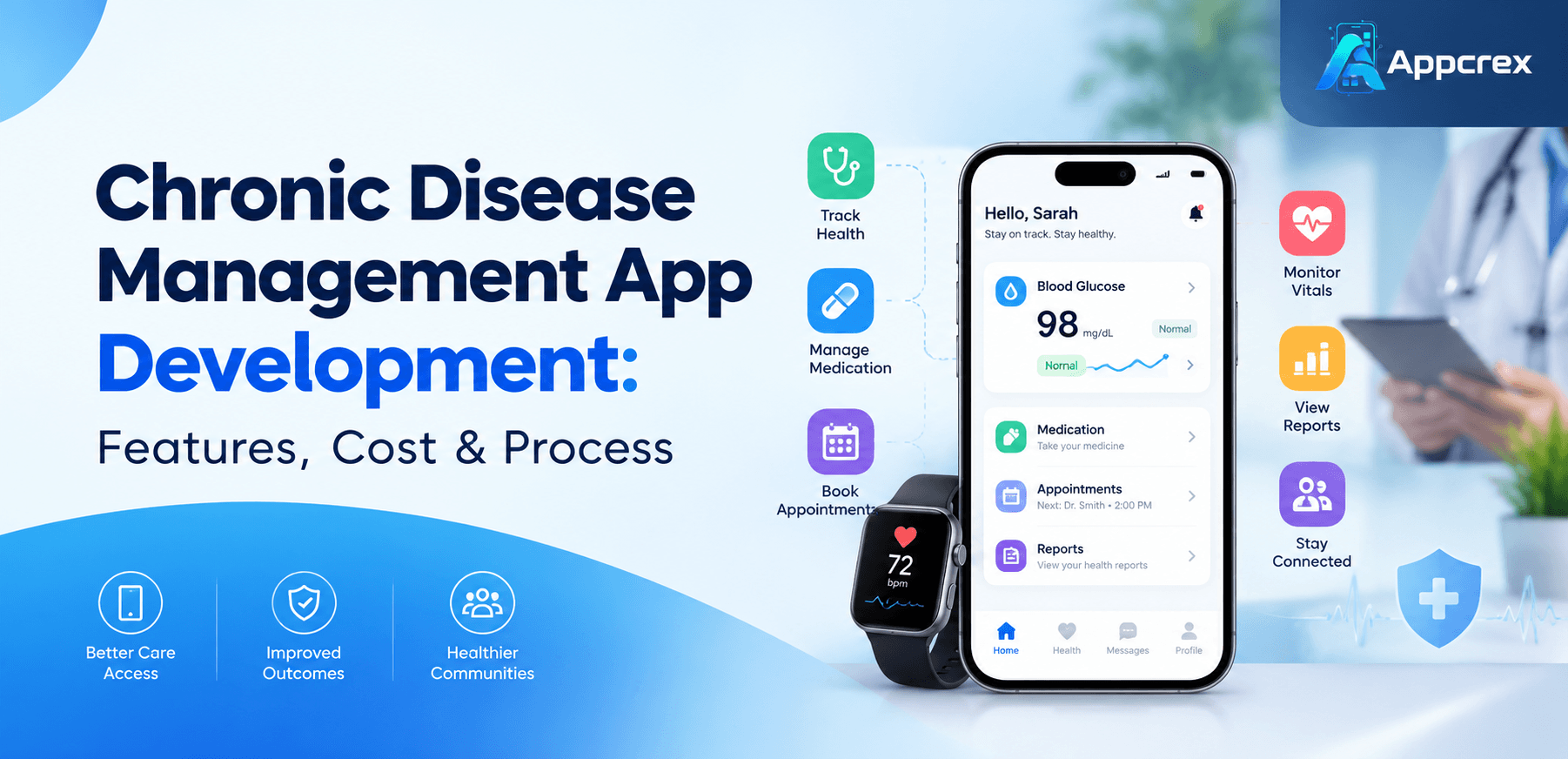
📌 Key Takeaways
- Chronic disease management apps support ongoing health tracking, medication reminders, care plans, and patient-provider communication.
- Essential features include patient profiles, health dashboards, reminders, progress reports, and secure data management.
- Remote monitoring and wearable integrations require careful device compatibility, data validation, and privacy planning.
- Development costs depend on application complexity, healthcare integrations, security requirements, and platform selection.
- An MVP helps businesses validate core workflows before investing in advanced features.
Introduction
Chronic diseases such as diabetes, cardiovascular disease, asthma, and chronic kidney disease often require ongoing monitoring, medication management, lifestyle changes, and regular communication between patients and healthcare professionals. Digital health applications help organise these activities through mobile access, reminders, health records, and remote monitoring features.
Chronic disease management app development involves building a digital platform that helps patients track health information, follow care plans, manage medications, and communicate with healthcare providers. Depending on the project’s scope, the application might include wearable integrations, appointment scheduling, patient dashboards, remote patient monitoring, and healthcare system integrations.
Healthcare providers, digital health startups, hospitals, and healthcare technology businesses invest in these applications to support care coordination and improve access to health information. The right features depend on the target condition, user needs, clinical workflow, and applicable healthcare regulations.
This guide covers chronic disease management app features, types, development steps, technology choices, estimated costs, security requirements, and the process of choosing a healthcare app development company.
What Is a Chronic Disease Management App?
A chronic disease management app is a digital health application designed to help people manage long-term health conditions and organise ongoing care activities. It allows users to record relevant health information, follow prescribed care plans, track symptoms, receive reminders, and share selected information with healthcare professionals.
Depending on its purpose, an application might serve patients directly, support clinicians, or connect both groups through a shared platform.
For example, a diabetes management app might allow users to record glucose readings, track medication schedules, review activity data, and share reports with their healthcare team. A hypertension management app might record blood pressure readings and help users review trends over time.
These applications support care management. They do not replace medical consultations, diagnosis, or treatment decisions.
Types of Chronic Disease Management Apps
The application design should reflect the health condition, patient population, and care delivery model.
1. Diabetes Management Apps
Diabetes management applications help users record blood glucose readings, monitor relevant lifestyle information, track prescribed medication schedules, and review health trends.
Potential features include:
- Glucose tracking and history
- Medication reminders
- Food and activity logs
- Glucose meter or continuous glucose monitor integrations
- Reports for healthcare professionals
- Secure data sharing with care teams
Any interpretation of glucose data or treatment-related recommendations requires appropriate clinical oversight and careful product design.
2. Cardiovascular Disease Management Apps
These applications support ongoing monitoring and care coordination for people with cardiovascular conditions.
Features might include blood pressure tracking, heart rate records, appointment reminders, medication schedules, and clinician reporting. Some applications integrate with compatible connected devices.
If the application analyses heart rhythms or provides diagnostic or treatment recommendations, additional clinical validation and regulatory assessment might be necessary.
3. Asthma Management Apps
Asthma management apps help users record symptoms, track medication use, monitor possible triggers, and follow a care plan provided by a healthcare professional.
Useful features include symptom diaries, inhaler reminders, trigger tracking, action plan access, and appointment scheduling.
4. Chronic Kidney Disease Management Apps
These applications support care routines for people managing chronic kidney disease. Depending on clinical requirements, features might include appointment reminders, medication records, laboratory result tracking, and care plan access.
Sensitive health information requires appropriate access controls and secure storage.
5. COPD Management Apps
Applications for chronic obstructive pulmonary disease (COPD) might support symptom tracking, medication reminders, activity records, educational resources, and communication with healthcare teams.
Some platforms also support compatible pulse oximeters or other monitoring devices. Such readings need clear context and should not be presented as a substitute for clinical assessment.
6. Multi-Condition Management Apps
Some platforms support patients managing more than one chronic condition. These applications often need configurable care plans, medication lists, multiple tracking modules, and coordinated reporting.
A multi-condition product requires careful design so users do not face confusing or contradictory instructions.
Essential Features of a Chronic Disease Management App
The feature set depends on whether the application serves patients, clinicians, healthcare organisations, or all three.
1. Patient Registration and Profiles
Users need a secure way to register, sign in, and manage their profiles. Depending on the use case, profiles might include relevant health information, care team details, medication records, and emergency contacts.
Collect only information required for the application’s stated purpose.
2. Personalised Health Dashboard
A dashboard presents relevant information in an understandable format. It might display recent readings, medication reminders, upcoming appointments, completed tasks, and historical trends.
Avoid overwhelming users with too many charts or measurements. Use clear labels, appropriate units, and accessible visual design.
3. Health Data Tracking
Tracking features let users record relevant health measurements and symptoms over time.
Examples include:
- Blood glucose readings
- Blood pressure measurements
- Heart rate records
- Weight and activity
- Symptoms and medication use
- Sleep or lifestyle information, where relevant
The app should distinguish user-entered data from measurements imported from connected devices. It should also identify missing, outdated, or potentially invalid readings.
4. Medication Reminders
Medication reminder features help users organise prescribed schedules. Options include notifications, dose logs, refill reminders, and medication list management.
The app should not independently change prescribed doses. Medication schedules and instructions should come from an appropriate healthcare source.
5. Appointment Scheduling
Patients might use the application to view upcoming consultations, request appointments, receive reminders, and access appointment instructions.
Healthcare providers might need a separate dashboard to manage schedules, patient communications, and follow-up activities.
6. Reports and Progress Tracking
Reports help users review recorded information and share relevant data with their healthcare team.
Features might include date-based summaries, trend charts, downloadable reports, and secure sharing permissions. Reports should communicate the limits of the underlying data and avoid implying a diagnosis without appropriate validation.
7. Secure Patient-Provider Communication
Secure messaging or telehealth integrations support communication between patients and healthcare professionals.
The design should clarify response expectations. A messaging feature should not imply continuous clinical monitoring unless the service is specifically staffed and designed for it.
8. Notifications and Reminders
Notifications support appointments, medication schedules, care tasks, and other important events.
Users should control notification preferences. Sensitive health details should not appear on lock screens or in notifications unless appropriate privacy protections are in place.
9. Clinician Dashboard
A clinician dashboard helps authorised healthcare professionals review relevant patient information, monitor assigned cases, document interactions, and prepare for follow-up appointments.
Access should follow role-based permissions and the healthcare organisation’s workflows.
10. Admin Panel
An administrative interface helps authorised staff manage users, access permissions, application settings, support requests, and operational reports.
Administrative access requires strong protection because it often covers multiple accounts and sensitive information.
Advanced Features for Chronic Disease Management Apps
Once the core workflows work reliably, businesses might add advanced features based on user needs and clinical requirements.
Remote Patient Monitoring
Remote patient monitoring uses compatible connected devices to collect health measurements outside traditional clinical settings. Depending on the application, devices might include blood pressure monitors, glucose meters, pulse oximeters, or digital scales.
The system needs reliable device integration, clear data timestamps, error handling, and processes for identifying missing or unexpected readings.
Monitoring data alone does not guarantee that a clinician is reviewing it in real time. Service expectations and escalation procedures should be defined clearly.
Wearable Device Integration
Wearable integrations might provide activity, heart rate, sleep, or other supported measurements. Available data depends on the device, operating system, user permissions, and integration method.
Before development, confirm which devices and data types the application must support.
AI-Based Insights
AI features might help summarise recorded information, identify patterns for review, or organise patient-reported data. Such functionality requires suitable data quality, validation, monitoring, and transparency.
AI-generated outputs should not be presented as reliable diagnoses or treatment instructions without the appropriate clinical evidence and regulatory assessment.
Personalised Health Education
An application might provide educational material relevant to a user’s care plan, preferences, and condition.
Content should come from credible sources and undergo appropriate clinical review. The product should distinguish general education from individual medical advice.
Healthcare System Integration
Integration with electronic health records (EHRs), electronic medical records (EMRs), laboratory systems, scheduling platforms, or patient portals helps reduce duplicate data entry.
Interoperability standards such as HL7 FHIR might be appropriate, depending on the systems involved. Each integration requires confirmation of data access, supported resources, permissions, and technical requirements.
How to Develop a Chronic Disease Management App?
A structured development process helps businesses control scope, evaluate risks, and build an application around genuine user needs.
Step 1: Define the Target Users and Clinical Use Case
Identify whether the application serves patients, caregivers, clinicians, healthcare organisations, or a combination of users.
Define the condition or conditions supported, the core workflow, the data collected, and the outcomes the product is intended to support.
Involve relevant healthcare professionals when features affect clinical workflows or patient safety.
Step 2: Research the Market and Validate Requirements
Review competing applications, interview intended users, and identify gaps in existing workflows.
Document the key requirements, such as health tracking, reminders, reports, device integrations, or secure communication. Prioritise features according to user value, implementation effort, and risk.
Step 3: Plan the MVP
A minimum viable product (MVP) is the first usable version of the application. It should include enough functionality to test the main use case safely and gather feedback.
An initial release might include:
- Secure patient registration
- A basic health dashboard
- Manual health data entry
- Medication and appointment reminders
- Historical records and reports
- Appropriate access controls
Remote monitoring, AI features, and complex integrations might follow after the core workflow has been tested.
Step 4: Design the User Experience
Create wireframes and prototypes for the main patient and clinician journeys.
The interface should use readable typography, accessible controls, clear instructions, and simple navigation. Consider older adults, users with visual or motor impairments, and people with limited digital confidence.
Test the design with representative users before development progresses too far.
Also Read : Patient Portal Software Development Company: Complete Guide to Features, Cost & Development Process
Step 5: Choose the Technology Stack
Select technologies based on the platform requirements, integration needs, team expertise, security expectations, and budget.
| Technology layer | Example options | Purpose |
|---|---|---|
| Mobile development | Flutter, React Native, native iOS and Android | Patient mobile applications |
| Web frontend | React, Next.js, Vue.js | Clinician and admin dashboards |
| Backend | Node.js, Python, Java, .NET, PHP | Business logic and APIs |
| Database | PostgreSQL, MySQL, other suitable databases | Health and account records |
| Cloud infrastructure | AWS, Microsoft Azure, Google Cloud | Hosting and infrastructure |
| Healthcare integration | HL7 FHIR APIs, vendor-specific APIs | Data exchange with healthcare systems |
| Notifications | Platform push services and approved messaging providers | Reminders and alerts |
| Analytics and monitoring | Suitable application monitoring tools | Reliability and performance monitoring |
These technologies are examples, not a required combination. Confirm the security, contractual, and healthcare requirements of the chosen hosting and service providers before selecting a production architecture.
Step 6: Develop the Application
Build the frontend, backend, database, authentication, and required integrations in manageable stages.
Use code reviews, version control, automated testing, and documented development practices. Keep sensitive information out of unnecessary logs and test environments.
Step 7: Test Functionality, Security, and Usability
Testing should cover:
- User registration and account recovery
- Data access and permissions
- Health record accuracy and timestamps
- Reminder scheduling
- Device and API integrations
- Performance and reliability
- Accessibility and usability
- Security vulnerabilities
- Backup and recovery procedures
If the app performs clinical calculations, risk assessments, or regulated medical functions, define suitable validation and review processes before release.
Step 8: Deploy and Maintain the App
Prepare production infrastructure, configure monitoring, verify backup restoration, and establish support processes.
After launch, review feedback, application errors, usage patterns, and performance. Plan for dependency updates, security patches, device compatibility changes, and improvements based on evidence.
How Much Does Chronic Disease Management App Development Cost?
Chronic disease management app development costs depend on the feature set, platform choice, healthcare integrations, security requirements, and clinical complexity. A basic tracking app usually requires less work than a multi-user platform with remote patient monitoring, connected devices, EHR integrations, and advanced clinical functionality.
The following ranges are broad planning estimates in USD, not fixed market prices or an AppCrex quotation.
| App complexity | Indicative development cost | Example scope |
|---|---|---|
| Basic MVP | $20,000–$45,000 | Profiles, manual health tracking, reminders, basic dashboard |
| Mid-level application | $45,000–$100,000 | Reports, clinician dashboard, integrations, role-based access |
| Advanced platform | $100,000–$250,000+ | Remote monitoring, multiple user roles, complex integrations, advanced analytics |
| Enterprise healthcare platform | $250,000+ | Extensive system integrations, complex governance, high-availability requirements, specialist validation |
Actual costs vary significantly by market, team experience, delivery model, and scope. Some projects cost less, while regulated or highly integrated systems might exceed these estimates.
Factors That Affect Development Cost
Feature complexity: Health tracking, reporting, scheduling, and multi-user workflows require different levels of effort.
Platform selection: Developing for iOS, Android, and web affects design, implementation, testing, and maintenance.
Healthcare integrations: EHR systems, laboratory platforms, medical devices, and third-party APIs add integration and validation work.
Security and privacy: Access controls, audit logs, encryption, security testing, and data governance influence the budget.
Clinical and regulatory requirements: Software intended to perform regulated medical functions might need additional risk management, clinical evaluation, documentation, and specialist advice.
UI/UX design: Accessibility, multilingual support, and different user roles affect design effort.
Ongoing support: Hosting, monitoring, maintenance, technical support, and future improvements add recurring expenses.
How to Control the Budget?
Start with a defined use case and prioritise the features needed for the first release. Confirm the supported devices, healthcare systems, user roles, and data requirements before requesting a detailed estimate.
Ask development partners to separate design, development, testing, deployment, integrations, and ongoing support costs. Include a contingency for unexpected technical issues and scope changes.
Healthcare Data Security, Privacy, and Compliance
Chronic disease management apps often handle sensitive personal health information. Security and privacy should therefore influence architecture, design, development, and ongoing operations.
Important measures include:
- Data minimisation: Collect only information required for the product’s purpose.
- Secure authentication: Protect accounts and apply stronger authentication where appropriate.
- Access control: Limit data access according to user roles and responsibilities.
- Encryption: Protect information in transit and at rest using suitable security controls.
- Audit logging: Record important access and administrative events without unnecessarily exposing sensitive data.
- Secure integrations: Review third-party services, API permissions, and data-sharing arrangements.
- Backup and recovery: Establish and test suitable recovery procedures.
- Privacy transparency: Explain what data is collected, why it is used, and how users exercise their rights.
Regulatory requirements depend on the app’s function, users, operating markets, and relationships with healthcare providers. For example, HIPAA applies to covered entities and business associates in relevant circumstances, but not every consumer health app automatically falls under HIPAA. Other laws might still apply. The US Department of Health and Human Services provides guidance for mobile health app developers. https://www.hhs.gov/hipaa/for-professionals/special-topics/health-apps/index.html
In the United States, some app functions might also fall under FDA medical device oversight depending on their intended purpose and risk. The FDA’s software guidance distinguishes different functions rather than treating every health app in the same way. https://www.fda.gov/medical-devices/digital-health-center-excellence/device-software-functions-including-mobile-medical-applications
For the UK, Australia, UAE, and other markets, assess applicable privacy, health information, data residency, and medical device requirements before launch. Seek qualified legal and regulatory advice where needed.
Common Challenges in Chronic Disease App Development
Maintaining Accurate Health Data
Incorrect, incomplete, or outdated measurements might confuse users and clinicians. Show measurement units, timestamps, source information, and clear error messages.
Integrating Different Devices
Connected devices vary in supported data, permissions, and connection methods. Test integrations with the exact devices and versions required by the project.
Supporting Patient Engagement
Users might stop recording information if the app feels complicated or sends too many notifications. Keep essential workflows simple and allow users to manage reminders.
Protecting Sensitive Information
Health information requires careful access management and secure data handling. Review the entire data flow, including analytics tools, notifications, backups, and third-party services.
Meeting Clinical and Regulatory Requirements
Product requirements might change depending on whether the app provides education, tracks user-entered information, supports clinical workflows, or performs medical functions. Assess the intended use early rather than leaving regulatory review until launch.
How to Choose a Chronic Disease Management App Development Company?
A suitable development partner should understand both the technical requirements and the sensitivity of healthcare applications.
Before selecting a company, evaluate:
- Relevant experience: Review similar healthcare, patient engagement, or monitoring projects where verifiable evidence is available.
- Technical capability: Confirm experience with mobile apps, secure APIs, databases, cloud infrastructure, and required integrations.
- Security practices: Ask about code reviews, access controls, encryption, vulnerability testing, and incident response.
- Healthcare integration experience: Discuss interoperability, EHR connectivity, and device integration requirements.
- Transparent estimates: Request a breakdown of deliverables, milestones, exclusions, and ongoing costs.
- Ownership and documentation: Confirm source code ownership, infrastructure access, technical documentation, and contract terms.
- Post-launch support: Agree on maintenance, monitoring, bug fixes, updates, and support responsibilities.
Chronic Disease Management App Development with AppCrex
Businesses planning a chronic disease management app should begin with a clear product scope, target users, core workflows, integration requirements, and security expectations.
When evaluating AppCrex for a healthcare software project, discuss the required platforms, patient and clinician features, integrations, delivery milestones, and post-launch support. Confirm the specific services, relevant experience, and compliance responsibilities applicable to the proposed project before engagement.
FAQs
1. What is a chronic disease management app?
A chronic disease management app is a digital tool that helps people organise ongoing care through health tracking, medication reminders, appointment management, progress reports, and communication with healthcare professionals.
2. How much does it cost to develop a chronic disease management app?
A basic MVP might cost around $20,000–$45,000. Mid-level applications might range from $45,000–$100,000, while advanced platforms often exceed $100,000. These are indicative estimates. Actual costs depend on features, integrations, security, clinical requirements, and team rates.
3. How long does it take to build a chronic disease management app?
A basic MVP might take approximately three to six months. More complex applications with device integrations, clinician dashboards, EHR connectivity, or specialist validation often need longer. The timeline depends on scope, team size, testing, and regulatory requirements.
4. What features should a chronic disease management app include?
Common features include secure patient profiles, health tracking, medication reminders, appointment scheduling, dashboards, reports, and appropriate patient-provider communication. Advanced products might include connected devices, remote monitoring, and healthcare system integrations.
5. Can a chronic disease management app connect to wearable devices?
Yes, when the required device and data access are supported. Integration options depend on the device manufacturer, mobile platform, permissions, and the data required by the application. Device compatibility and data accuracy should be tested before launch.
6. Is HIPAA compliance required for every chronic disease management app?
No. HIPAA applies to specific covered entities and business associates in relevant circumstances. Other privacy and security laws might apply to consumer health apps even when HIPAA does not. Determine applicable requirements based on the product, data flows, business relationships, and target markets.
7. Can AI be used in chronic disease management apps?
AI might support data summaries, trend identification, workflow automation, or patient education. Clinical uses require appropriate validation, risk assessment, and regulatory review. AI outputs should not replace professional medical judgment.
8. Which technology is best for chronic disease management app development?
There is no single best technology stack. Flutter or React Native might suit cross-platform mobile apps, while native development might fit certain platform-specific requirements. Backend, database, cloud, and integration choices should follow the product’s security, performance, and interoperability needs.
9. How do chronic disease management apps protect patient data?
Common protections include encryption, secure authentication, role-based access, audit logs, data minimisation, secure APIs, and tested backup procedures. The implementation should also meet applicable legal, contractual, and healthcare requirements.
10. Can a chronic disease management app replace a doctor?
No. These apps support tracking, communication, and care coordination. They do not replace professional diagnosis, treatment decisions, or emergency care. Any clinical functionality should be designed and validated according to its intended purpose.
Conclusion
Chronic disease management app development requires careful planning across user experience, health data tracking, integrations, security, and clinical workflows. The right application helps patients organise relevant health information and supports healthcare teams with appropriate reporting and communication tools.
Start with a focused MVP, validate the core workflows, and establish privacy and security requirements early. Add remote monitoring, AI features, and complex healthcare integrations when the product requirements and available evidence justify them.
For businesses planning a healthcare application, a clear scope and realistic budget provide a stronger foundation for development, testing, launch, and ongoing maintenance.
Planning a chronic disease management app? Define your target users, required features, healthcare integrations, and security expectations before requesting a development estimate.
