📌 Key Takeaways
- iOS app development helps businesses create secure, scalable, and high-performance mobile applications for Apple’s ecosystem.
- Swift, SwiftUI, UIKit, and Xcode are important technologies used in modern iPhone application development.
- A structured development process covering planning, design, development, testing, and deployment improves application quality.
- AI, machine learning, AR, cloud computing, and IoT integrations create new opportunities for intelligent mobile applications.
- Choosing an experienced iOS app development company helps businesses build applications that support long-term growth and evolving customer requirements.
Introduction
iOS app development helps businesses build secure, high-performance mobile applications for Apple’s ecosystem, including iPhone and iPad. From startup products and eCommerce platforms to enterprise software and AI-powered applications, businesses use iOS apps to improve customer experiences, streamline operations, and create new revenue opportunities.
However, successful iOS app development involves more than writing code. It requires the right technology stack, user experience design, application architecture, backend integration, security planning, testing, and App Store deployment.
Businesses planning a new mobile product must also decide which development frameworks to use, what features to include, and whether native iOS development is the right investment.
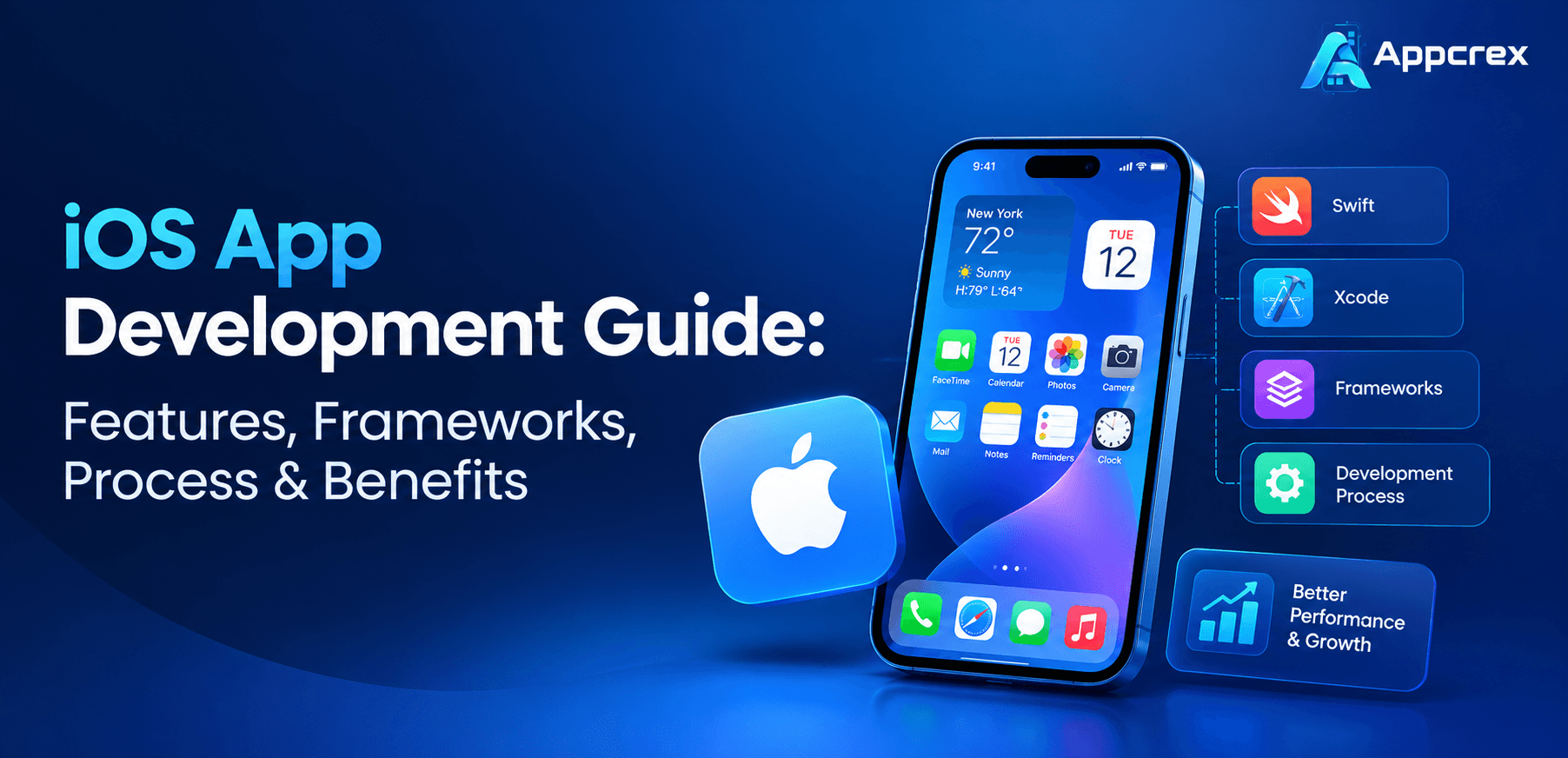
This guide explains the complete iOS app development process, essential features, programming languages, frameworks, business benefits, and important considerations when choosing an iOS app development company.
What Is iOS App Development?
iOS app development is the process of designing, developing, testing, and maintaining mobile applications for Apple’s operating system. These applications primarily run on iPhones and can also be developed for iPads and other Apple platforms.
Developers use programming languages such as Swift and Objective-C, along with Apple’s development tools and frameworks, to create applications that work with Apple hardware and software capabilities.
A typical iOS application may include:
-
A user-friendly mobile interface.
-
User registration and authentication.
-
Database and backend connectivity.
-
Push notifications.
-
Location-based services.
-
Biometric authentication.
-
Real-time communication.
-
Analytics and reporting.
-
Third-party API integrations.
For example, an eCommerce business may develop an iOS application that allows customers to browse products, make payments through Apple Pay or other supported gateways, track orders, and receive personalized offers.
Similarly, a healthcare company can build an iOS application for appointment scheduling, telemedicine consultations, patient records, and remote monitoring.
The development approach depends on the application’s purpose, target audience, business requirements, and expected scalability.
Why Businesses Invest in iOS App Development?
Mobile applications have become an important part of digital business strategies. Companies are investing in iPhone app development to create direct communication channels with customers and offer convenient access to their products and services.
Several factors make Apple’s ecosystem attractive to businesses.
1. Access to the Apple Ecosystem
Developing an iOS application allows businesses to reach users across Apple’s ecosystem. Depending on the product requirements, companies can extend their applications to iPad, Apple Watch, Apple TV, and other supported platforms.
This creates opportunities to offer connected digital experiences instead of limiting services to smartphones.
2. Strong Security Capabilities
Apple provides built-in security technologies that developers can use to protect application data and user interactions.
Features such as Face ID, Touch ID, Keychain, data encryption, and secure authentication help businesses implement stronger security controls.
This is particularly important for banking, fintech, healthcare, insurance, and enterprise applications.
3. Consistent User Experience
Apple provides design guidelines and development frameworks that help developers create consistent application experiences.
A well-designed iOS app can offer smooth navigation, responsive interfaces, accessibility features, and better integration with device capabilities.
4. Business Revenue Opportunities
Businesses can generate revenue through paid applications, subscriptions, in-app purchases, digital services, and other suitable monetization models.
The right approach depends on the business model and Apple’s applicable App Store policies.
5. Integration with Advanced Technologies
Modern iOS applications can integrate artificial intelligence, machine learning, augmented reality, cloud computing, and real-time communication.
These technologies allow businesses to develop more intelligent and interactive mobile products.
Types of iOS Applications Businesses Can Develop
The type of application depends on the business objective, user requirements, and expected functionality.
Here are some common types of iOS applications.
1. eCommerce Applications
eCommerce iOS applications allow businesses to sell products and services directly through mobile devices.
Common features include:
-
Product catalogs and search filters.
-
Shopping carts and wishlists.
-
Secure checkout.
-
Payment gateway integration.
-
Order tracking.
-
Customer reviews.
-
Personalized product recommendations.
-
Push notifications.
Retail brands can use custom iOS app development to improve the shopping experience and encourage repeat purchases.
2. On-Demand Applications
On-demand applications connect customers with service providers through a digital platform.
Examples include taxi booking, food delivery, home services, grocery delivery, and logistics applications.
Important features include real-time tracking, service booking, location integration, digital payments, ratings, and provider management.
3. Healthcare Applications
Healthcare businesses can develop iOS applications to improve patient engagement and simplify healthcare services.
These applications may include:
-
Online appointment scheduling.
-
Telemedicine consultations.
-
Prescription management.
-
Health monitoring.
-
Doctor and patient communication.
-
Appointment reminders.
Healthcare applications must also consider applicable privacy regulations and data protection requirements.
4. FinTech and Banking Applications
Financial businesses use iOS applications to provide convenient access to banking and financial services.
Examples include mobile banking, digital wallets, investment platforms, payment applications, and financial management tools.
Common features include biometric login, transaction history, payment processing, account management, fraud monitoring, and real-time notifications.
5. Education Applications
Educational institutions and EdTech businesses use iOS applications to provide digital learning experiences.
Features may include live classes, recorded lectures, online assessments, progress tracking, learning management systems, and interactive study materials.
6. Enterprise Applications
Enterprise iOS applications help organizations manage internal operations and business workflows.
They can support employee management, inventory tracking, customer relationship management, field operations, reporting, and enterprise resource planning.
Essential Features of Modern iOS Applications
Features should be selected according to the application’s purpose rather than adding every available functionality.
The following features are commonly considered during custom iOS app development.
1. User Registration and Authentication
Users should be able to create accounts and access applications securely.
Developers can implement email authentication, phone verification, social sign-in, and supported Apple authentication options.
2. Face ID and Touch ID
Biometric authentication can make the login experience more convenient while adding another layer of access protection.
Financial, healthcare, and enterprise applications can use these capabilities for sensitive user operations.
3. Push Notifications
Push notifications help businesses communicate important information to users.
They can be used for:
-
Order and delivery updates.
-
Payment confirmations.
-
Appointment reminders.
-
Promotional offers.
-
Account activity alerts.
-
Important service notifications.
Notifications should be relevant and respect user preferences.
4. In-App Payments
Payment integration allows users to complete transactions without leaving the application.
Depending on the business model and applicable platform rules, developers can integrate Apple Pay, payment gateways, subscriptions, and other payment options.
5. Real-Time Tracking
Location-based functionality is useful for transportation, food delivery, logistics, and field service applications.
Using suitable location services and mapping integrations, businesses can provide live tracking and location-based updates.
6. Offline Functionality
Not every user has a stable internet connection.
Offline functionality allows applications to provide access to selected information, saved content, or essential features without continuous connectivity.
7. AI-Powered Personalization
Artificial intelligence can help applications understand user preferences and improve digital experiences.
Examples include personalized recommendations, intelligent search, AI chatbots, predictive analytics, voice-based assistance, and automated customer support.
8. Analytics and Reporting
Analytics help businesses understand how users interact with an application.
Companies can monitor engagement, retention, conversions, feature usage, and application performance to make informed product decisions.
iOS App Development Frameworks and Technologies
Choosing the right framework is one of the most important decisions in iOS application development.
The technology stack affects application performance, development time, scalability, maintenance, and integration capabilities.
Here are the major frameworks and tools used by iOS developers.
1. Swift
Swift is Apple’s modern programming language for building applications across its platforms.
It provides features such as type safety, memory management, and concurrency support, helping developers write reliable and maintainable code.
Swift is commonly used for:
-
Native iPhone applications.
-
iPad applications.
-
Enterprise mobile solutions.
-
AI-powered applications.
-
Applications requiring device-level integrations.
For most new native iOS projects, Swift is a strong starting point.
2. SwiftUI
SwiftUI is Apple’s declarative user interface framework.
It allows developers to build application interfaces using reusable components and a structured approach to managing interface updates.
Key capabilities include:
-
Responsive layouts.
-
Reusable UI components.
-
Animations and transitions.
-
Data-driven interfaces.
-
Accessibility support.
-
Integration with other Apple frameworks.
SwiftUI is particularly useful for new applications where development speed, maintainability, and cross-device interface consistency are important.
3. UIKit
UIKit is Apple’s established framework for building and managing application interfaces.
It provides tools for handling navigation, user interactions, screens, controls, and interface elements.
UIKit remains important for enterprise applications, existing iOS products, and projects that require specialized interface behavior.
Developers can also combine UIKit and SwiftUI within the same application when project requirements justify it.
4. Objective-C
Objective-C is an established programming language used in many existing Apple-platform applications.
Although Swift is commonly preferred for new projects, Objective-C remains relevant when maintaining older applications or integrating with existing codebases.
5. Core Data
Core Data is a framework for managing and persisting structured application data.
It can help applications store information locally, manage relationships between data objects, and support data retrieval.
It is useful for applications that require local data management and offline experiences.
6. Core ML
Core ML allows developers to integrate machine learning models into Apple applications.
Businesses can use it for image classification, text analysis, predictions, and other machine learning tasks.
7. ARKit
ARKit supports augmented reality experiences on compatible Apple devices.
It can be useful for retail product visualization, interior design, education, training, and interactive applications.
8. CloudKit
CloudKit provides Apple ecosystem integration for storing and synchronizing application data through iCloud services.
It can be useful when an application needs to support cloud-based data experiences for Apple users.
9. Xcode
Xcode is Apple’s integrated development environment for building, testing, debugging, and distributing applications.
It provides:
-
Source code editing.
-
Interface previews.
-
Device simulators.
-
Debugging tools.
-
Performance analysis.
-
App build and deployment capabilities.
Apple’s development documentation identifies Xcode as the primary development environment and Swift as its recommended modern programming language for Apple platforms.
Apple Developer Documentation+1
Swift vs Objective-C: Which Programming Language Is Better?
Both Swift and Objective-C can be used for iOS application development. However, the right choice depends on project requirements and the existing technology stack.
| Comparison | Swift | Objective-C |
|---|---|---|
| Syntax | Modern and concise | More traditional |
| Development | Faster for many new projects | Often requires more boilerplate |
| Performance | High performance | High performance |
| Safety | Strong type safety | Less compile-time type safety |
| New projects | Recommended | Usually less preferred |
| Legacy projects | Supports interoperability | Useful for existing codebases |
Which should businesses choose?
Swift is generally the better choice for new iOS applications because it supports modern development practices and works closely with Apple’s latest frameworks.
Objective-C can still be useful when businesses need to maintain existing applications or integrate older components.
SwiftUI vs UIKit: Which Framework Should You Choose?
SwiftUI and UIKit are both important frameworks for building iOS application interfaces, but they follow different development approaches.
| Factor | SwiftUI | UIKit |
|---|---|---|
| Development approach | Declarative | Imperative |
| UI development | Modern and concise | More explicit control |
| Code structure | Reusable views | Views and view controllers |
| Best suited for | New applications | Existing and complex applications |
| Integration | Can work with UIKit | Can work with SwiftUI |
| Interface control | Strong built-in capabilities | Extensive customization |
Our recommendation: SwiftUI is a good choice for many new iOS applications. However, UIKit may be more suitable when a project requires specialized interface behavior, extensive legacy integration, or existing UIKit components.
The choice should be based on the application’s architecture and long-term maintenance requirements rather than simply selecting the newest framework.
Apple Developer Documentation+1
Step-by-Step iOS App Development Process
A successful iOS application requires a structured development process. Each stage contributes to application quality, usability, performance, and business value.
Here is how a professional iOS app development company typically approaches a project.
Step 1: Business Idea and Requirement Analysis
The first step is understanding the business idea and defining what the application needs to achieve.
The development team works with stakeholders to identify:
-
Target audience.
-
Business objectives.
-
Core application functionality.
-
Competitor applications.
-
Revenue model.
-
Technical requirements.
-
Project budget and timeline.
For example, a startup planning an online grocery delivery application may need customer accounts, product listings, shopping carts, payment integration, delivery tracking, and an admin dashboard.
Clearly defining these requirements helps avoid unnecessary features and development expenses.
Step 2: Market Research and Product Planning
Before development begins, businesses should understand the target market and customer expectations.
The research process may include competitor analysis, user behavior research, feature comparisons, and market opportunities.
Based on these findings, the team creates a product roadmap.
A Minimum Viable Product (MVP) can be useful when businesses want to launch the essential features first, collect user feedback, and improve the application over time.
Step 3: UI/UX Design
User interface and user experience design influence how people interact with an application.
The design team creates wireframes, prototypes, navigation flows, and visual layouts before development begins.
Important design considerations include:
-
Simple navigation.
-
Consistent interface elements.
-
Readable typography.
-
Responsive layouts.
-
Accessibility.
-
Loading and error states.
-
Dark Mode support where appropriate.
Designers should also consider Apple’s Human Interface Guidelines to create experiences that feel natural within the Apple ecosystem.
Step 4: Technology Stack Selection
After finalizing the design, developers select the technology stack.
For a native iOS application, this may include:
| Technology | Purpose |
|---|---|
| Swift | Application programming |
| SwiftUI / UIKit | User interface development |
| Xcode | Development and testing |
| Core Data | Local data management |
| Core ML | Machine learning integration |
| CloudKit | Apple cloud integration |
| REST / GraphQL APIs | Backend communication |
| Firebase or custom backend | Supporting application services |
The final selection depends on the application’s complexity, data requirements, integrations, and expected user growth.
Step 5: iOS App Development
This is where the approved designs and technical plans become a working application.
iOS developers build the frontend, implement business logic, connect APIs, and integrate the required features.
Development may include:
-
Login and registration.
-
User dashboards.
-
Navigation and application screens.
-
Payment integration.
-
Database connectivity.
-
Push notifications.
-
Location services.
-
Third-party integrations.
For complex products, backend development may happen alongside mobile development.
Step 6: Backend and API Integration
Most business applications need a backend to manage users, transactions, business logic, and application data.
The backend may include:
-
Database management.
-
Authentication and authorization.
-
Cloud infrastructure.
-
Payment processing.
-
Admin dashboard.
-
Data synchronization.
-
Third-party integrations.
For example, a taxi booking application requires backend services to connect passengers with drivers, calculate fares, process bookings, and update trip locations.
Step 7: Testing and Quality Assurance
Before launching an application, developers must test its functionality, performance, security, and compatibility.
Common testing activities include:
Functional testing: Checks whether all application features work correctly.
UI testing: Evaluates screen layouts, navigation, and user interactions.
Performance testing: Identifies slow loading, memory issues, and performance problems.
Security testing: Checks authentication, data handling, and potential vulnerabilities.
Compatibility testing: Verifies application behavior across supported Apple devices and operating system versions.
Testing should include real devices as well as simulators wherever practical.
Step 8: App Store Deployment
After development and testing, the application is prepared for distribution through Apple’s App Store.
The deployment process generally includes:
-
Preparing the production build.
-
Configuring the app in App Store Connect.
-
Adding the application description and screenshots.
-
Providing required privacy information.
-
Configuring supported devices and application settings.
-
Submitting the application for review.
-
Addressing any review feedback.
-
Releasing the approved application.
Apple reviews applications against its App Review Guidelines, covering areas such as safety, performance, business practices, design, and legal compliance. Approval is not guaranteed simply because an application has passed internal testing.
Step 9: Post-Launch Maintenance and Optimization
Launching an application is not the end of development.
Businesses need ongoing maintenance to keep their products secure, compatible, and useful.
Post-launch services may include:
-
Bug fixing.
-
Performance optimization.
-
Security updates.
-
Operating system compatibility updates.
-
Feature improvements.
-
Analytics monitoring.
-
User feedback analysis.
-
Backend maintenance.
Regular updates help businesses maintain application quality and respond to changing customer expectations.
Advanced Technologies Transforming iOS App Development
Modern iOS applications are becoming more intelligent, connected, and interactive. Businesses can integrate advanced technologies to create better user experiences and improve operational efficiency.
1. Artificial Intelligence and Machine Learning
AI and machine learning can help businesses create intelligent mobile applications.
Common use cases include:
-
AI-powered chatbots.
-
Personalized recommendations.
-
Intelligent search.
-
Image recognition.
-
Voice-based assistance.
-
Automated customer support.
For example, an eCommerce application can use AI to recommend products based on customer preferences and previous interactions.
Businesses planning intelligent mobile products can also explore AI app development solutions as part of their technology strategy.
2. Generative AI Integration
Generative AI allows applications to generate content and respond to user requests through language models.
Businesses can integrate AI assistants, document summarization, conversational search, automated content generation, and personalized support into iOS applications.
Depending on privacy, latency, and model requirements, AI processing can take place on-device or through secure cloud-based services.
3. Augmented Reality
AR technology creates interactive experiences by combining digital elements with the physical environment.
Retail companies can allow customers to visualize products, while real estate businesses can provide virtual property experiences.
ARKit provides tools for building augmented reality experiences on supported Apple devices.
4. Internet of Things (IoT)
IoT integration allows iOS applications to communicate with connected devices.
Examples include smart home applications, industrial monitoring, wearable devices, and connected healthcare solutions.
5. Cloud Computing
Cloud infrastructure supports scalable data storage, application services, user management, and real-time synchronization.
It is particularly important for applications that need to support growing user bases and multiple connected services.
Apple’s newer developer technologies are also expanding on-device AI capabilities and integrations with system features, creating additional opportunities for intelligent iOS applications.
Industries That Benefit from iOS App Development
iOS application development can support businesses across different industries.
| Industry | Possible iOS Application Solutions |
|---|---|
| Healthcare | Telemedicine, patient management, health monitoring |
| FinTech | Digital banking, payment wallets, investment platforms |
| eCommerce | Online shopping, retail management, product discovery |
| Education | eLearning, virtual classrooms, student management |
| Logistics | Fleet tracking, delivery management, route optimization |
| Real Estate | Property listings, virtual tours, property management |
| Travel | Booking, itinerary management, travel assistance |
| Fitness | Workout tracking, personal training, wellness applications |
| Enterprise | CRM, ERP, employee and workflow management |
For businesses in the USA, UK, Australia, UAE, and other Middle Eastern markets, the application should also consider local payment methods, languages, accessibility expectations, privacy requirements, and regional business processes.
Benefits of Custom iOS App Development
Custom iOS app development gives businesses greater control over application functionality, user experience, and technical architecture.
Here are some important advantages.
1. Better User Experience
Native iOS development allows applications to use platform-specific interface components and device capabilities.
This can create a consistent and responsive experience for Apple users.
2. Stronger Security Implementation
Businesses can use Apple’s security features alongside application-level encryption, secure authentication, access controls, and appropriate backend security practices.
This is particularly valuable for applications handling sensitive business or customer information.
3. High Application Performance
Native development provides direct access to Apple’s development frameworks and device capabilities.
With proper architecture and optimization, developers can build applications that respond efficiently to user interactions and demanding workloads.
4. Scalability and Customization
Custom development allows businesses to create features according to their specific operational requirements.
As the business grows, developers can add new modules, integrations, user roles, and services without relying entirely on the limitations of a generic application.
5. Access to Apple’s Native Features
Businesses can use device capabilities such as:
-
Face ID and Touch ID.
-
Camera and image processing.
-
GPS and location services.
-
Apple Pay.
-
Siri and App Intents.
-
HealthKit.
-
Apple Watch integration.
-
Augmented reality.
The availability of individual features depends on device compatibility, permissions, and platform requirements.
6. Long-Term Product Ownership
With a custom application, businesses can maintain greater control over their product roadmap, source code, integrations, and future improvements.
This can be valuable for companies building a long-term digital product rather than a temporary mobile solution.
Common Challenges in iOS App Development
Although iOS development offers several advantages, businesses should understand the challenges before starting a project.
1. App Store Review Requirements
Applications must comply with Apple’s review guidelines.
Incomplete functionality, misleading metadata, privacy issues, and policy violations can delay approval or result in rejection.
Solution: Review platform requirements early and include App Store compliance in the development process.
2. Device and Operating System Compatibility
Applications may behave differently across supported devices and operating system versions.
Solution: Define the supported device range and conduct compatibility testing throughout development.
3. Data Security and Privacy
Applications that process personal, financial, or business data require careful security planning.
Solution: Implement secure authentication, encryption, access controls, privacy-aware data collection, and regular security testing.
4. Third-Party Integration Complexity
Payment gateways, analytics platforms, external APIs, and enterprise systems can increase development complexity.
Solution: Evaluate integration requirements early and select reliable, well-supported services.
5. Maintenance and Updates
Applications need continuous improvements as business requirements and Apple’s platform technologies evolve.
Solution: Plan a long-term maintenance strategy that includes testing, monitoring, security updates, and feature improvements.
How Much Does iOS App Development Cost?
The cost of iOS app development depends on application complexity, feature requirements, UI/UX design, backend infrastructure, integrations, security, and development team experience.
A basic application with limited functionality generally requires less investment than a complex enterprise application with real-time features, AI integration, and multiple user roles.
The following are illustrative global development budget ranges, not fixed market quotations.
| Application type | Estimated development cost |
|---|---|
| Basic iOS app | $10,000–$25,000 |
| Medium-complexity app | $25,000–$60,000 |
| Advanced iOS app | $60,000–$120,000 |
| Enterprise application | $120,000–$250,000+ |
Factors That Affect Development Cost
1. Application complexity: More features, user roles, and business workflows increase development effort.
2. UI/UX design: Custom interfaces, animations, and interactive experiences require additional design and development.
3. Backend development: Applications requiring complex databases, APIs, cloud infrastructure, and admin panels need additional resources.
4. Third-party integrations: Payment gateways, maps, analytics, AI models, and external services can increase project costs.
5. Security requirements: Applications handling financial, healthcare, or enterprise data may require additional security engineering and compliance work.
6. Maintenance: Regular updates, bug fixes, infrastructure management, and feature improvements contribute to the overall ownership cost.
For a more detailed breakdown, businesses can also explore our guide on mobile app development cost.
How to Choose the Right iOS App Development Company?
Selecting the right development partner is important because the quality of the development process can directly affect the application’s performance, scalability, and long-term success.
Before hiring an iOS app development company, consider the following factors.
1. Technical Expertise
Check whether the development team has practical experience with Swift, SwiftUI, UIKit, Xcode, APIs, cloud infrastructure, and other relevant technologies.
The team should understand how to select an appropriate technology stack based on your project requirements.
2. Portfolio and Previous Projects
Review the company’s previous mobile applications.
Look for experience in similar industries, application complexity, integrations, and business models.
3. UI/UX Design Capabilities
An experienced team should understand Apple’s design guidelines and create interfaces that are easy to navigate.
Ask to review prototypes and examples of previously developed applications.
4. Development and Communication Process
Understand how the company manages project planning, development milestones, testing, reporting, and communication.
A transparent process helps businesses track progress and manage expectations.
5. Security and Quality Assurance
Ask about testing procedures, secure coding practices, data protection, and application maintenance.
These factors are especially important for financial, healthcare, and enterprise applications.
6. Post-Launch Support
Choose a development partner that can support your application after launch.
Operating system updates, new features, performance improvements, and technical maintenance should be part of the long-term product strategy.
Businesses looking for experienced technical professionals can also explore hire iOS app developers to understand available development and hiring options.
Future of iOS App Development
The future of iOS application development will be shaped by artificial intelligence, privacy-focused technologies, connected devices, and improved user experiences.
Some important developments include:
1. On-Device Artificial Intelligence
On-device AI can help applications perform selected tasks without sending every request to an external server.
This can support privacy-conscious experiences, lower network dependency, and responsive AI functionality.
2. AI-Powered Mobile Applications
Businesses will continue exploring generative AI, intelligent assistants, predictive recommendations, and automated workflows.
These capabilities can transform traditional applications into more interactive digital products.
3. Improved App Accessibility
Accessibility will remain an important part of application design.
Developers will need to consider voice interaction, screen readers, readable layouts, dynamic text, and other accessibility requirements.
4. Connected Apple Devices
Businesses can create connected experiences across iPhones, iPads, Apple Watches, and other compatible Apple devices.
This is particularly useful for healthcare, fitness, productivity, and enterprise applications.
5. Privacy-Focused Development
User privacy and secure data handling will remain important considerations.
Businesses will need to implement transparent data collection practices, appropriate permissions, secure authentication, and privacy-conscious application architecture.
6. More Intelligent Application Experiences
The combination of AI, machine learning, automation, and native Apple frameworks will create new opportunities for businesses.
Companies that plan their technology architecture carefully can introduce these capabilities as their products evolve.
Frequently Asked Questions About iOS App Development
1. What is iOS app development?
iOS app development is the process of designing, building, testing, and maintaining mobile applications for Apple’s platforms, primarily iPhone and iPad. Developers commonly use Swift, SwiftUI, UIKit, and Xcode.
2. Which programming language is best for iOS app development?
Swift is generally the preferred programming language for new iOS applications. It offers modern language features, strong type safety, and integration with Apple’s development frameworks.
3. Which frameworks are used for iOS app development?
Popular iOS development frameworks include SwiftUI, UIKit, Core Data, Core ML, ARKit, CloudKit, and Foundation. The selection depends on application requirements and functionality.
4. How long does it take to develop an iOS application?
A basic iOS application may take approximately 2–3 months, while a medium-complexity application may require 3–6 months. Complex enterprise applications can take 6–12 months or longer.
The actual timeline depends on features, integrations, design, backend complexity, testing, and project scope.
5. Is SwiftUI better than UIKit?
SwiftUI is suitable for many new applications because it offers a modern declarative approach to interface development. UIKit provides extensive control and remains useful for existing applications and specialized interface requirements. Both frameworks can also work together.
6. Can businesses integrate AI into iOS applications?
Yes. Businesses can integrate AI chatbots, recommendation engines, predictive analytics, image recognition, voice assistants, and generative AI features into iOS applications.
The implementation may use Apple’s native machine learning technologies, on-device models, or cloud-based AI services.
7. Can an iOS application work offline?
Yes. Developers can implement local data storage, caching, and offline functionality to allow users to access selected features without an internet connection.
The available offline features depend on the application’s architecture and data synchronization requirements.
8. How do I publish an iOS application on the App Store?
You need to prepare the application build, configure the listing in App Store Connect, provide the required metadata and privacy information, and submit the application for Apple’s review.
Once approved, the application can be released according to the selected distribution settings.
9. Should a startup build an iOS app first or an Android app?
The decision depends on the target audience, market demand, business model, and available budget.
If the primary audience consists of iPhone users, starting with iOS may make sense. If the business needs to reach both Android and iOS users, a cross-platform strategy or separate native applications may be more appropriate.
10. Why should businesses hire a professional iOS app development company?
A professional development company can help with product planning, technology selection, UI/UX design, native development, backend integration, testing, deployment, and ongoing maintenance.
This allows businesses to focus on their core operations while experienced developers manage the technical implementation.
Conclusion
iOS app development provides businesses with an opportunity to build powerful mobile products, improve customer engagement, and expand their digital services. However, creating a successful application requires more than choosing a programming language or framework.
Businesses need a clear product strategy, the right development architecture, an intuitive user interface, secure backend infrastructure, and continuous optimization.
Whether you are a startup planning your first iPhone application or an established enterprise upgrading an existing mobile product, choosing the right technology and development partner can make a significant difference.
AppCrex provides custom mobile application development services to help startups and enterprises transform their business ideas into scalable digital solutions. From product planning and UI/UX design to native iOS development, AI integration, backend engineering, and ongoing support, our team helps businesses build applications aligned with their technical and commercial goals.
Explore our App Development Services and discuss your next iOS application project with AppCrex.