
📌 Key Takeaways
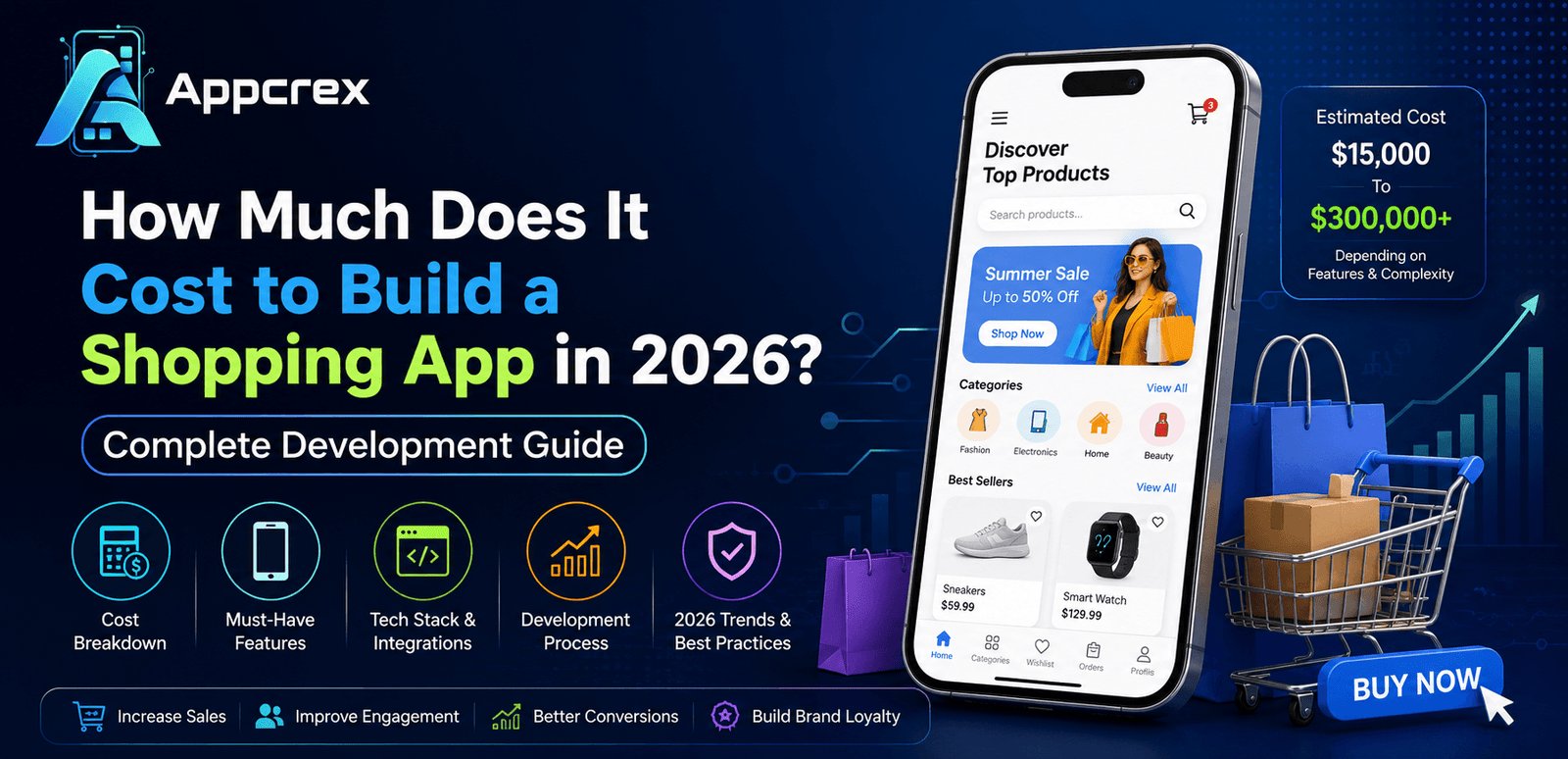
- Shopping app development costs range from $15,000 to $300,000+.
- Features and app complexity have the biggest impact on cost.
- React Native and Flutter help reduce development expenses.
- AI-powered features improve user engagement and sales.
- Choosing the right development partner ensures better ROI and scalability.
Introduction
The online shopping industry has transformed dramatically over the past decade, and mobile commerce is now driving a significant portion of global retail sales. Consumers increasingly prefer shopping through mobile applications because they offer convenience, personalized experiences, faster checkout processes, and secure payment options. From fashion and electronics to groceries and healthcare products, shopping apps have become an essential channel for businesses looking to reach and retain customers.
Companies like Amazon, Flipkart, Walmart, Alibaba, and Etsy have demonstrated how powerful shopping applications can be in creating seamless customer experiences and generating substantial revenue. As a result, startups, retailers, and enterprises are investing heavily in shopping app development to remain competitive in today’s digital marketplace.
However, one of the most common questions businesses ask before starting their project is:
How much does it cost to build a shopping app in 2026?
The answer depends on several factors, including the type of shopping app, feature requirements, platform selection, design complexity, third-party integrations, and scalability goals. A simple shopping application may require a relatively small investment, while a feature-rich marketplace platform with advanced technologies such as Artificial Intelligence (AI), Augmented Reality (AR), and personalized recommendation engines can require a significantly larger budget.
Understanding these costs before development begins helps businesses make informed decisions, prioritize features, and create realistic project timelines.
In this comprehensive guide, we’ll explore the factors that influence shopping app development costs, essential and advanced features, technology choices, development timelines, and best practices for building a successful shopping application in 2026.
Why Shopping Apps Are More Important Than Ever
Consumer shopping habits have shifted rapidly toward mobile devices. Modern customers expect instant access to products, secure payments, fast delivery options, and personalized recommendations—all from the convenience of their smartphones.
A dedicated shopping app provides businesses with several advantages over traditional websites, including:
- Better customer engagement through push notifications
- Higher conversion rates compared to mobile websites
- Personalized shopping experiences
- Faster checkout and payment processing
- Improved customer retention
- Enhanced brand visibility
- Better analytics and customer insights
- Increased sales opportunities
As mobile commerce continues to grow, businesses without a shopping app risk losing customers to competitors that offer more convenient digital experiences.
The growing demand for mobile shopping solutions is one of the key reasons why businesses are actively investing in custom shopping app development in 2026.
What Is a Shopping App? Types of Shopping Apps & Business Models
Shopping apps have become one of the most profitable digital products in today’s eCommerce ecosystem. They allow customers to browse products, compare prices, make purchases, track orders, and manage their shopping experience directly from their smartphones. Whether it’s ordering groceries, buying fashion products, purchasing electronics, or subscribing to monthly product deliveries, shopping apps simplify the buying process and provide businesses with a direct channel to their customers.
Unlike traditional eCommerce websites, shopping apps offer a more personalized and engaging experience. Features such as push notifications, one-click checkout, personalized recommendations, wishlists, and loyalty rewards help increase customer retention and drive more sales.
Before estimating the cost of shopping app development, it’s important to understand the different types of shopping applications and the business models they support.
What Is a Shopping App?
A shopping app is a mobile application that allows users to search, browse, and purchase products or services online. These apps are designed to provide a seamless shopping experience through intuitive interfaces, secure payment systems, and personalized recommendations.
Modern shopping apps typically include features such as:
- User Registration & Login
- Product Catalog
- Product Search & Filters
- Shopping Cart
- Secure Payments
- Order Tracking
- Reviews & Ratings
- Push Notifications
- Wishlist
- Customer Support
Businesses use shopping apps not only to sell products but also to strengthen customer relationships and improve brand loyalty.
Why Businesses Prefer Shopping Apps Over Websites
Although websites remain important, mobile applications provide several unique advantages.
Better User Experience
Shopping apps are optimized for mobile devices, offering faster navigation and smoother interactions than mobile websites.
Higher Customer Retention
Apps remain installed on a customer’s device, making it easier to engage users through personalized notifications and promotions.
Faster Checkout Process
Stored payment information and saved addresses help customers complete purchases quickly.
Personalized Shopping Experience
Businesses can use customer behavior data to recommend products and improve engagement.
Increased Revenue
Studies consistently show that mobile app users tend to spend more and purchase more frequently than website visitors.
Types of Shopping Apps
Different business goals require different types of shopping applications. Understanding these models helps determine the development scope and overall budget.
Single Vendor Shopping Apps
A single vendor shopping app is owned and operated by one business that sells products directly to customers.
Examples include:
In this model, the business manages:
- Product inventory
- Pricing
- Customer service
- Order fulfillment
- Marketing campaigns
Best For
- Retail brands
- Manufacturers
- Fashion stores
- Electronics retailers
- Direct-to-consumer businesses
Estimated Development Cost
$15,000 – $60,000
Multi-Vendor Marketplace Apps
A marketplace platform allows multiple sellers to register and sell products through one application.
Popular examples include:
- Amazon
- Etsy
- Alibaba
- eBay
- Flipkart
In addition to customer-facing features, marketplace apps require:
- Seller registration
- Vendor dashboards
- Commission management
- Product approval systems
- Revenue tracking
Revenue Sources
- Commission on sales
- Seller subscriptions
- Advertising fees
- Premium vendor services
Estimated Development Cost
$80,000 – $300,000+
Grocery Shopping Apps
Grocery shopping apps allow customers to order food and household essentials online.
Examples include:
- Instacart
- BigBasket
- Blinkit
- Zepto
Additional features often include:
- Real-time inventory updates
- Delivery scheduling
- Location tracking
- Express delivery options
Estimated Development Cost
$30,000 – $150,000
Hyperlocal Shopping Apps
Hyperlocal apps connect customers with nearby stores and businesses.
Examples include:
- Local pharmacy apps
- Local grocery platforms
- City-based delivery services
These applications focus on:
- Location-based search
- Nearby store discovery
- Same-day delivery
Estimated Development Cost
$25,000 – $120,000
Subscription-Based Shopping Apps
Subscription commerce continues to grow rapidly in 2026.
Examples include:
- Monthly beauty boxes
- Meal kit delivery services
- Pet supply subscriptions
- Health supplement subscriptions
Features include:
- Automated recurring billing
- Subscription management
- Membership plans
- Loyalty benefits
Estimated Development Cost
$30,000 – $120,000
Popular Shopping App Business Models
Choosing the right business model directly impacts both revenue generation and development costs.
Business-to-Consumer (B2C)
The most common shopping model.
A business sells products directly to end consumers.
Examples:
- Amazon Retail
- Walmart
- Target
Benefits
- Large customer base
- High sales potential
- Strong brand control
Business-to-Business (B2B)
B2B platforms allow businesses to purchase products from wholesalers or manufacturers.
Examples:
- Alibaba
- IndiaMART
Features
- Bulk ordering
- Custom pricing
- Corporate accounts
- Purchase approvals
Consumer-to-Consumer (C2C)
Users sell products directly to other users.
Examples:
- eBay
- Facebook Marketplace
Revenue Model
- Transaction fees
- Listing fees
- Premium memberships
Direct-to-Consumer (D2C)
Manufacturers sell directly to customers without intermediaries.
Examples:
- Nike
- Warby Parker
- Dollar Shave Club
Advantages
- Higher profit margins
- Better customer relationships
- Greater control over branding
Which Shopping App Model Is Right for Your Business?
The ideal shopping app depends on your goals, target audience, and available budget.
Choose a Single Vendor App If:
- You sell your own products
- You want complete control
- You have a limited budget
Choose a Marketplace App If:
- You want multiple sellers
- You plan to scale rapidly
- You want multiple revenue streams
Choose a Grocery App If:
- You operate a grocery business
- Delivery speed is important
- Inventory management is essential
Choose a Subscription App If:
- You offer recurring products
- Customer retention is a priority
- Predictable revenue is important
Selecting the right business model early helps reduce development costs and creates a stronger foundation for future growth.
Essential Features of a Shopping App & Their Development Cost
The success of any shopping application depends heavily on the features it offers. Modern consumers expect more than just product listings—they want personalized experiences, secure payments, real-time order tracking, and seamless navigation.
When estimating the cost of shopping app development, features play the biggest role in determining the overall budget. The more advanced the functionality, the higher the development cost.
Let’s explore the essential features every shopping app should include in 2026 and their estimated development costs.
1. User Registration & Authentication
User registration is the first interaction customers have with your shopping application. A smooth onboarding experience helps increase user retention and reduces abandonment rates.
Modern shopping apps allow users to register using:
- Email Address
- Mobile Number
- Google Login
- Apple Login
- Facebook Login
- OTP Verification
Advanced authentication options may include:
- Biometric Login
- Face Recognition
- Fingerprint Authentication
- Multi-Factor Authentication (MFA)
Benefits
- Faster onboarding
- Improved security
- Better user experience
- Reduced login friction
Estimated Development Cost
$1,000 – $3,000
2. User Profile Management
A user profile allows customers to manage their personal information and shopping preferences.
Common profile features include:
- Personal Information
- Shipping Addresses
- Billing Information
- Saved Payment Methods
- Order History
- Wishlist
- Account Settings
A well-designed profile system improves convenience and encourages repeat purchases.
Estimated Development Cost
$1,500 – $4,000
3. Product Catalog
The product catalog is the foundation of any shopping app.
Customers should be able to browse products quickly and easily.
A comprehensive catalog includes:
- Product Categories
- Product Subcategories
- Product Images
- Product Videos
- Product Descriptions
- Product Variants
- Pricing Information
- Inventory Status
High-quality product presentation directly impacts conversion rates.
Estimated Development Cost
$3,000 – $10,000
4. Advanced Product Search
Search functionality is one of the most frequently used features in shopping apps.
Users should be able to find products instantly.
Modern search capabilities include:
- Keyword Search
- Auto-Suggestions
- Voice Search
- Image Search
- Predictive Search
Advanced search reduces customer frustration and improves the shopping experience.
Estimated Development Cost
$2,000 – $8,000
5. Product Filters & Sorting
Filters help users narrow down products quickly.
Popular filters include:
- Price Range
- Brand
- Size
- Color
- Ratings
- Availability
- Popularity
Sorting options may include:
- Best Selling
- Lowest Price
- Highest Price
- New Arrivals
- Customer Ratings
Estimated Development Cost
$1,000 – $4,000
6. Shopping Cart
The shopping cart is one of the most important conversion-focused features.
Users should be able to:
- Add Products
- Remove Products
- Update Quantities
- Save for Later
- Apply Coupons
- View Cart Summary
An optimized shopping cart can significantly reduce cart abandonment rates.
Estimated Development Cost
$2,000 – $5,000
7. Wishlist Functionality
Wishlists allow users to save products for future purchases.
Benefits include:
- Increased engagement
- Better user retention
- More repeat purchases
- Personalized marketing opportunities
Customers often use wishlists before making buying decisions.
Estimated Development Cost
$800 – $2,500
8. Secure Payment Gateway Integration
Payment processing is a critical component of every shopping app.
Customers expect multiple payment options.
Common payment methods include:
- Credit Cards
- Debit Cards
- UPI
- Net Banking
- PayPal
- Stripe
- Apple Pay
- Google Pay
- Digital Wallets
The payment process should be secure, fast, and user-friendly.
Estimated Development Cost
$2,000 – $7,000
9. Order Management System
Customers want complete visibility into their purchases.
An order management system should support:
- Order Placement
- Order Confirmation
- Order Tracking
- Order Cancellation
- Return Requests
- Refund Processing
Efficient order management improves customer satisfaction and trust.
Estimated Development Cost
$3,000 – $8,000
10. Real-Time Order Tracking
Real-time tracking has become a standard expectation among online shoppers.
Tracking features include:
- Shipment Status
- Delivery Updates
- Driver Tracking
- Estimated Delivery Time
- Delivery Confirmation
Customers appreciate transparency throughout the delivery process.
Estimated Development Cost
$2,000 – $6,000
11. Reviews & Ratings
Customer reviews play a major role in purchasing decisions.
Review systems typically include:
- Star Ratings
- Written Reviews
- Product Photos
- Verified Purchase Reviews
Benefits include:
- Increased trust
- Better product credibility
- Higher conversion rates
Estimated Development Cost
$1,500 – $4,000
12. Push Notifications
Push notifications are a powerful marketing tool.
Common use cases include:
- Flash Sales
- New Product Launches
- Order Updates
- Delivery Notifications
- Cart Abandonment Reminders
- Personalized Offers
Properly implemented notifications can significantly improve user engagement.
Estimated Development Cost
$1,000 – $3,000
13. Customer Support & Live Chat
Customer support helps resolve issues quickly and improves user satisfaction.
Support options may include:
- Live Chat
- AI Chatbots
- Email Support
- Help Center
- FAQ Section
Fast customer support can directly influence customer retention.
Estimated Development Cost
$2,000 – $10,000
14. Personalized Recommendations
Modern shopping apps use AI to recommend products based on user behavior.
Recommendation engines analyze:
- Browsing History
- Purchase History
- Product Interests
- Shopping Patterns
Benefits include:
- Higher sales
- Better customer experience
- Increased average order value
Estimated Development Cost
$5,000 – $25,000
15. Admin Dashboard
The admin dashboard controls the entire shopping platform.
Key functionalities include:
- Product Management
- Order Management
- Customer Management
- Inventory Control
- Analytics
- Sales Reports
- Coupon Management
Administrators need a centralized platform to manage operations efficiently.
Estimated Development Cost
$5,000 – $20,000
Shopping App Feature Cost Breakdown
| Feature | Estimated Cost |
|---|---|
| User Registration | $1,000 – $3,000 |
| User Profiles | $1,500 – $4,000 |
| Product Catalog | $3,000 – $10,000 |
| Search & Filters | $2,000 – $8,000 |
| Shopping Cart | $2,000 – $5,000 |
| Wishlist | $800 – $2,500 |
| Payment Gateway | $2,000 – $7,000 |
| Order Management | $3,000 – $8,000 |
| Order Tracking | $2,000 – $6,000 |
| Reviews & Ratings | $1,500 – $4,000 |
| Push Notifications | $1,000 – $3,000 |
| Customer Support | $2,000 – $10,000 |
| AI Recommendations | $5,000 – $25,000 |
| Admin Dashboard | $5,000 – $20,000 |
Shopping App Development Process: Step-by-Step Guide from Planning to Launch
Building a successful shopping app involves much more than creating product pages and integrating payment gateways. A well-planned development process helps businesses reduce costs, improve user experience, minimize risks, and launch a scalable application that supports long-term growth.
Whether you’re developing a single-vendor shopping app, a multi-vendor marketplace, or a niche eCommerce platform, following a structured development process is essential for success.
Let’s explore each stage of shopping app development in detail.
Step 1: Discovery & Business Analysis
Every successful shopping app begins with a clear understanding of business objectives and customer needs.
During the discovery phase, businesses and development teams identify:
- Business goals
- Target audience
- Revenue model
- Competitor landscape
- Product categories
- Project scope
- Technical requirements
- Budget expectations
This phase helps answer important questions such as:
Who are your customers?
Understanding your target audience helps shape the user experience and feature requirements.
What products will you sell?
Different product categories require different functionalities.
For example:
- Fashion apps need size and color variations.
- Grocery apps need real-time inventory management.
- Electronics apps need detailed product specifications.
How will the app generate revenue?
Common revenue models include:
- Direct product sales
- Marketplace commissions
- Subscription plans
- Advertising revenue
- Premium memberships
A thorough business analysis reduces development risks and creates a roadmap for future growth.
Step 2: Market Research & Competitor Analysis
Before development begins, it’s important to understand the competitive landscape.
Market research helps businesses identify:
- Industry trends
- Customer expectations
- Competitor strengths
- Competitor weaknesses
- Emerging technologies
Popular shopping apps to analyze include:
- Amazon
- Flipkart
- Walmart
- Myntra
- Alibaba
- Etsy
Research helps answer:
What features do competitors offer?
Understanding industry standards helps create a competitive product.
What customer problems remain unsolved?
Finding gaps in the market creates opportunities for differentiation.
What technologies are becoming popular?
Modern trends such as AI recommendations, voice search, and AR shopping can provide competitive advantages.
Investing time in market research often saves thousands of dollars during development.
Step 3: Define Features & Create Product Requirements
Once business goals and market insights are clear, the next step is defining the application’s functionality.
The development team creates a Product Requirements Document (PRD) outlining:
- User roles
- Features
- Workflows
- Business logic
- Technical requirements
Most shopping apps involve multiple user roles.
Customer Panel
Features include:
- Registration
- Product browsing
- Search and filters
- Shopping cart
- Checkout
- Order tracking
- Reviews
Admin Panel
Features include:
- Product management
- Inventory management
- Customer management
- Order processing
- Reports and analytics
Vendor Panel (Marketplace Apps)
Features include:
- Product uploads
- Order management
- Sales reporting
- Commission tracking
Clearly defining requirements prevents scope creep and helps maintain development budgets.
Step 4: UI/UX Design
Design plays a crucial role in shopping app success.
Studies consistently show that poor user experience leads to higher cart abandonment rates and lower conversions.
The design process typically includes:
Wireframing
Wireframes create the basic structure of the application.
They define:
- Screen layouts
- Navigation flow
- Content placement
- User journeys
Prototyping
Interactive prototypes allow stakeholders to test the application before development begins.
Benefits include:
- Faster feedback
- Improved usability
- Reduced redesign costs
Visual Design
UI designers create:
- Color schemes
- Typography
- Icons
- Product layouts
- Brand identity elements
A visually appealing interface improves engagement and customer trust.
Step 5: Shopping App Development
This is where the actual coding begins.
The development process is usually divided into frontend and backend development.
Frontend Development
Frontend development focuses on what users see and interact with.
Common technologies include:
- React Native
- Flutter
- Swift
- Kotlin
Frontend development covers:
- Product pages
- Shopping cart
- Checkout flow
- User profiles
- Search functionality
Backend Development
The backend manages application logic and data processing.
Backend responsibilities include:
- User authentication
- Product management
- Inventory tracking
- Order processing
- Payment handling
- Notifications
Popular backend technologies include:
- Node.js
- Laravel
- Django
- ASP.NET
Database Development
The database stores:
- User information
- Product details
- Orders
- Reviews
- Transactions
Popular databases include:
- PostgreSQL
- MySQL
- MongoDB
A scalable database structure is essential for future growth.
Step 6: Third-Party Integrations
Modern shopping apps rely on multiple external services.
Common integrations include:
Payment Gateways
Examples:
- Stripe
- PayPal
- Razorpay
- Braintree
These services enable secure online payments gateway.
Shipping Providers
Integrations may include:
- FedEx
- DHL
- UPS
- Shiprocket
These systems provide real-time shipping updates.
CRM Integration
CRM systems help businesses manage customer relationships and marketing activities.
Step 7: Testing & Quality Assurance
Testing ensures the application works correctly before launch.
A comprehensive testing process includes:
Functional Testing
Verifies that all features perform as expected.
Examples:
- Login functionality
- Product search
- Checkout process
Performance Testing
Measures application speed and responsiveness.
Tests include:
- Load testing
- Stress testing
- Scalability testing
Security Testing
Protects customer information and transactions.
Security testing may include:
- Vulnerability scanning
- Penetration testing
- Authentication testing
Device Compatibility Testing
Ensures the app functions properly across:
- Android devices
- iPhones
- Tablets
- Different screen sizes
Testing helps prevent costly issues after launch.
Step 8: Deployment & Launch
After successful testing, the app is prepared for launch.
Deployment includes:
- App Store submission
- Google Play Store submission
- Server configuration
- Cloud deployment
- Monitoring setup
The review process may take several days depending on platform requirements.
A successful launch also includes:
- Marketing campaigns
- User onboarding
- Customer support setup
- Performance monitoring
Step 9: Post-Launch Maintenance & Support
Development doesn’t end after launch.
Ongoing maintenance is essential for keeping the application secure, stable, and competitive.
Common maintenance activities include:
- Bug fixes
- Security updates
- Performance optimization
- Feature enhancements
- OS compatibility updates
Businesses typically allocate 15%–25% of the original development budget annually for maintenance and support.
Why a Structured Development Process Matters
Following a systematic development process provides several benefits:
Reduced Development Costs
Proper planning helps avoid expensive rework and delays.
Faster Time-to-Market
Clearly defined requirements accelerate development.
Better User Experience
User-focused design improves engagement and retention.
Improved Security
Testing and quality assurance reduce vulnerabilities.
Long-Term Scalability
A strong foundation supports future growth and feature expansion.
By following a structured development process, businesses can launch shopping applications that deliver exceptional user experiences, support business goals, and generate sustainable revenue.
Factors Affecting Shopping App Development Cost in 2026 (Detailed Cost Breakdown)
One of the most important questions businesses ask before starting a shopping app project is:
Why do shopping app development costs vary so much?
The answer is simple. Every shopping application is unique. A basic online store with limited features requires significantly less investment than a large-scale marketplace platform with AI recommendations, real-time tracking, and advanced analytics.
In 2026, shopping app development costs can range anywhere from $15,000 to $500,000+, depending on multiple factors. Understanding these factors helps businesses plan their budgets more effectively and avoid unexpected expenses during development.
Let’s explore the key elements that influence shopping app development costs.
1. Type of Shopping App
The type of shopping app you build has the biggest impact on overall development costs.
Different business models require different levels of complexity.
Single Vendor Shopping App
A single vendor application allows one business to sell products directly to customers.
Examples include:
- Fashion stores
- Electronics retailers
- Furniture brands
- Beauty product companies
Estimated Cost
$15,000 – $60,000
Since there is only one seller, development complexity remains relatively low.
Multi-Vendor Marketplace App
Marketplace platforms allow multiple sellers to register and sell products through a single application.
Examples include:
- Amazon
- Etsy
- eBay
- Alibaba
Additional marketplace features include:
- Vendor registration
- Seller dashboards
- Commission systems
- Vendor analytics
- Multi-seller inventory management
Estimated Cost
$80,000 – $300,000+
Marketplace development is significantly more expensive due to increased functionality.
Grocery Shopping Apps
Grocery applications require:
- Real-time inventory updates
- Delivery tracking
- Route optimization
- Warehouse integrations
Estimated Cost
$30,000 – $150,000
2. Number of Features
Features directly impact development time and budget.
The more features you add, the more developers, designers, and testers are required.
Basic Features
Typical features include:
- User Registration
- Product Catalog
- Shopping Cart
- Checkout
- Payment Gateway
- Order Tracking
Additional Cost
$10,000 – $40,000
Advanced Features
These features increase both complexity and cost.
Examples:
- AI Recommendations
- Voice Search
- AR Shopping
- AI Chatbots
- Loyalty Programs
- Multi-language Support
Additional Cost
$20,000 – $150,000+
3. Platform Selection
Choosing the right platform affects both development and maintenance costs.
Android App Development
Android dominates the global smartphone market.
Advantages:
- Large audience
- Flexible development
- Broad device support
Development Cost
$10,000 – $80,000+
iOS App Development
iOS users often spend more on online shopping.
Advantages:
- Higher purchasing power
- Strong security
- Premium user base
Development Cost
$10,000 – $80,000+
Cross-Platform Development
Cross-platform technologies allow developers to build Android and iOS applications using a single codebase.
Popular frameworks include:
React Native
Benefits:
- Faster development
- Lower costs
- Native-like performance
- Easier maintenance
Flutter
Benefits:
- Excellent UI performance
- Fast deployment
- Consistent user experience
Cross-platform development can reduce costs by 30–40% compared to native development.
Development Cost
$15,000 – $120,000+
4. UI/UX Design Complexity
User experience directly affects conversion rates.
A professionally designed interface encourages users to browse longer and complete purchases.
Basic UI Design
Includes:
- Standard layouts
- Basic navigation
- Limited customization
Cost
$2,000 – $5,000
Custom UI/UX Design
Includes:
- Personalized layouts
- Advanced animations
- Brand-specific designs
- Interactive experiences
Cost
$5,000 – $20,000
Premium Enterprise Design
Includes:
- Design systems
- Custom illustrations
- Advanced interactions
- Micro-animations
Cost
$20,000 – $50,000+
5. Backend Development Complexity
The backend powers all shopping app functionality.
Backend systems manage:
- Users
- Products
- Orders
- Inventory
- Payments
- Notifications
More advanced business logic increases development costs.
Estimated Cost
$5,000 – $50,000+
6. Third-Party Integrations
Modern shopping apps rarely operate independently.
Businesses typically integrate external services.
Payment Gateway Integration
Examples: Why Does Your Business Need Payment Gateway Integration Services?
- Stripe
- PayPal
- Razorpay
- Braintree
Cost
$2,000 – $7,000
Shipping & Logistics Integration
Examples:
- FedEx
- DHL
- UPS
- Shiprocket
Cost
$2,000 – $10,000
CRM Integration
Examples:
- Salesforce
- HubSpot
- Zoho CRM
Cost
$3,000 – $15,000
Marketing Automation
Examples:
- Mailchimp
- Klaviyo
- ActiveCampaign
Cost
$2,000 – $8,000
7. AI & Personalization Features
Artificial Intelligence is becoming a major part of shopping applications.
AI improves customer engagement and increases sales.
AI Product Recommendations
AI suggests products based on:
- Purchase history
- Browsing behavior
- User preferences
Cost
$5,000 – $25,000
AI Chatbots
Provide:
- Instant customer support
- Product recommendations
- Order assistance
Cost
$5,000 – $20,000
Predictive Analytics
Helps businesses forecast:
- Demand
- Customer behavior
- Inventory requirements
Cost
$10,000 – $40,000
8. Security Requirements
Security is critical for protecting customer data and transactions.
Essential security measures include:
- SSL Certificates
- Data Encryption
- Secure APIs
- Multi-Factor Authentication
- Fraud Detection Systems
Estimated Cost
$2,000 – $20,000+
9. Cloud Infrastructure
Cloud services ensure scalability and reliability.
Popular providers include:
- AWS
- Microsoft Azure
- Google Cloud
Cloud costs depend on:
- User traffic
- Storage requirements
- Data processing needs
Monthly Cost
$100 – $10,000+
10. Development Team Location
Developer rates vary significantly across regions.
| Region | Hourly Rate |
|---|---|
| North America | $100–$250/hr |
| Western Europe | $80–$200/hr |
| Eastern Europe | $40–$100/hr |
| India | $20–$75/hr |
| Southeast Asia | $20–$60/hr |
Many businesses choose experienced development companies in India because they offer excellent quality at competitive rates.
Shopping App Development Cost Summary
| App Complexity | Estimated Cost |
|---|---|
| Basic Shopping App | $15,000 – $35,000 |
| Medium Complexity App | $35,000 – $80,000 |
| Advanced Shopping App | $80,000 – $150,000 |
| Marketplace App | $80,000 – $300,000+ |
| Enterprise Shopping Platform | $150,000 – $500,000+ |
How to Reduce Shopping App Development Costs
Businesses can optimize budgets by:
Build an MVP First
Launch with essential features and expand later.
Use React Native
A single codebase reduces development expenses.
Prioritize Core Features
Focus on features that directly impact sales.
Use Trusted Third-Party Services
Avoid building everything from scratch.
Choose an Experienced Development Partner
A skilled shopping app development company can prevent costly mistakes and accelerate project delivery.
By understanding these cost-driving factors, businesses can make smarter investment decisions and create shopping applications that deliver strong returns while staying within budget.
Conclusion
Shopping apps have become one of the most powerful digital channels for businesses looking to increase sales, improve customer engagement, and build long-term customer relationships. As mobile commerce continues to grow in 2026, investing in a well-designed shopping application is no longer optional—it’s a strategic business decision.
The cost of building a shopping app depends on several factors, including app complexity, features, platform selection, UI/UX design, third-party integrations, security requirements, and scalability goals. While a basic shopping app may cost between $15,000 and $35,000, advanced marketplace platforms with AI-powered features, multi-vendor capabilities, and enterprise-grade infrastructure can exceed $300,000+.
Businesses should focus on building a solution that aligns with their goals, customer expectations, and future growth plans rather than simply choosing the lowest-cost option. Starting with an MVP, prioritizing essential features, and selecting the right technology stack can significantly improve ROI and reduce development risks.
Whether you’re planning to launch a fashion store, grocery delivery platform, electronics marketplace, or a large-scale eCommerce ecosystem, partnering with an experienced Shopping App Development Company can help transform your vision into a successful digital product.
At AppCrex, we specialize in creating scalable, secure, and feature-rich shopping applications tailored to modern business requirements. From strategy and UI/UX design to development, testing, deployment, and ongoing support, our team delivers end-to-end eCommerce solutions that drive growth and customer satisfaction.
Also Read : eCommerce App Development Cost in 2026: Features, Pricing, Timeline & Complete Cost Breakdown
Why Choose AppCrex for Shopping App Development?
AppCrex helps startups, retailers, and enterprises build powerful shopping applications that deliver exceptional user experiences and measurable business results.
Our Shopping App Development Services
- Custom Shopping App Development
- eCommerce App Development
- Marketplace App Development
- React Native App Development
- Flutter App Development
- Multi-Vendor Marketplace Solutions
- AI-Powered Shopping Apps
- Payment Gateway Integration
- Inventory Management Systems
- Enterprise eCommerce Solutions
Why Businesses Trust AppCrex
- Experienced eCommerce Developers
- Modern Technology Stack
- Custom UI/UX Design
- Agile Development Methodology
- Scalable Cloud Infrastructure
- Transparent Communication
- Dedicated Project Managers
- End-to-End Development Services
- Ongoing Maintenance & Support
- Cost-Effective Development Solutions
By partnering with AppCrex, businesses can launch future-ready shopping applications designed to increase conversions, improve customer retention, and support long-term growth.
Frequently Asked Questions (FAQs)
1. How much does it cost to build a shopping app in 2026?
The cost typically ranges from $15,000 to $500,000+, depending on the app’s complexity, features, platform, and integrations.
2. How long does it take to develop a shopping app?
Development timelines vary based on project scope.
- Basic Shopping App: 2–4 Months
- Medium Complexity App: 4–6 Months
- Advanced Shopping App: 6–10 Months
- Marketplace App: 8–15 Months
3. What are the must-have features of a shopping app?
Essential features include:
- User Registration
- Product Catalog
- Search & Filters
- Shopping Cart
- Payment Gateway
- Order Tracking
- Reviews & Ratings
- Push Notifications
- Admin Dashboard
4. Which platform is best for shopping app development?
Many businesses choose React Native or Flutter because they support both Android and iOS using a single codebase, reducing development costs and speeding up launch timelines.
5. What is the cost of building an app like Amazon?
A marketplace app similar to Amazon can cost anywhere from $100,000 to $500,000+, depending on the features, scalability requirements, and vendor management capabilities.
6. Can AI improve shopping app performance?
Yes. AI-powered features such as personalized recommendations, smart search, chatbots, and predictive analytics can increase customer engagement and sales.
7. How much does shopping app maintenance cost?
Annual maintenance typically costs 15%–25% of the original development budget, covering updates, security patches, performance optimization, and new features.
8. Is React Native suitable for shopping app development?
Yes. React Native is widely used for shopping applications because it offers excellent performance, faster development, and lower maintenance costs.
9. What security features should a shopping app include?
Important security measures include:
- SSL Encryption
- Secure Payment Processing
- Multi-Factor Authentication
- Data Encryption
- Secure APIs
- Fraud Detection Systems
10. Why choose AppCrex for shopping app development?
AppCrex combines eCommerce expertise, modern technologies, scalable architecture, and a customer-focused approach to deliver high-quality shopping applications tailored to your business goals.
Ready to Build Your Shopping App?
If you’re looking for a trusted Shopping App Development Company, AppCrex can help you transform your idea into a powerful, scalable, and revenue-generating mobile application.
From business analysis and UI/UX design to development, testing, deployment, and long-term support, our experts provide end-to-end shopping app development services tailored to your specific requirements.
Contact AppCrex today to discuss your project and receive a customized shopping app development roadmap and cost estimate.
