
📌 Key Takeaways
- Digital platforms connect users, services, businesses, data, or transactions through one ecosystem.
- A platform can include web applications, mobile apps, backend systems, APIs, and admin dashboards.
- AI can improve search, recommendations, automation, analytics, and customer support.
- Digital platform development cost depends heavily on features, integrations, architecture, and complexity.
- A scalable platform should be planned for security, performance, future users, and continuous development from the beginning.
Introduction
If you are planning to launch an app for users in Saudi Arabia, the UAE, or other Arabic-speaking markets, adding Arabic language support is an important step. But there is one thing many businesses discover only after development starts: Arabic support is not just about translating English text into Arabic.
Arabic uses a Right-to-Left (RTL) writing direction. That means the app interface also needs to behave differently. Menus, navigation, forms, text alignment, buttons, icons, dashboards, and other interface elements may need to be adjusted for an Arabic-speaking user.
This is where Arabic RTL app development becomes important.
A properly designed Arabic RTL app should feel natural to an Arabic-speaking user rather than looking like an English application with translated text.
In this guide, we will look at how Arabic RTL app development works, important features, common challenges, technology, development process, testing, and estimated development cost.
Just Read : Arabic AI Development Company: Services, Cost, Use Cases & Development Process
What Is Arabic RTL App Development?
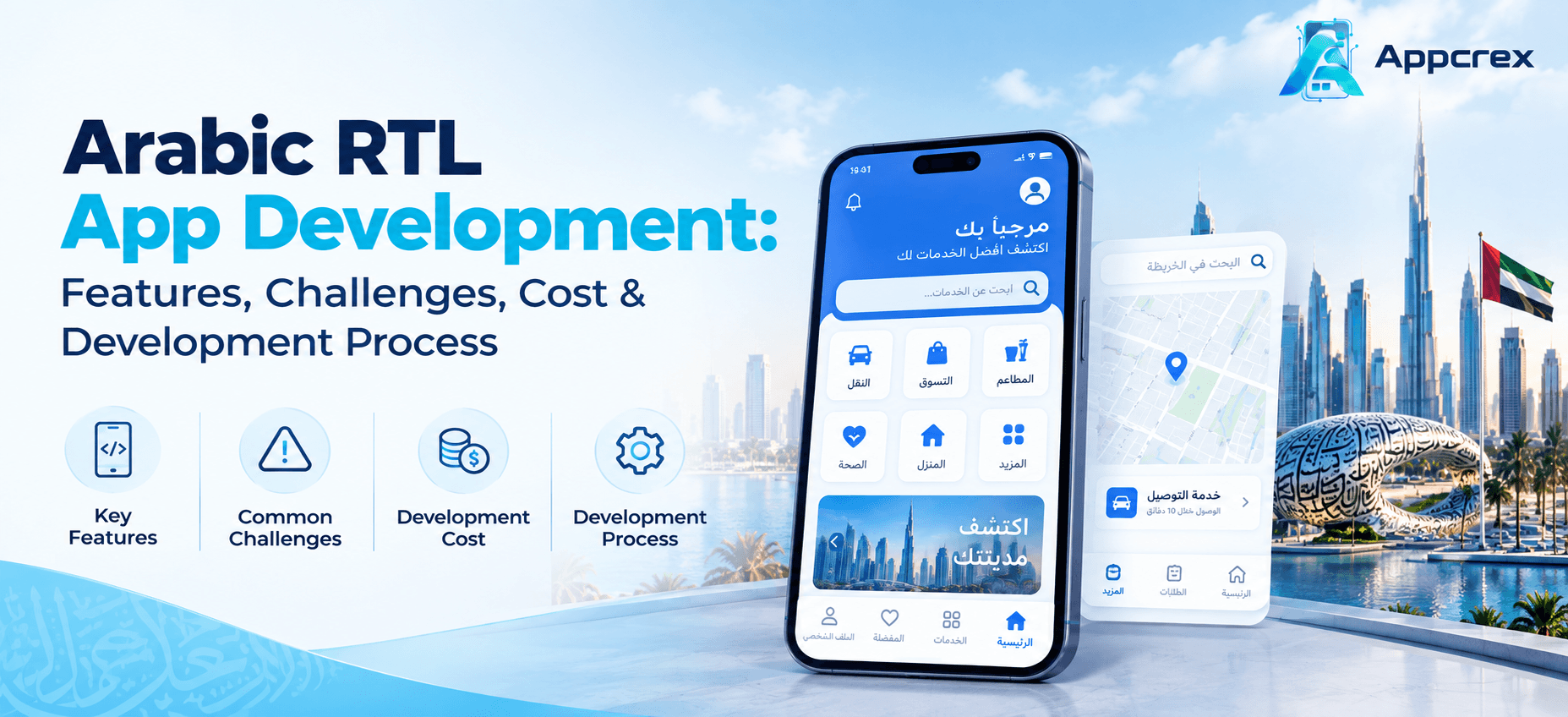
Arabic RTL app development means creating a mobile application that properly supports Arabic language and Right-to-Left interface behavior.
In a normal English application, users generally read and navigate from left to right. Arabic follows the opposite direction.
For example, an English interface may have:
Menu → Content → Action
An Arabic RTL interface may visually reverse the layout:
Action ← Content ← Menu
This doesn’t mean every element should simply be mirrored. Developers and designers need to understand which parts of the interface should change direction and which elements should remain visually consistent.
A good Arabic RTL app combines:
- Arabic language support
- RTL interface layout
- Arabic-friendly typography
- Proper text alignment
- RTL navigation
- Correct form layouts
- Localized dates and numbers
- Proper icons and directional controls
- Arabic content management
- English and Arabic switching when required
The goal is simple: Arabic users should feel that the app was designed for them, not translated for them.
Why Arabic RTL Support Matters?
Businesses targeting Saudi Arabia, the UAE, Qatar, Kuwait, Bahrain, Oman, and other Arabic-speaking markets may have users who prefer interacting with digital products in Arabic.
If an application supports Arabic only at the text level but keeps an English-style layout, the experience can feel confusing.
For example, imagine an Arabic shopping app where:
- The text is Arabic
- The menu still behaves like an English interface
- Buttons are poorly aligned
- Search fields feel awkward
- Icons point in the wrong direction
- Arabic text breaks inside cards
- Forms have inconsistent spacing
The application may technically support Arabic, but the user experience is still weak.
Proper RTL development solves these issues from the design and engineering stages.
Just Read : Arabic NLP Solutions UAE: Services, Use Cases, Cost & Development Process
Arabic Translation vs Arabic RTL Design
This is one of the most important differences to understand.
Arabic Translation
Translation changes the written content from one language to another.
For example:
English:
Add to Cart
Arabic:
أضف إلى السلة
Arabic RTL Design
RTL design changes how the interface behaves and is arranged.
This may affect:
- Navigation
- Menus
- Text alignment
- Forms
- Sidebars
- Cards
- Tables
- Sliders
- Breadcrumbs
- Pagination
- Directional icons
- Dashboard layouts
So, translation handles the language, while RTL development handles the interface direction and experience.
A professional Arabic app usually needs both.
Key Features of an Arabic RTL App
The exact features depend on the type of application, but several elements are common across projects.
Arabic and English Language Switching
Many businesses want to offer both Arabic and English instead of creating an Arabic-only application.
Users can switch languages from the app settings or onboarding screen.
The platform should remember the selected language so users don’t have to change it every time they open the app.
Navigation should behave naturally when Arabic is selected.
This can affect:
- Bottom navigation
- Side menus
- Headers
- Back navigation
- Breadcrumbs
- Tab layouts
- Dropdown menus
The navigation experience should remain easy to understand in both Arabic and English.
Arabic-Friendly Typography
Arabic characters have different shapes and spacing requirements compared with Latin characters.
The development team needs to choose fonts that:
- Support Arabic properly
- Remain readable on mobile screens
- Work across different devices
- Maintain consistent spacing
- Support different font weights
Typography becomes especially important when an application contains a lot of Arabic content.
RTL Forms
Forms need special attention because they contain labels, input fields, dropdowns, validation messages, and buttons.
Examples include:
- Registration
- Login
- Address forms
- Checkout
- Booking
- Payment
- Profile management
The layout should remain clear when the interface switches between Arabic and English.
Arabic Dashboard Support
Business dashboards may also need RTL support.
This can include:
- Reports
- Tables
- Charts
- Filters
- Search
- User management
- Order management
- Financial information
The admin panel should support the same localization standards as the customer-facing application.
Arabic RTL App Development for Different Industries
Arabic RTL support is not limited to one type of application.
E-Commerce Apps
Arabic e-commerce applications may include:
- Product catalogs
- Search
- Shopping cart
- Checkout
- Payment
- Order tracking
- Reviews
- Offers
Product descriptions and checkout screens need particular attention because Arabic content can change the length and structure of interface elements.
FinTech and Payment Apps
FinTech applications can support Arabic for:
- Account management
- Transactions
- Payment history
- Digital Wallets
- Transfers
- Notifications
- Financial dashboards
Because financial applications contain sensitive information, the Arabic interface should also be carefully tested for numbers, currencies, transaction details, and confirmation messages.
Healthcare Apps
Healthcare applications may offer Arabic support for:
- Doctor profiles
- Appointment booking
- Medical information
- Patient communication
- Prescription details
- Push Notifications
- Telemedicine
Clear typography and simple navigation are especially important for healthcare users.
Travel and Booking Apps
Travel applications can support Arabic for:
- Hotel booking
- Flight search
- Destination information
- Payments
- Booking management
- Maps
- Customer support
Real Estate Apps
Arabic RTL support can be useful for:
- Property listings
- Location information
- Property details
- Agent profiles
- Search filters
- Contact forms
Government and Enterprise Applications
Large organizations may need Arabic and English interfaces across:
- Employee portals
- Customer portals
- Service platforms
- Internal dashboards
- Document management
- Workflow systems
Arabic RTL UI/UX Design: What Needs to Change?
One of the common mistakes is assuming that every screen can simply be mirrored.
That’s not always the case.
Designers should review each component individually.
Navigation direction generally changes to match the RTL interface.
Text Alignment
Arabic content normally starts from the right side, while English content normally starts from the left.
Buttons
Button placement may need to change depending on the action and layout.
Icons
Directional icons such as arrows, back buttons, and forward controls may need to change direction.
However, universally recognized icons do not always need to be mirrored.
Images
Images themselves usually don’t need to be flipped unless the image contains directional content or text.
Forms
Labels, fields, validation messages, and controls should be arranged naturally for Arabic users.
Tables
Tables can become challenging because columns may need to be reorganized while maintaining data readability.
Common Challenges in Arabic RTL App Development
Arabic RTL development is manageable, but it should be planned early.
1. Text Expansion
Arabic and English text can occupy different amounts of space.
A button that looks perfect in English may become too narrow when Arabic text is inserted.
Responsive components help solve this problem.
2. Mixed Arabic and English Content
Some applications use both languages on the same screen.
For example, a Saudi business application may display:
- Arabic customer information
- English product names
- Numbers
- Email addresses
- URLs
- Brand names
The interface needs to handle these mixed-direction elements correctly.
3. Numbers and Dates
Numbers, currency values, dates, and other data need proper formatting.
Developers should not assume that changing the text direction automatically solves localization.
4. Icons and Directional Elements
Arrow-based icons can become confusing if they are not handled correctly.
A back arrow is a simple example. Its direction may need to change depending on the selected language and platform conventions.
5. Third-Party Components
Some third-party libraries may have limited RTL support.
Before selecting UI components, developers should verify whether they work properly with Arabic layouts.
6. Testing on Different Devices
An RTL layout that looks correct on one screen size may have spacing or alignment problems on another.
Testing should cover:
- Android phones
- iPhones
- Tablets where applicable
- Different screen sizes
- Different OS versions
- Arabic and English modes
Arabic RTL App Development Process
A good RTL experience should be planned from the beginning instead of added after the application is completed.
Step 1: Understand the Target Audience
First, determine where the app will be used and whether users need:
- Arabic only
- English only
- Arabic + English
- Multiple languages
For GCC-focused products, this decision should be made before UI design starts.
Step 2: Plan Localization
Developers create a localization structure that keeps text separate from application code.
This makes it easier to manage Arabic, English, and additional languages later.
Step 3: Create RTL-Friendly UI/UX
Designers prepare screens that can work in both LTR and RTL directions.
The design system should account for:
- Typography
- Spacing
- Navigation
- Buttons
- Forms
- Icons
- Cards
- Tables
Step 4: Develop the Application
Developers implement language switching and RTL behavior into the application.
Depending on the project, this can be done using native or cross-platform technologies.
Step 5: Add Arabic Content
Arabic translations and localized content are integrated into the application.
For professional products, translation should be reviewed for context rather than relying entirely on direct machine translation.
Step 6: Test RTL Behavior
Each major screen is checked in both Arabic and English modes.
The team looks for:
- Broken layouts
- Incorrect alignment
- Text overflow
- Wrong icon direction
- Form problems
- Navigation issues
- Number formatting problems
Step 7: Launch and Improve
After launch, user feedback can reveal additional localization improvements.
RTL support should therefore be treated as an ongoing product-quality consideration rather than a one-time translation task.
Technology for Arabic RTL App Development
Arabic RTL apps can be developed using both native and cross-platform technologies.
Cross-Platform Development
Popular choices include:
- Flutter
- React Native
These can be useful when a business wants to launch Android and iOS applications from a shared development codebase.
Native Development
For platform-specific applications:
- Swift for iOS
- Kotlin for Android
Backend
Depending on project requirements:
- Node.js
- Python
- Java
- .NET
- PHP
Database
Common options include:
- PostgreSQL
- MySQL
- MongoDB
The technology choice should depend on the application’s features, expected scale, integrations, and long-term maintenance requirements.
How Much Does Arabic RTL App Development Cost?
There is no single price for Arabic RTL app development because RTL support is only one part of the overall application.
The total cost depends on the application type, number of platforms, features, backend requirements, integrations, UI complexity, and whether Arabic and English are both supported.
A general development estimate can look like this:
| App Type | Estimated Cost |
|---|---|
| Basic Arabic RTL MVP | $15,000 – $30,000 |
| Medium Complexity App | $30,000 – $60,000 |
| Advanced Arabic RTL App | $60,000 – $120,000+ |
| Enterprise-Level Application | $120,000 – $250,000+ |
These are general planning ranges, not fixed project quotations.
For example, an Arabic RTL booking app with basic features will cost considerably less than a multilingual FinTech platform with payment integrations, AI, dashboards, compliance requirements, and multiple user roles.
How Long Does It Take to Build an Arabic RTL App?
Development time depends on the scope.
A basic application may take around 3–5 months, while medium and advanced applications can take 5–9+ months.
Enterprise applications may require longer because they often include:
- Multiple user roles
- Complex workflows
- Third-party integrations
- Large backend systems
- Advanced security
- Multiple languages
- Custom dashboards
Planning Arabic and RTL support from the beginning can help avoid expensive redesign work later.
Arabic RTL App Development for Saudi Arabia and UAE
Saudi Arabia and the UAE are important markets for businesses building Arabic-first or bilingual digital products.
A company targeting these markets may need an application that supports both Arabic and English, depending on its audience.
For example, a UAE or Saudi business could build:
- Arabic e-commerce apps
- FinTech applications
- Healthcare apps
- Real estate platforms
- Travel applications
- Food delivery apps
- Logistics applications
- Education platforms
- Enterprise software
- Customer service applications
For these projects, localization should cover more than the interface.
The business may also need localized:
- Content
- Currency
- Payment methods
- Date formats
- Notifications
- Customer support
- User communication
The exact requirements depend on the target users and business model.
Arabic RTL Testing Checklist
Before launching an Arabic application, the development team should test important screens in both languages.
A practical checklist includes:
- Arabic text displays correctly
- RTL layout works across screens
- Navigation direction is correct
- Buttons fit Arabic text
- Forms are properly aligned
- Icons have appropriate direction
- Tables remain readable
- Numbers display correctly
- Currency formatting works
- Dates are displayed correctly
- Arabic fonts render properly
- Notifications support Arabic
- Push messages are readable
- Search works with Arabic text
- Arabic and English switching works correctly
- App remains responsive on different screen sizes
Testing this way can catch issues that may not be visible during English-only testing.
Benefits of Building an Arabic RTL App
A properly localized application can provide several practical benefits.
Better User Experience
Arabic-speaking users can interact with the application in a familiar interface.
Wider Market Reach
Businesses can serve both Arabic-speaking and English-speaking customers.
Stronger Brand Experience
A properly designed Arabic interface feels more localized and professional.
Easier GCC Expansion
A well-structured localization system can make it easier to support additional Arabic-speaking markets.
Better Product Accessibility
Users can select the language and interface direction that is most comfortable for them.
Should You Build Arabic-Only or Arabic + English?
It depends on your target audience.
An Arabic-only app may make sense when the product is specifically designed for an Arabic-speaking audience.
An Arabic + English app can make more sense for businesses targeting a wider customer base, international users, expatriates, tourists, or multinational organizations.
For many UAE-focused applications, bilingual support can be particularly useful because the user base may include both Arabic-speaking and international users.
The important thing is to make the language choice part of the initial product strategy instead of treating it as an afterthought.
Why Choose AppCrex for Arabic RTL App Development?
AppCrex provides custom mobile app development services for businesses that need localized and multilingual digital products.
Our team can help with:
- Arabic RTL mobile app development
- Arabic and English applications
- RTL UI/UX design
- Cross-platform app development
- Native iOS development
- Native Android development
- Multilingual architecture
- API and backend development
- Payment integration
- AI integration
- Admin dashboards
- Third-party integrations
- Testing and maintenance
Whether you are building an e-commerce application for the GCC, a healthcare product, a FinTech solution, or an enterprise application, Arabic support can be planned into the product architecture from the beginning.
Businesses can also hire mobile app developers to build and maintain dedicated Arabic RTL applications based on their requirements.
FAQs
Q. What does RTL mean in an app?
RTL stands for Right-to-Left. It describes an interface where content and navigation are designed to support languages such as Arabic that are read from right to left.
Q. Is Arabic translation the same as RTL support?
No. Translation changes the language, while RTL support changes the interface direction and layout where required.
Q. Can an app support both Arabic and English?
Yes. A properly designed multilingual application can support Arabic RTL and English LTR interfaces within the same app.
Q. How much does an Arabic RTL app cost?
A basic Arabic RTL app may cost around $15,000–$30,000, while more advanced applications can cost $60,000–$120,000+ depending on features and integrations.
Q. Can Flutter be used for Arabic RTL apps?
Yes. Flutter supports RTL interfaces and can be used to develop Arabic applications for both Android and iOS.
Q. Does every icon need to be mirrored for Arabic?
No. Directional icons may need adjustment, but not every icon should automatically be flipped. The correct approach depends on the meaning and purpose of the icon.
Q. Can Arabic RTL support be added after app development?
It can, but adding it late may require UI redesign and additional development work. Planning RTL support during the design and architecture stage is generally more efficient.
Q. Can Arabic RTL apps support AI?
Yes. AI features such as chatbots, recommendations, Arabic-language search, document processing, and customer support can be integrated depending on the application.
Conclusion
Building an Arabic application is not simply a translation project. If the target audience reads Arabic, the entire user experience should feel natural in that language.
Arabic RTL app development brings together localization, UI/UX design, responsive layouts, typography, navigation, forms, testing, and technical implementation. When Arabic support is considered from the beginning, businesses can avoid many of the layout and usability problems that appear when RTL is added at the last stage.
For companies targeting Saudi Arabia, the UAE, and other Arabic-speaking markets, a bilingual Arabic-English application can also provide flexibility while reaching a broader audience.
The right approach is to define the target market first, design for both RTL and LTR experiences, build a flexible localization system, and test every important screen before launch.
Build Your Arabic RTL App with AppCrex
Planning an Arabic or bilingual mobile application for Saudi Arabia, UAE, or another Arabic-speaking market?
AppCrex provides Arabic RTL app development, UI/UX design, cross-platform and native app development, backend development, API integration, AI integration, and ongoing support.
Talk to AppCrex to discuss your Arabic RTL app idea, features, target market, and development requirements.
