
📌 Key Takeaways
- The best AI platform for CRM integration depends on your CRM, business goals, data, and customization requirements.
- Salesforce Einstein/Agentforce, Microsoft Dynamics 365 Copilot, and HubSpot Breeze are strong native CRM AI options.
- OpenAI, Google Cloud, and AWS can be valuable for customized AI CRM integrations and enterprise applications.
- AI CRM integration can automate lead qualification, customer support, sales workflows, personalization, analytics, and reporting.
- Businesses in India, the UK, USA, UAE, Canada, and Australia should consider local data, privacy, integration, and customer-experience requirements when implementing AI CRM solutions.
Introduction
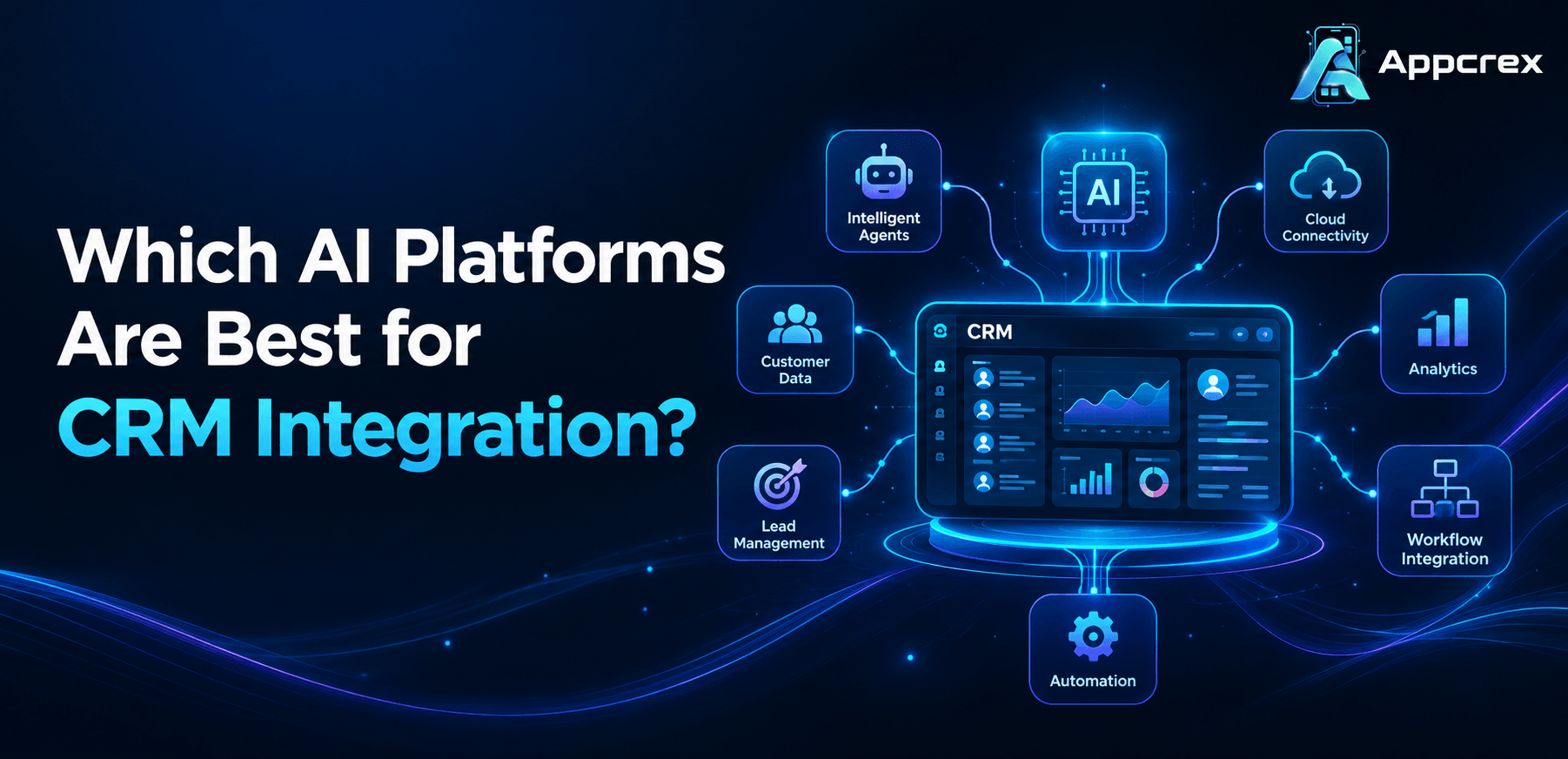
The best AI platform for CRM integration depends on the CRM system, business goals, data architecture, security requirements, and desired AI capabilities. Leading options include Salesforce Einstein/Agentforce, Microsoft Dynamics 365 Copilot, HubSpot Breeze, OpenAI-based custom integrations, Google Cloud AI, and AWS AI services. The right choice depends on whether you need native CRM AI, custom AI workflows, predictive analytics, or conversational automation.
Businesses increasingly use AI with CRM systems to automate sales activities, analyze customer data, improve lead qualification, personalize communication, generate reports, and provide intelligent customer support.
The important point is that there is no single best AI platform for every CRM. A company using Salesforce may benefit from its native AI ecosystem, while a business using a custom CRM may prefer an API-based AI platform such as OpenAI or cloud AI services.
What Is AI CRM Integration?
AI CRM integration connects artificial intelligence capabilities with a customer relationship management system so that customer data can be analyzed, interpreted, and used to automate business processes.
A traditional CRM primarily stores information about customers, leads, opportunities, conversations, and transactions. AI adds an intelligence layer that can help teams understand this information and take action.
AI CRM integration can support:
- Lead scoring
- Sales forecasting
- Customer segmentation
- Automated follow-ups
- Email generation
- Customer support
- Chatbots
- Predictive analytics
- Sentiment analysis
- Recommendation engines
- Data summarization
- Workflow automation
- Customer personalization
For example, an AI system can analyze a customer’s CRM history and help a sales representative understand the customer’s previous interactions, interests, buying signals, and recommended next action.
Which AI Platforms Are Best for CRM Integration?
The leading options include Salesforce Einstein/Agentforce, Microsoft Dynamics 365 Copilot, HubSpot Breeze, OpenAI, Google Cloud AI, and AWS AI services. Native CRM AI platforms are usually easier to deploy within their own ecosystems, while general-purpose AI platforms are useful when businesses need customized workflows or integrations across multiple CRM systems.
Here is a practical comparison:
| AI Platform | Best For | Integration Approach |
|---|---|---|
| Salesforce Einstein / Agentforce | Salesforce CRM users | Native CRM AI |
| Microsoft Dynamics 365 Copilot | Microsoft CRM users | Native CRM + Microsoft ecosystem |
| HubSpot Breeze | HubSpot users | Native CRM AI |
| OpenAI | Custom AI workflows | API-based integration |
| Google Cloud AI | Enterprise AI/data workloads | Cloud/API integration |
| AWS AI Services | Scalable enterprise applications | Cloud/API integration |
The best option should be selected based on the CRM, use case, data requirements, budget, and level of customization.
Is Salesforce Einstein Good for CRM Integration?
Yes. Salesforce Einstein and the broader Salesforce AI ecosystem are strong choices for businesses already using Salesforce because AI capabilities are deeply connected with CRM data, workflows, and customer operations. Salesforce currently positions its AI CRM capabilities around unified data, conversational AI, automation, and trusted AI.
Salesforce can support AI use cases such as:
- Lead prioritization
- Sales recommendations
- Customer insights
- Automated content generation
- Case summarization
- Customer service assistance
- Personalized communication
- AI-powered workflows
Salesforce also provides tools for extending AI experiences using custom actions, prompts, models, and CRM data.
Best For
Salesforce Einstein/Agentforce is particularly suitable for:
- Salesforce-based enterprises
- Sales teams
- Customer service organizations
- Marketing teams
- Enterprise CRM automation
- AI-powered customer experiences
If the business already has a large Salesforce deployment, using its native AI ecosystem can reduce the complexity of building an entirely separate AI layer.
Is Microsoft Dynamics 365 Copilot Good for CRM Integration?
Yes. Microsoft Dynamics 365 Copilot is a strong choice for businesses using Dynamics 365 and Microsoft technologies. Microsoft provides AI capabilities across sales, customer service, marketing, and other business workflows, including summaries, recommendations, content generation, and automation.
Dynamics 365 can use AI to help sales teams:
- Summarize opportunities
- Research accounts
- Prepare for meetings
- Prioritize leads
- Generate emails
- Automate follow-ups
- Analyze customer interactions
Microsoft also supports connections between Copilot and existing CRM/contact-center solutions in certain scenarios.
Best For
Microsoft’s ecosystem is particularly suitable for:
- Microsoft Dynamics users
- Enterprise organizations
- B2B companies
- Microsoft 365 users
- Businesses already using Azure
- Organizations requiring enterprise workflow automation
Is HubSpot Breeze Good for CRM Integration?
Yes. HubSpot Breeze is designed for AI-assisted sales, marketing, and service workflows within HubSpot. Current HubSpot documentation describes Breeze Assistant as a conversational AI assistant that can generate content, summarize CRM records, prepare for meetings, and complete tasks.
Businesses can use AI within HubSpot for:
- CRM record summaries
- Content generation
- Meeting preparation
- Customer insights
- Marketing workflows
- Sales assistance
- Data analysis
Best For
HubSpot Breeze is particularly suitable for:
- Startups
- SMBs
- Marketing teams
- Sales teams
- Inbound marketing businesses
- Companies already using HubSpot CRM
Businesses that want AI without building a completely custom AI infrastructure may find native CRM AI easier to manage.
Is OpenAI Good for CRM Integration?
Yes. OpenAI can be a strong option for businesses that want custom AI capabilities connected to their CRM rather than relying exclusively on a CRM vendor’s built-in AI features.
A custom integration can connect an AI model to CRM data and business workflows through APIs, middleware, retrieval systems, and application logic.
Potential use cases include:
- AI sales assistants
- CRM chatbots
- Lead qualification
- Customer support assistants
- Email generation
- Sales call summaries
- CRM data summarization
- Knowledge assistants
- Personalized customer communication
- Natural-language CRM search
- Automated workflow assistance
The major advantage of a custom AI approach is flexibility. Businesses can design AI around their specific CRM, database, processes, and customer journey rather than changing their entire CRM strategy around one vendor.
However, businesses should implement appropriate authentication, access controls, data governance, logging, and safeguards when connecting AI systems to customer data.
Also Read : Healthcare CRM Software Development: Complete Guide to Features, Benefits, Cost & AI Integration (2026)
Is Google Cloud AI Good for CRM Integration?
Google Cloud AI can be a good option for organizations that require cloud-based AI, data processing, analytics, machine learning, and custom enterprise solutions.
It can be considered when a business wants to combine CRM information with:
- Customer analytics
- Machine learning
- Predictive models
- Data warehouses
- Business intelligence
- AI applications
- Custom automation
Google Cloud can be especially useful when CRM data is only one part of a larger enterprise data ecosystem.
Best For
- Large enterprises
- Data-heavy businesses
- Custom AI applications
- Predictive analytics
- Organizations already using Google Cloud
Is AWS AI Good for CRM Integration?
AWS can be a strong option for businesses that want to build scalable AI-powered CRM applications using cloud infrastructure and multiple AI services.
AWS-based CRM integrations can support:
- AI assistants
- Customer analytics
- Predictive models
- Chatbots
- Document processing
- Automated workflows
- Data pipelines
- Enterprise applications
AWS can be particularly useful when the CRM is part of a broader custom software ecosystem rather than an isolated business application.
Which AI Platform Is Best for Different CRM Systems?
The best choice often depends on the CRM you’re already using.
| CRM Environment | AI Option to Consider |
|---|---|
| Salesforce | Einstein / Agentforce |
| Microsoft Dynamics 365 | Copilot |
| HubSpot | Breeze |
| Custom CRM | OpenAI or cloud AI APIs |
| Multi-system Enterprise | Azure, AWS, Google Cloud or custom AI architecture |
| Data-heavy Enterprise | Google Cloud / AWS / Azure |
| Custom AI Assistant | OpenAI or other model APIs |
This doesn’t mean a particular platform is the only possible choice. Most modern CRM environments can be extended using APIs, middleware, automation tools, or custom software.
What Features Should an AI CRM Integration Include?
A strong AI CRM integration should do more than generate text. It should connect AI to useful business processes and CRM data.
1. AI Lead Scoring
AI can analyze lead attributes, engagement history, interactions, and behavioral signals to help sales teams prioritize prospects.
2. Automated Customer Summaries
AI can summarize long customer records, conversations, emails, tickets, and sales histories.
3. AI Sales Assistant
Sales representatives can use an AI assistant to retrieve customer information, generate content, and identify recommended actions.
4. Predictive Analytics
AI can identify patterns in CRM data to support sales forecasting, churn analysis, customer segmentation, and opportunity analysis.
5. Automated Follow-Ups
AI can help generate personalized follow-up messages based on customer interactions and sales-stage information.
6. Customer Support Automation
AI chatbots and assistants can answer common questions, summarize cases, and route complex issues to human agents.
7. Sentiment Analysis
AI can analyze customer conversations to identify positive, negative, or potentially risky interactions.
8. Personalized Recommendations
AI can use CRM data to recommend products, services, content, or next actions.
Also Read : AI Sales Agent Development Company in UAE: Complete Guide to Features, Cost, Benefits & Business Use Cases
How Does AI Improve CRM Systems?
AI improves CRM systems by turning stored customer data into actionable insights and automated workflows. Instead of requiring employees to manually analyze every customer record, AI can summarize information, identify patterns, recommend actions, and automate repetitive processes.
For example:
Traditional CRM:
Customer data → Employee searches → Employee analyzes → Employee decides → Employee acts
AI-powered CRM:
Customer data → AI analyzes → AI identifies insight → AI recommends/action → Employee reviews when needed
This can help sales, marketing, and customer service teams spend more time on higher-value activities.
What Are the Benefits of AI CRM Integration?
The major benefits include:
Better Sales Productivity
AI can automate administrative tasks and provide sales representatives with customer context.
Faster Customer Support
AI can summarize cases and assist agents with responses.
Better Lead Prioritization
AI can help sales teams identify prospects that deserve attention.
Personalized Customer Experiences
Customer data can be used to create more relevant communication.
Automated Workflows
AI can reduce repetitive manual processes.
Better Decision-Making
Predictive analytics can help organizations identify trends and opportunities.
Scalable Operations
Automation can help businesses manage larger customer volumes without increasing manual work at the same rate.
How Do You Choose the Right AI Platform for CRM Integration?
The right AI platform should be selected according to the CRM, business objective, data architecture, security requirements, customization needs, and budget.
Use these criteria:
CRM Compatibility
First determine whether the AI platform supports your CRM natively or through APIs.
AI Capabilities
Identify whether you need generative AI, predictive analytics, conversational AI, recommendation systems, or AI agents.
Data Security
Review authentication, encryption, access control, data retention, governance, and compliance requirements.
Customization
Determine whether your business requires a standard AI assistant or a completely customized AI workflow.
Scalability
The solution should be able to handle increasing CRM data, users, interactions, and automation workloads.
Integration Cost
Consider development, API usage, infrastructure, licensing, maintenance, and support costs.
Vendor Ecosystem
A platform with strong integrations, developer tools, documentation, and enterprise support may reduce future development effort.
How Much Does AI CRM Integration Cost?
AI CRM integration costs can range from a few thousand dollars for a simple integration to hundreds of thousands of dollars for an enterprise AI CRM platform.
The actual cost depends on:
- CRM platform
- Number of integrations
- AI model
- Number of users
- Data volume
- Custom workflows
- AI chatbot requirements
- Predictive analytics
- Security requirements
- Cloud infrastructure
- Admin dashboard
- Mobile application integration
- Ongoing maintenance
Indicative Development Range
| Integration Type | Approximate Cost |
|---|---|
| Basic AI + CRM Integration | $5,000–$15,000 |
| Custom AI CRM Workflow | $15,000–$40,000 |
| Advanced AI CRM Platform | $40,000–$100,000+ |
| Enterprise AI CRM Ecosystem | $100,000–$250,000+ |
These are indicative development estimates, not fixed market prices. Licensing, API usage, cloud infrastructure, and third-party services may be additional.
How Long Does AI CRM Integration Take?
A basic AI CRM integration can take approximately 2–6 weeks, while a complex custom AI CRM platform can require 3–9 months or more.
| Project Type | Approximate Timeline |
|---|---|
| Basic AI Integration | 2–6 weeks |
| Custom AI Workflow | 1–3 months |
| Advanced AI CRM | 3–6 months |
| Enterprise Platform | 6–9+ months |
The timeline depends heavily on CRM APIs, data quality, AI requirements, security, testing, and integration complexity.
What Security Considerations Matter in AI CRM Integration?
Security is one of the most important considerations because CRM systems contain sensitive customer and business information.
A secure AI CRM implementation should consider:
- API authentication
- Role-based access control
- Encryption
- Data minimization
- Secure data transmission
- Access logging
- Audit trails
- Data retention policies
- Secure cloud infrastructure
- Prompt and output controls
- Human review for sensitive actions
- Regular security testing
Businesses should also understand exactly what CRM data is being sent to an AI service and why.
How Can Businesses Integrate AI With CRM Systems in India?
Businesses in India can use AI CRM integration for lead management, customer support, sales automation, marketing personalization, and analytics. Indian businesses may also benefit from multilingual customer experiences, WhatsApp-oriented workflows, local payment or commerce integrations, and scalable cloud infrastructure.
For Indian startups and SMBs, starting with a focused AI use case—such as lead qualification or customer support—can be more practical than implementing an enterprise AI platform immediately.
How Can Businesses Integrate AI With CRM Systems in the UK?
In the UK, AI CRM implementations can focus on sales automation, customer service, predictive analytics, personalization, and workflow automation.
Businesses should pay particular attention to data governance, privacy, security, and the way customer information is processed by external AI services.
How Can Businesses Integrate AI With CRM Systems in the USA?
US businesses commonly use AI CRM integration for sales intelligence, customer service automation, marketing personalization, lead scoring, and enterprise analytics.
Custom integrations can connect AI models to CRM systems, internal knowledge bases, customer data platforms, and other business applications.
How Can Businesses Integrate AI With CRM Systems in the UAE?
Businesses in the UAE can use AI CRM integration to support smart customer service, sales automation, multilingual communication, personalization, and digital business operations.
For UAE businesses, multilingual experiences and integration with broader digital platforms can be important depending on the customer base.
How Can Businesses Integrate AI With CRM Systems in Canada?
Canadian businesses can use AI CRM integration for customer analytics, sales automation, personalized marketing, service automation, and predictive insights.
Data governance and privacy requirements should be considered during architecture and vendor selection.
How Can Businesses Integrate AI With CRM Systems in Australia?
Australian businesses can integrate AI with CRM platforms to improve lead management, customer service, sales forecasting, automation, and personalized engagement.
The implementation should be designed around the company’s CRM, customer data architecture, business processes, and applicable privacy obligations.
What Are the Common Challenges of AI CRM Integration?
AI CRM integration can provide significant benefits, but businesses should plan for several challenges.
Poor Data Quality
AI outputs depend heavily on the quality and structure of the underlying data.
Complex Legacy Systems
Older CRM systems may require custom middleware or additional development.
Integration Limitations
Some platforms may have API restrictions, rate limits, or limited access to certain CRM data.
Security Concerns
Customer information must be protected throughout the integration.
AI Accuracy
AI-generated outputs should be validated, particularly when they influence customer communication, financial decisions, or important business processes.
High Implementation Complexity
Enterprise integrations may involve multiple CRMs, databases, cloud systems, APIs, and business applications.
What Is the Future of AI CRM Integration?
The future of AI CRM integration is moving toward AI agents and proactive automation, where AI does more than provide recommendations and can assist with multi-step business workflows under appropriate controls.
Instead of simply asking:
“What happened with this customer?”
users will increasingly be able to ask:
“Which leads need attention today, why are they important, and prepare the next follow-up.”
AI-powered CRM systems are increasingly combining customer data, workflow automation, conversational interfaces, predictive intelligence, and agentic capabilities. Salesforce and Microsoft, for example, are both positioning their current CRM ecosystems around AI agents and deeper AI-driven workflows.
The key will be balancing automation with security, governance, transparency, and human oversight.
FAQs
Q. Which AI platform is best for CRM integration?
There is no universal best platform. Salesforce Einstein/Agentforce is a strong option for Salesforce users, Microsoft Copilot for Dynamics 365 users, HubSpot Breeze for HubSpot users, while OpenAI and cloud AI platforms can be better for customized CRM integrations.
Q. Can ChatGPT be integrated with a CRM?
Yes. An AI model can be connected to a CRM through APIs and custom application logic to support use cases such as summaries, customer assistants, lead qualification, content generation, and workflow automation.
Q. What is the best AI for Salesforce?
Salesforce’s native Einstein and Agentforce ecosystem is a natural choice for organizations already using Salesforce because it is designed around Salesforce CRM data, workflows, and AI capabilities.
Q. What is the best AI for Microsoft Dynamics?
Microsoft Dynamics 365 Copilot is the most natural starting point for businesses already using Dynamics 365 because Microsoft’s AI capabilities are integrated across its CRM and broader Microsoft ecosystem.
Q. Is AI CRM integration expensive?
It can range from a relatively small API integration to a major enterprise project. Complexity, CRM platform, AI features, data volume, security, and integrations are the biggest cost factors.
Q. How long does AI CRM integration take?
Simple integrations may take a few weeks, while advanced enterprise implementations can take several months.
Q. Can AI automate CRM tasks?
Yes. AI can assist with summaries, email generation, lead qualification, customer support, recommendations, reporting, and other CRM workflows.
Conclusion
The best AI platform for CRM integration is ultimately the one that fits your existing CRM, data architecture, business processes, security requirements, and AI goals.
For businesses already using Salesforce, Einstein and Agentforce can provide a deeply integrated AI experience. Dynamics 365 users can leverage Microsoft Copilot, while HubSpot users can use Breeze. Businesses that need greater flexibility can consider API-based AI integrations using platforms such as OpenAI, Google Cloud, or AWS.
The most effective approach is not simply to add AI to a CRM. It is to identify the business processes where AI can create measurable value—such as lead qualification, customer support, sales automation, predictive analytics, personalization, and intelligent workflow automation—and then build the integration around those goals.
Whether your business operates in India, the UK, USA, UAE, Canada, or Australia, a properly designed AI CRM integration can turn customer data into actionable intelligence while reducing repetitive work and improving customer experiences.
For businesses that require a customized solution, Appcrex can help design and develop AI-powered CRM integrations tailored to specific workflows, CRM platforms, APIs, business data, and automation requirements.
