
📌 Key Takeaways
- Wearable app development can extend far beyond smartwatch interfaces into cloud and enterprise ecosystems.
- Enterprise integrations with CRM, ERP, healthcare, IoT and analytics platforms can become a major part of the architecture.
- Apple Watch and Wear OS provide platform-specific frameworks for device communication and health-related data.
- Wearable app development cost can range from about $20K for a basic MVP to $150K+ for complex enterprise platforms.
- Scalable cloud architecture, security and device compatibility should be planned from the beginning.
Introduction
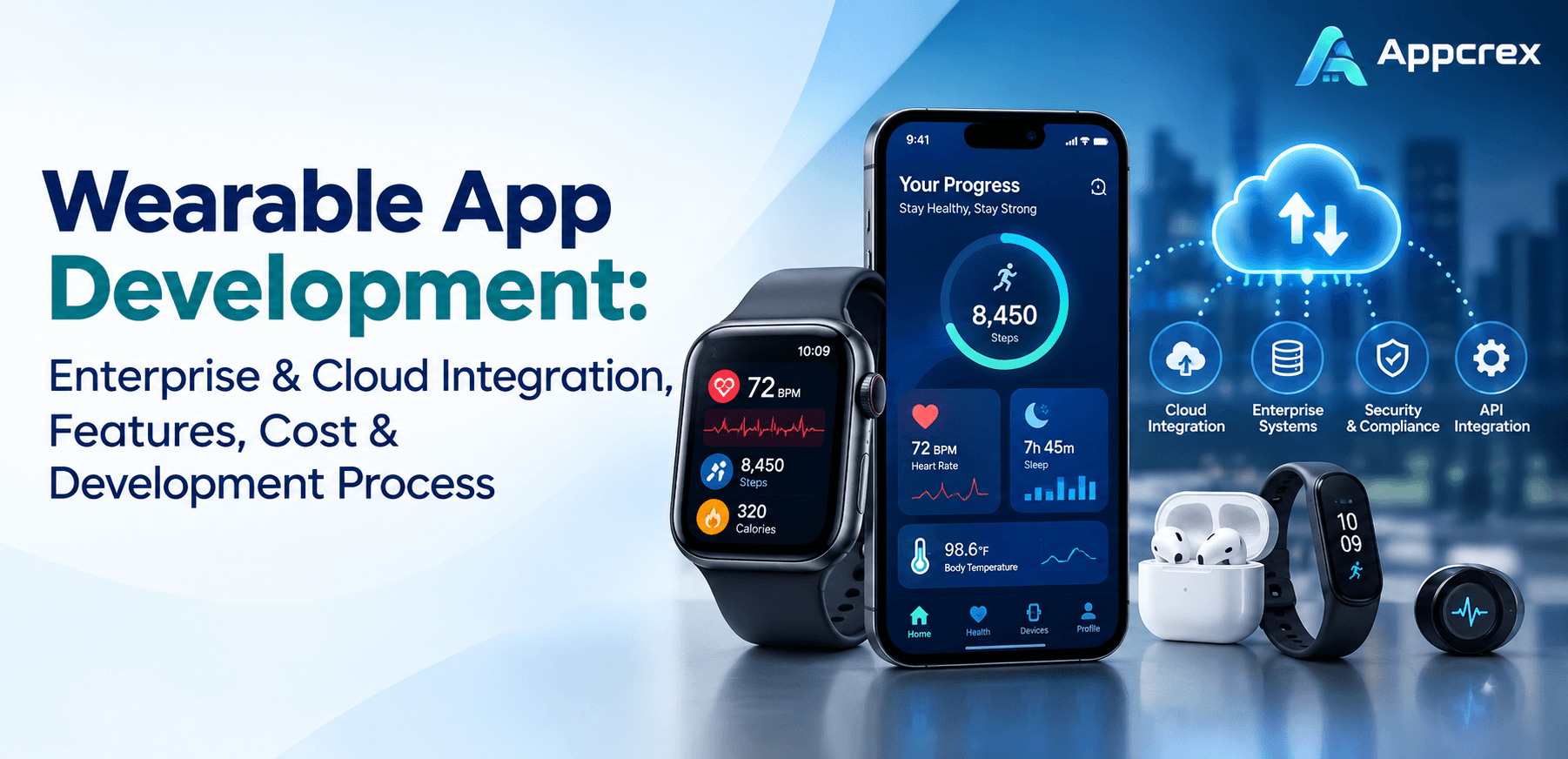
Wearable devices are no longer limited to counting steps or displaying notifications. Smartwatches, fitness trackers, industrial wearables, healthcare devices, smart glasses and other connected devices can collect real-time data and connect it with mobile applications, cloud platforms and enterprise systems.
For businesses, this creates an opportunity to build wearable solutions that do more than run on a smartwatch. A properly designed wearable platform can connect:
Wearable Device → Mobile App → Cloud Backend → APIs → Enterprise Systems → Analytics & AI
This architecture can support healthcare monitoring, employee safety, fitness platforms, logistics, industrial operations, field services and enterprise workflows.
If you are planning to build such a product, you may need a combination of wearable app development, mobile development, cloud infrastructure, API integration and enterprise software development.
This guide explains how wearable app development works, how wearable devices integrate with enterprise and cloud infrastructure, important features, technology choices, development costs and the process of building a scalable wearable application.
What Is Wearable App Development?
Wearable app development involves creating software designed specifically for connected wearable devices such as:
- Apple Watch
- Wear OS smartwatches
- Fitness trackers
- Healthcare wearables
- Smart glasses
- Industrial wearables
- Connected sensors
- IoT-enabled wearable devices
A wearable application can operate independently on a device or work together with a smartphone and cloud platform.
For example, a fitness wearable may collect heart rate, workout or activity information. The data can then move to a companion mobile application, synchronize with a cloud backend and become available through a web dashboard or enterprise system.
Apple’s HealthKit provides a central repository for health and fitness data on iPhone and Apple Watch, with user permission controlling access. Apple’s current watchOS documentation also supports experiences involving health data, workouts, sensors and connected devices.
On Wear OS, Google’s Health Services provides standardized access to health and fitness metrics, while the Wear OS Data Layer can synchronize information between compatible wearable and handheld devices.
How Do Wearable Apps Connect With Enterprise Systems?
A wearable application usually isn’t the entire technology solution.
For enterprise applications, the wearable is often the data-collection or interaction layer.
A simplified architecture can look like this:
Wearable Device
↓
Bluetooth / Wi-Fi / LTE
↓
Companion Mobile App or Direct Cloud Connection
↓
API Gateway
↓
Cloud Backend
↓
Database + Analytics + AI
↓
CRM / ERP / EHR / Enterprise Platform
This architecture allows organizations to collect data from wearable devices and make it available to authorized systems.
For example, an industrial company could use wearable devices to track worker activity, equipment inspections or safety events. The information could then be transferred to an enterprise dashboard.
A healthcare organization could use wearable data as part of a broader patient-monitoring workflow, subject to applicable permissions, privacy requirements and regulatory obligations.
Wearable App Cloud Integration
Cloud infrastructure is one of the most important components of enterprise wearable application development.
Instead of keeping all information on the wearable device, a cloud backend can handle:
- Data storage
- User authentication
- Device management
- API communication
- Analytics
- Notifications
- Synchronization
- Reporting
- AI processing
- Enterprise integrations
Common cloud platforms include:
- AWS
- Microsoft Azure
- Google Cloud
- Firebase
- Cloud-based Kubernetes infrastructure
- Private cloud environments
The right choice depends on the project’s security, scalability, compliance and integration requirements.
For an enterprise wearable platform, the cloud architecture should be designed before development begins rather than added as an afterthought.
Enterprise Integration for Wearable Applications
One of the strongest commercial opportunities in wearable app development is enterprise integration.
A wearable application can potentially connect with:
CRM Systems
Wearable-generated information can be connected to customer or employee workflows through APIs.
ERP Systems
Organizations can connect wearable activity or operational data with inventory, workforce, asset or business-management workflows.
Healthcare Systems
Healthcare applications may integrate with electronic health records(EHR), patient platforms or clinical workflows where appropriate and legally permitted.
Workforce Management
Wearables can support:
- Employee activity
- Attendance
- Field-worker status
- Safety alerts
- Task completion
- Location information
IoT Platforms
Wearables can become part of a larger IoT ecosystem containing:
- Sensors
- Machines
- Mobile applications
- Cloud infrastructure
- Enterprise dashboards
Business Intelligence
Collected information can be processed for:
- Reports
- Dashboards
- Trends
- Operational analytics
- Predictive insights
Wearable-to-Mobile Data Synchronization
For many products, the mobile application acts as a bridge between the wearable and cloud infrastructure.
For example:
Smartwatch → iPhone/Android → Cloud API → Enterprise Dashboard
Apple provides Watch Connectivity for two-way communication between a paired iPhone and watchOS application. It supports transfer of smaller data objects as well as files, with background transfer capabilities.
On Wear OS, the Data Layer API provides communication between supported Wear OS watches and connected Android handheld devices. Depending on connectivity, data can be transferred using Bluetooth or through Google’s cloud infrastructure.
For some applications, however, the wearable can communicate directly with network services without relying entirely on the phone. Google’s Wear OS documentation describes direct network communication as another synchronization approach.
The correct architecture depends on the device, connectivity model and business requirements.
HealthKit and Health Connect Integration
Healthcare and fitness wearable applications often require platform-specific health integrations.
HealthKit Integration
HealthKit provides a centralized health and fitness data repository across Apple’s ecosystem.
Applications can request permission to read or write supported health data. Apple emphasizes user authorization and privacy controls for HealthKit data.
Potential use cases include:
- Workout tracking
- Heart-rate data
- Activity monitoring
- Fitness analytics
- Health dashboards
- Mobility applications
Health Connect Integration
Android applications can use Health Connect to manage supported health and fitness data.
For wearable devices using Bluetooth Low Energy, Android’s current documentation describes CompanionDeviceService as a mechanism for receiving wearable data and synchronizing it with Health Connect with low latency.
This can be useful for applications that need to combine data from different devices and services.
Key Features of Enterprise Wearable Apps
A wearable application should be designed around the actual business workflow rather than simply placing a smartphone interface on a smaller screen.
Important features may include:
1. Wearable Device Pairing
Users should be able to connect supported devices with minimal setup.
2. Real-Time Data Collection
Depending on the device and permissions, the application may collect information such as:
- Heart rate
- Steps
- Activity
- Location
- Temperature
- Movement
- Workout information
- Device status
3. Companion Mobile App
The mobile application can provide a larger interface for:
- Account management
- Data visualization
- Device configuration
- Reports
- Notifications
- Settings
4. Cloud Synchronization
Data can be synchronized with a secure cloud backend for long-term storage and analysis.
5. Enterprise Dashboard
Businesses may need dashboards showing:
- Users
- Devices
- Alerts
- Activity
- Performance
- Trends
- Reports
6. Push Notifications
Notifications can alert users about:
- Tasks
- Health events
- Device status
- Safety events
- Reminders
- System updates
7. Role-Based Access
Enterprise platforms may have different roles for:
- Employees
- Managers
- Administrators
- Doctors
- Supervisors
- Operations teams
8. Analytics
Analytics can turn wearable data into useful business information.
Advanced Features for Wearable Applications
Once the core product is working, businesses can introduce more advanced capabilities.
AI-Powered Analytics
AI can identify patterns in collected information and generate insights.
Predictive Analytics
Predictive models can help identify potential trends or operational issues.
Voice Interaction
Wearables can provide voice-based commands for hands-free workflows.
Geofencing
Location-based triggers can be useful for field services, logistics and workforce management.
Remote Device Management
Enterprise administrators may need to:
- Register devices
- Monitor device status
- Configure settings
- Update software
- Disable lost devices
Offline Functionality
Some enterprise environments have unreliable connectivity. The application can temporarily store information locally and synchronize it when connectivity becomes available.
Also Read : Wearable App Development Company: Complete Guide to Features, Cost & Development Process
Apple Watch vs Wear OS for Enterprise Applications
Businesses often need to choose which wearable ecosystem to support.
| Factor | Apple Watch | Wear OS |
|---|---|---|
| Primary ecosystem | Apple | Android/Google ecosystem |
| Development | watchOS / Swift / SwiftUI | Wear OS / Android |
| Health integration | HealthKit | Health Connect / Health Services |
| Companion communication | Watch Connectivity | Wear OS Data Layer |
| Enterprise use | Healthcare, fitness, workforce | Healthcare, fitness, enterprise, industrial |
| Device ecosystem | Apple hardware | Multiple manufacturers |
| Cloud/API integration | Supported through application architecture | Supported through application architecture |
The choice should depend on your target customers and devices rather than simply selecting the platform with the lowest development cost.
Wearable App Development Technology Stack
A typical wearable project may use several layers.
Wearable Layer
Apple Watch
- Swift
- SwiftUI
- watchOS
- HealthKit
Wear OS
- Kotlin
- Android SDK
- Jetpack
- Wear OS
- Health Services
- Health Connect
Mobile Layer
Depending on the project:
- Swift
- Kotlin
- React Native
- Flutter
Native development may be preferred when deep platform-specific wearable capabilities are required.
Backend
Common technologies include:
- Node.js
- Python
- Java
- .NET
- PostgreSQL
- MySQL
- MongoDB
Cloud
Potential options include:
- AWS
- Azure
- Google Cloud
- Firebase
APIs
The application may use:
- REST APIs
- GraphQL
- WebSockets
- BLE
- OAuth
- Enterprise APIs
React Native and Flutter for Wearable App Development
Cross-platform frameworks can be useful when a project includes Android and iOS companion applications.
However, wearable development can still require native platform work.
For example, a project may use:
React Native / Flutter → Mobile Companion App
and:
Swift / watchOS → Apple Watch
or:
Kotlin / Wear OS → Wearable Application
This hybrid architecture can provide code reuse for the mobile layer while retaining native capabilities where wearable-specific functionality requires them.
The correct approach depends on the product requirements, wearable APIs and integrations.
How to Develop a Wearable App?
A successful wearable application should start with the business use case rather than the device.
Step 1: Define the Use Case
First determine what the wearable actually needs to accomplish.
Examples:
- Fitness monitoring
- Healthcare monitoring
- Worker safety
- Field-service management
- Logistics
- Industrial monitoring
- Employee productivity
- Customer engagement
Step 2: Choose Supported Devices
Decide whether the application will support:
- Apple Watch
- Wear OS
- Fitness trackers
- Proprietary hardware
- BLE devices
- Multiple wearable ecosystems
Step 3: Define Data Requirements
Identify:
- What data is collected?
- Where does it come from?
- How frequently is it collected?
- Where is it stored?
- Who can access it?
- How long should it be retained?
Step 4: Design the Architecture
Plan:
- Wearable application
- Mobile application
- Cloud backend
- Database
- APIs
- Enterprise integrations
- Analytics
Step 5: Build the MVP
Start with the features required to validate the business case.
Step 6: Integrate Enterprise Systems
Connect the wearable platform with relevant:
- CRM
- ERP
- Healthcare systems
- IoT platforms
- Business intelligence tools
Step 7: Test on Real Devices
Wearable applications require testing for:
- Battery consumption
- Bluetooth connectivity
- Network interruptions
- Synchronization
- Background operation
- Different screen sizes
- Sensor behavior
- Data accuracy
Step 8: Launch and Monitor
After deployment, monitor:
- Crashes
- Device compatibility
- API performance
- Cloud costs
- Battery impact
- User engagement
- Security events
How Much Does It Cost to Develop a Wearable App?
The cost of wearable app development depends heavily on whether you are building a simple companion application or an enterprise platform connected to multiple systems.
For initial planning, businesses can consider:
| Project Type | Estimated Cost | Timeline |
|---|---|---|
| Basic Wearable MVP | $20K–$40K | 3–5 months |
| Standard Wearable App | $40K–$80K | 5–7 months |
| Advanced Wearable Platform | $80K–$150K+ | 7–10 months |
| Enterprise Wearable Platform | $150K–$300K+ | 10–15+ months |
These are indicative planning ranges, not fixed market quotations.
An enterprise application requiring cloud infrastructure, multiple wearable platforms, real-time synchronization, AI and CRM/ERP integrations can cost significantly more than a basic smartwatch companion app.
What Affects Wearable App Development Cost?
Several factors can change the final budget.
Number of Platforms
Supporting Apple Watch and Wear OS requires additional platform-specific development and testing.
Device Integrations
Supporting proprietary hardware or multiple BLE devices can increase complexity.
Cloud Backend
Real-time data processing and large-scale storage require more backend and infrastructure work.
Enterprise Integrations
CRM, ERP, EHR and other enterprise systems can require significant API development and testing.
AI
AI recommendations, predictive analytics or anomaly detection can add both development and infrastructure costs.
Security
Enterprise and healthcare applications may require stronger authentication, encryption, access controls and auditing.
UI/UX
Wearables have limited screen space, so designing efficient interactions requires specialized UX work.
Wearable App Security and Privacy
Security becomes especially important when applications collect personal, health or workforce information.
Important measures may include:
- Encryption
- Secure authentication
- Role-based access
- API security
- Token management
- Data minimization
- Secure cloud storage
- Audit logs
- Device management
- Permission controls
Health-related applications require particular care because the data can be sensitive.
Apple’s HealthKit documentation explicitly requires applications to request user authorization and protect health data.
The exact regulatory requirements depend on the use case, geography, type of data and organization involved.
Wearable App Use Cases
Wearable technology can be applied across multiple industries.
Healthcare
- Patient monitoring
- Remote health tracking
- Fitness monitoring
- Clinical workflows
- Rehabilitation
Fitness
- Workout tracking
- Activity monitoring
- Personalized recommendations
- Performance analytics
Industrial
- Worker safety
- Equipment inspection
- Operational alerts
- Environmental monitoring
Logistics
- Driver workflows
- Worker tracking
- Delivery notifications
- Task management
Enterprise
- Employee productivity
- Field services
- Workforce management
- Secure notifications
Retail
- Customer engagement
- Loyalty
- Notifications
- Personalized experiences
How to Choose an App Development Company for a Wearable Project?
Choosing the right app development company is particularly important for wearable projects because the technology stack is broader than conventional mobile development.
A development partner should ideally understand:
- Wear OS
- watchOS
- Mobile development
- BLE
- IoT
- Cloud architecture
- API development
- Enterprise integrations
- Data analytics
- AI
- Security
- Device testing
Before hiring a wearable app development company, ask for examples of previous work involving connected devices, cloud systems or enterprise integrations.
Also clarify whether the development team will handle:
- UI/UX
- Wearable development
- Mobile development
- Backend
- Cloud deployment
- API integration
- Enterprise integration
- QA
- DevOps
- Post-launch maintenance
This gives you a clearer understanding of what is included in the development proposal.
Why Enterprise Wearable Apps Need Scalable Architecture?
A wearable MVP may initially have a few hundred users.
But if the product becomes successful, the architecture may need to support:
- Thousands or millions of devices
- High-frequency data
- Real-time events
- Multiple enterprise customers
- Large databases
- Analytics workloads
- AI processing
That is why scalability should be considered from the beginning.
A cloud architecture using APIs, queues, databases, monitoring and scalable compute resources can help businesses expand without rebuilding the entire platform.
Future of Wearable App Development
Wearable applications are increasingly moving beyond simple activity tracking.
Future enterprise applications can combine:
Wearables + AI + Cloud + IoT + Enterprise Software
Potential developments include:
- AI-powered wearable assistants
- Real-time predictive analytics
- Smart worker safety
- Advanced health monitoring
- Voice-controlled enterprise workflows
- AI-generated wearable insights
- Connected industrial ecosystems
- Personalized health and fitness experiences
Apple’s current watchOS developer platform already includes AI-related capabilities, health and fitness APIs, widgets and connected-device functionality, showing how wearable development is expanding beyond basic smartwatch interfaces.
FAQs
Q. What is wearable app development?
Wearable app development is the process of building applications for devices such as smartwatches, fitness trackers, smart glasses and connected wearable hardware.
Q. Can a wearable app connect to enterprise systems?
Yes. A wearable application can connect to enterprise systems through APIs and cloud infrastructure. Common integrations include CRM, ERP, healthcare, IoT and analytics platforms.
Q. Can wearable apps connect to the cloud?
Yes. A wearable can communicate with a companion mobile application, directly access network services where supported, or use cloud infrastructure as part of the overall architecture.
Q. How much does it cost to develop a wearable app?
A basic wearable MVP may cost around $20,000–$40,000, while an enterprise wearable platform can exceed $150,000 depending on integrations, platforms, security and complexity.
Q. Should I build for Apple Watch or Wear OS?
The choice depends on your target users, existing mobile ecosystem, hardware requirements and business objectives. Many businesses eventually support both ecosystems.
Q. Can Flutter or React Native be used for wearable apps?
They can be useful for companion mobile applications, but wearable-specific functionality may still require native technologies such as Swift/watchOS or Kotlin/Wear OS.
Q. What APIs are commonly used for wearable applications?
Depending on the platform, applications may use HealthKit, Health Connect, Wear OS Data Layer, BLE APIs, enterprise REST APIs, GraphQL, WebSockets and cloud services.
Q. Do wearable apps need a backend?
Not always, but most enterprise wearable applications benefit from a backend for authentication, synchronization, data storage, analytics, device management and integrations.
Conclusion
Wearable technology is becoming an important interface between users, connected devices and enterprise systems.
A modern wearable application can collect information from a smartwatch or connected device, synchronize it with a mobile application, send it to a cloud backend and make the resulting information available to enterprise platforms.
For businesses, the opportunity is therefore much larger than simply creating an Apple Watch or Wear OS application.
The most valuable products can combine:
Wearable Devices + Mobile Apps + Cloud Infrastructure + Enterprise APIs + Analytics + AI
Whether you are building a healthcare wearable, fitness platform, industrial solution, workforce application or connected enterprise product, the architecture should be designed around your actual business workflow.
Build Your Wearable Application With AppCrex
AppCrex provides custom wearable app development and mobile application development for startups, enterprises and technology businesses.
Our capabilities include:
- Wearable app development
- Apple Watch app development
- Wear OS development
- Mobile app development
- Cloud backend development
- API development
- Enterprise integration
- IoT application development
- AI integration
- Health and fitness app development
- CRM and ERP integration
- Real-time data synchronization
If you are looking for an app development company to build a wearable product connected with mobile, cloud or enterprise infrastructure, AppCrex can help with product planning, UI/UX, wearable development, backend architecture, integrations, testing and deployment.
Talk to AppCrex about your wearable app project and get a custom development estimate.
