
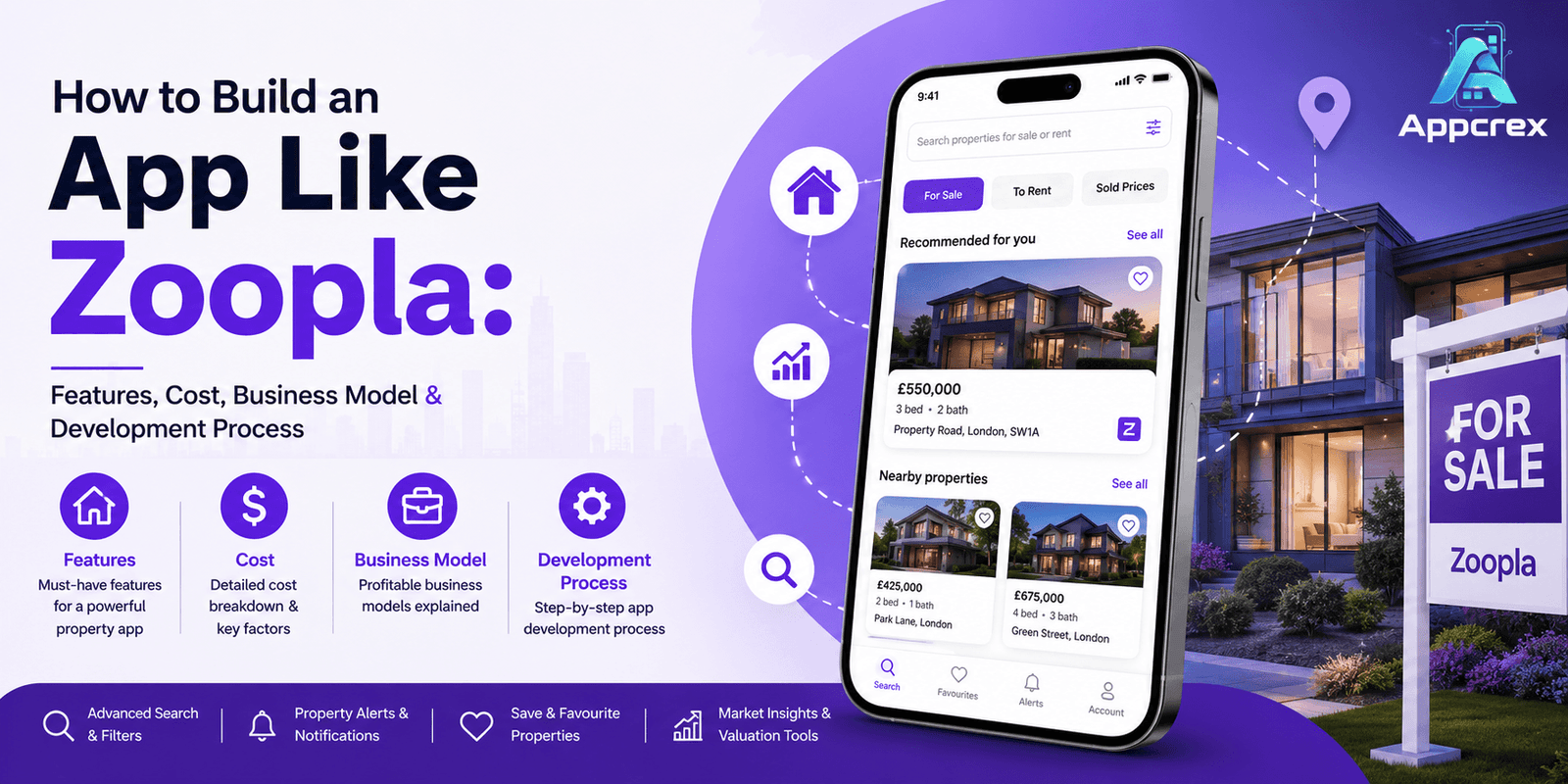
📌 Key Takeaways
- A Zoopla-like app combines property search, listings, maps and agent communication into one platform.
- A basic MVP can cost around $35,000–$55,000, while an advanced marketplace can exceed $100,000.
- Property search, map integration and a strong agent dashboard are critical parts of the platform.
- AI can improve property discovery through natural-language search, recommendations and valuation tools.
- A focused UK property niche can be a better starting point than trying to compete with established portals across every segment.
Introduction
Finding a home has changed dramatically over the last decade. Instead of spending hours looking through newspaper listings or visiting multiple estate agents, people can now search for properties directly from their phones.
They can enter a location, set a budget, choose the number of bedrooms and instantly browse properties that match their requirements.
This is where property platforms such as Zoopla have created a strong digital experience.
For entrepreneurs, the opportunity isn’t necessarily to build another general property portal. A more practical approach is to create a property search and real estate marketplace focused on a specific audience, location or property type.
If you’re considering entering the real estate technology market, this guide explains how to build an app like Zoopla, what features you need, how much development can cost, how the business model works and what the development process looks like.
What Is a Zoopla-Like App?
A Zoopla-style platform is a property marketplace and search platform that connects people looking for properties with property listings from agents, landlords or other sources.
Depending on the business model, users may be able to search for:
- Houses
- Apartments
- Flats
- New developments
- Rental properties
- Commercial properties
- Student accommodation
- Investment properties
A typical user journey is:
Search location → Set filters → Browse listings → View property → Contact agent → Arrange viewing
A more advanced platform can go further and support:
- Mortgage tools
- Property valuation
- Map-based search
- Saved searches
- Price alerts
- Virtual tours
- AI recommendations
- Agent dashboards
- Property management
Just Read : Property Management System Development Company: Complete Guide to Features, Cost & Development Process
How Much Does It Cost to Build an App Like Zoopla?
The cost depends on the size and complexity of the platform.
A simple property listing app is relatively straightforward compared with a large marketplace containing thousands of listings, multiple user roles, advanced search and AI features.
| Development Level | Estimated Cost | Approx. Timeline |
|---|---|---|
| Basic Property Listing MVP | $35,000–$55,000 | 3–5 months |
| Advanced Property Search App | $55,000–$100,000 | 5–8 months |
| Full Zoopla-Like Platform | $100,000–$200,000+ | 8–14 months |
| Enterprise Real Estate Marketplace | $200,000–$350,000+ | 12–18+ months |
These are broad estimates. Your actual cost will depend on the features, technology, integrations and development team you choose.
Major cost factors include:
- iOS and Android development
- UI/UX design
- Property search
- Map integration
- Listing management
- User accounts
- Agent dashboard
- Admin panel
- Messaging
- Payment integration
- AI features
- Mortgage or valuation tools
- Third-party APIs
- Cloud infrastructure
- Security
- Testing and maintenance
For most startups, launching an MVP first is a much better approach than attempting to build a complete property ecosystem from day one.
Why Build an App Like Zoopla?
The property market has a naturally strong mobile use case.
People don’t search for homes only when sitting at a desk. They might browse properties:
- During their commute
- After work
- At lunch
- While visiting a neighbourhood
- With their partner or family
A mobile-first experience allows them to continue searching wherever they are.
There are also plenty of niche opportunities.
For example, you could build a property platform specifically for:
- First-time buyers
- Students
- Rental properties
- Luxury homes
- Commercial properties
- Property investors
- Expats
- Relocating professionals
- New-build properties
- Short-term rentals
The more specific the initial audience, the easier it can be to build a focused product.
Core Features of a Zoopla-Like App
1. User Registration
Users should be able to create accounts using:
- Mobile number
- OTP
- Apple
A registered account can provide access to:
- Saved properties
- Search history
- Favourite listings
- Property alerts
- Contact history
- Viewing requests
However, basic property browsing should ideally be available without mandatory registration.
2. Property Search
Search is the foundation of the platform.
Users should be able to search by:
- City
- Town
- Postcode
- Neighbourhood
- Street
- Property name
For example:
Manchester
Birmingham
Leeds
London
Users should also be able to search around their current location.
3. Advanced Property Filters
Property search becomes much more useful when customers can narrow results.
Filters can include:
- Minimum price
- Maximum price
- Number of bedrooms
- Number of bathrooms
- Property type
- Buying or renting
- Furnished/unfurnished
- Garden
- Parking
- Balcony
- New build
- Added date
This helps users quickly move from thousands of listings to a manageable shortlist.
4. Map-Based Search
Maps are extremely important for property platforms.
Instead of looking only at a list, users can see properties directly on a map.
The app can display:
Property → Location → Price
Users can move around the map and automatically discover properties within the selected area.
This is especially useful when users know the neighbourhood they want but don’t know the exact street.
5. Property Listing Pages
Every property should have a dedicated detail page.
It can include:
- Property title
- Price
- Address
- Photos
- Videos
- Number of bedrooms
- Bathrooms
- Property type
- Description
- Floor area
- Amenities
- Agent information
- Location
- Energy information where applicable
The page should make the most important information immediately visible.
Just Read : Property Listing App Development Company: Complete Guide to Features, Cost & Development Process
6. Property Photos and Videos
Good visuals are critical in real estate.
Agents should be able to upload:
- High-resolution photos
- Property videos
- Floor plans
- Documents
- Virtual tours
Image optimisation is important because large property images can significantly increase page loading time.
7. Virtual Property Tours
An advanced platform can offer 360-degree or interactive property tours.
Users can explore a property remotely before deciding whether to arrange a physical viewing.
This can be particularly useful for:
- International buyers
- Expats
- Students
- Relocating professionals
- Luxury properties
8. Save Favourite Properties
Users should be able to save properties they like.
A simple heart or bookmark button can add the property to:
My Favourites
This encourages users to return to the app instead of starting their search again.
9. Saved Searches
A user might search for:
2-bedroom apartment in Manchester under £1,500 per month.
They should be able to save this search.
Whenever new matching properties are added, the platform can notify them.
10. Property Alerts
Property alerts can be one of the strongest engagement features.
Users can receive notifications when:
- A new matching property appears
- Price decreases
- Property status changes
- A saved property is updated
- Similar properties become available
This keeps users connected to the platform.
11. Price Reduction Alerts
Property prices can change.
If a saved property drops from:
£350,000 → £330,000
the customer can receive an alert.
This creates a strong reason to keep notifications enabled.
12. Contact Agent
Users should have several ways to contact agents.
Possible options include:
- Phone
- In-app messaging
- Contact form
The platform can track enquiries so agents can manage leads from their dashboard.
13. Schedule a Viewing
Instead of simply asking users to call an agent, the platform can allow them to request a viewing.
Users can select:
- Date
- Time
- Number of visitors
The agent receives the request and can accept or suggest another time.
14. In-App Messaging
Messaging allows buyers or renters to communicate with agents without leaving the platform.
It can support:
- Text
- Images
- Documents
- Viewing details
- Automated replies
Push notifications can notify users when a new message arrives.
15. Agent Profiles
Each agent can have a dedicated profile showing:
- Agency name
- Logo
- Contact information
- Active listings
- Reviews
- Office information
This helps users evaluate the credibility of the property professional.
16. Property Agent Dashboard
The agent side is just as important as the customer app.
Agents should be able to:
- Add properties
- Edit listings
- Upload images
- Update prices
- Manage enquiries
- Respond to messages
- Schedule viewings
- Track leads
- View performance
A good dashboard reduces the administrative workload for agents.
17. Admin Dashboard
The platform owner needs complete control.
The admin panel can manage:
- Users
- Agents
- Properties
- Listings
- Payments
- Subscriptions
- Complaints
- Reports
- Content
- Analytics
Admins can also review listings before publishing them.
18. Property Verification
Fake or misleading listings can damage trust.
A verification system can help identify:
- Verified agents
- Verified properties
- Duplicate listings
- Suspicious activity
- Incomplete information
Verification can involve document checks, agent verification and automated duplicate detection.
19. Property Valuation
An advanced platform can offer estimated property values based on available market data.
Users might enter:
- Property type
- Location
- Bedrooms
- Size
- Condition
The system can then provide an estimated valuation range.
If reliable property data is available, machine learning can make these estimates more sophisticated over time.
Also Read : How to Build an App Like Revolut: Features, Cost, Business Model & Development Process
20. Mortgage Calculator
For buyers, a mortgage calculator can make the platform more useful.
Users can estimate:
- Monthly payment
- Deposit
- Loan amount
- Interest
- Loan duration
You can also eventually connect users with mortgage providers through appropriate partnerships.
21. Affordability Calculator
An affordability feature can help customers understand what price range may fit their budget.
Inputs could include:
- Income
- Deposit
- Monthly expenses
- Loan duration
- Interest assumptions
The result should be presented as an estimate rather than a guaranteed lending decision.
22. Neighbourhood Information
People don’t just buy properties.
They buy into areas.
The app could provide information about:
- Schools
- Transport
- Shops
- Restaurants
- Parks
- Healthcare facilities
- Crime-related public information where legally and appropriately sourced
- Average property prices
This can help users evaluate an area before arranging a viewing.
23. Commute Time
A useful advanced feature is commute analysis.
For example:
“How long will it take to reach central London from this property?”
The app can estimate travel time using suitable map and transport data.
This is especially valuable for working professionals.
Also Read : AI App Development in the UK: Use Cases, Cost, Features & Development Guide
24. AI Property Recommendations
AI can personalise property discovery.
Instead of showing only properties matching exact filters, the system can learn from:
- Saved properties
- Search behaviour
- Price preferences
- Locations
- Property types
It can then recommend similar listings.
For example:
“You saved three two-bedroom flats in Manchester. These four new listings may also match your preferences.”
25. AI Property Search
Users could eventually search using natural language:
“Find me a two-bedroom flat near Manchester city centre under £1,800 with parking.”
The AI can translate this request into structured search parameters.
This can make the property search experience much more conversational.
26. Reviews and Ratings
Users can potentially review:
- Agents
- Agencies
- Property management services
Ratings can help build trust, although review moderation and verification should be handled carefully.
How Does a Zoopla-Like App Make Money?
A property marketplace can generate revenue in several ways.
1. Agent Listing Packages
Estate agents can pay to publish their properties.
Plans might include:
- Basic
- Professional
- Premium
Higher plans can offer more listings and additional visibility.
2. Featured Listings
Agents can pay to make selected properties more visible.
For example:
Featured Property
could appear higher in search results or in a dedicated promotional section.
3. Subscription Plans
Agents or property companies can pay monthly or annually.
Subscription features could include:
- Unlimited listings
- Analytics
- Lead management
- Featured placement
- Team accounts
4. Lead Generation
The platform can charge businesses for qualified leads.
Potential customers include:
- Estate agents
- Mortgage providers
- Conveyancers
- Insurance companies
- Property management businesses
5. Advertising
Property-related companies can advertise:
- Mortgages
- Insurance
- Moving services
- Furniture
- Home improvement
- Utilities
6. Mortgage Referral Revenue
With appropriate commercial arrangements, the platform can refer users to mortgage providers and potentially earn referral revenue.
7. Premium Consumer Services
Consumers could eventually pay for premium tools such as:
- Advanced property analytics
- Market reports
- Investment insights
- Early property alerts
Also Read : AI Agent Development Company: Complete Guide to Features, Benefits, Cost & Development Process (2026)
How to Build an App Like Zoopla?
Step 1: Choose Your Target Market
Don’t begin with:
“We want to build the next Zoopla.”
Instead, define a specific market.
For example:
“A property marketplace for international professionals moving to the UK.”
This gives the product a clear identity.
Step 2: Decide Your Business Model
Determine whether you will make money through:
- Agent subscriptions
- Listing fees
- Featured properties
- Lead generation
- Advertising
- Premium services
You can combine several models later.
Step 3: Define User Roles
A real estate marketplace usually has at least three roles:
Property Seeker
Searches and contacts agents.
Agent/Landlord
Publishes listings and manages leads.
Admin
Controls the entire marketplace.
Separating these roles early makes the system easier to design and scale.
Step 4: Design the User Experience
The core customer journey should be simple:
Search → Filter → Explore → Save → Contact → View
Avoid making users navigate through too many screens before reaching property details.
Step 5: Build the MVP
A practical MVP can include:
Customer Side
- Registration
- Property search
- Filters
- Map search
- Property details
- Favourites
- Saved searches
- Alerts
- Agent contact
Agent Side
- Registration
- Property listing
- Image uploads
- Listing management
- Enquiry management
- Viewing requests
Admin
- User management
- Agent management
- Property moderation
- Analytics
- Content management
This is enough to test the core marketplace.
Also Read : What Is an MVP in App Development? A Complete Guide
Step 6: Integrate Maps and Property Data
Depending on your business model, you may need:
- Maps
- Geolocation
- Property data
- Address verification
- Transport information
- Mortgage data
- Analytics
Third-party data licensing can become a significant part of the operating cost, so it should be considered early.
Step 7: Add Payments
If agents pay for listings or subscriptions, the platform needs a secure payment system.
Possible options can include:
- Card payments
- Digital wallets
- Recurring billing
Payment architecture should support refunds and subscription management where required.
Step 8: Test the Platform
Testing should cover:
- Property search
- Filters
- Maps
- Listing uploads
- Image optimisation
- Messaging
- Notifications
- Payments
- User permissions
- Agent dashboards
Search speed should receive particular attention because property platforms can contain large amounts of data.
Step 9: Launch and Improve
Don’t wait until you have every possible feature.
Launch the MVP, observe how people use it and then improve based on real behaviour.
Later you can introduce:
AI Search → Property Valuation → Virtual Tours → Mortgage Tools → Investment Analytics
Technology Stack for a Zoopla-Like App
Mobile App
Possible technologies include:
- Flutter
- React Native
- Swift
- Kotlin
Cross-platform development can be useful for startups that want iOS and Android applications.
Backend
Possible options include:
- Node.js
- Python
- Java
- .NET
The backend needs to handle property listings, search, accounts, messaging and notifications efficiently.
Database
Common choices include:
- PostgreSQL
- MySQL
- MongoDB
- Redis
For a large property catalogue, search infrastructure is particularly important.
Search Engine
A dedicated search engine such as Elasticsearch or OpenSearch can help handle:
- Location search
- Filters
- Property attributes
- Price ranges
- Sorting
- Large listing volumes
Cloud
The platform can be deployed using:
- AWS
- Microsoft Azure
- Google Cloud
Cloud infrastructure makes it easier to scale as listing and user numbers grow.
Also Read : Cloud Application Development Company: Complete Guide to Services, Cost & Development Process
How Long Does It Take to Develop a Zoopla-Like App?
A typical project can take:
| Development Stage | Estimated Time |
|---|---|
| Market Research | 2–4 weeks |
| UI/UX Design | 4–6 weeks |
| Mobile App Development | 8–12 weeks |
| Backend Development | 10–16 weeks |
| Property Search & Maps | 4–7 weeks |
| Agent Dashboard | 4–6 weeks |
| Admin Panel | 3–5 weeks |
| API Integrations | 3–6 weeks |
| Testing | 4–7 weeks |
| Deployment | 1–3 weeks |
A focused MVP can take approximately 4–6 months.
A complete marketplace with advanced search, AI, valuation tools, virtual tours and multiple integrations may require 8–14 months or longer.
How to Make Your Property App Different?
There are already major property portals in the UK, so simply copying existing features isn’t enough.
Focus on a Specific Audience
For example:
- First-time buyers
- International buyers
- Students
- Property investors
- Luxury property customers
Build Better Property Discovery
Use AI to understand what users actually want.
Improve Area Research
Combine property listings with:
- Transport
- Schools
- Amenities
- Commute information
Make Agent Communication Easier
Combine:
Chat + Viewing + Documents + Enquiries
in one place.
Offer Better Market Insights
Show users useful information about:
- Price trends
- Rental yields
- Local demand
- Historical changes
This can turn a simple property search tool into a broader real estate intelligence platform.
Why Choose a Mobile App Development Company UK?
If your primary market is Britain, working with a Mobile App Development Company UK can help you create a property platform designed around the needs of UK buyers, renters, landlords and estate agents.
A professional development team can help with:
- Property app development
- Real estate marketplace development
- Property listing platforms
- Map integration
- Geolocation
- Property search
- Agent dashboards
- Payment integration
- AI property search
- Property valuation tools
- Mortgage calculators
- Messaging systems
- Admin dashboards
- Cloud infrastructure
- App maintenance
The technology should be designed around your business model rather than simply replicating another property portal.
Why Choose AppCrex?
AppCrex can help startups, property businesses and entrepreneurs build custom real estate platforms.
Our services include:
- Real Estate App Development
- Property Listing App Development
- Property Marketplace Development
- Rental App Development
- iOS App Development
- Android App Development
- Cross-Platform App Development
- AI App Development
- Map & GPS Integration
- Property Search Development
- Payment Gateway Integration
- Chat & Messaging Development
- Admin Dashboard Development
- UI/UX Design
- Cloud Backend Development
- App Maintenance & Support
Whether you want to build a property marketplace for the UK, a rental platform or an AI-powered real estate search product, the platform can be designed around your target customers and business objectives.
Final Thoughts
Building an app like Zoopla is about much more than displaying property photographs.
The real value comes from helping people move through the entire property discovery process:
Search → Compare → Shortlist → Contact → View → Decide
For agents, the platform needs to generate quality leads and make listing management easier.
For property seekers, it needs to make finding the right home faster and less stressful.
A basic property marketplace can start at around $35,000–$55,000, while a sophisticated Zoopla-style platform can reach $100,000–$200,000+, depending on the technology, integrations and advanced features.
The smartest approach is to launch with a focused MVP, validate demand and then expand.
Start with:
Property Search + Listings + Maps + Filters + Favourites + Agent Contact
Then add:
Alerts → Messaging → Viewings → AI Search → Valuation → Virtual Tours → Mortgage Tools
If you can solve one property-search problem exceptionally well, you don’t need to build every feature on day one.
FAQs
Q. How much does it cost to build an app like Zoopla?
A basic property listing MVP can cost around $35,000–$55,000. An advanced Zoopla-like marketplace can cost $100,000–$200,000+.
Q. How long does it take to develop a property app?
A focused MVP may take around 4–6 months, while a large real estate marketplace can take 8–14 months or longer.
Q. What are the main features of a property app?
Property search, filters, maps, listings, photos, favourites, saved searches, alerts, agent contact and viewing requests are some of the most important features.
Q. Can I build a property app specifically for the UK?
Yes. You can create a UK-focused property platform for buyers, renters, landlords, agents, students, investors or other specific audiences.
Q. Can AI be used in a property app?
Yes. AI can support natural-language property searches, recommendations, price analysis, property valuation and personalised discovery.
Q. Do property apps need map integration?
Map integration is highly useful for property platforms because users often want to understand the exact location and surrounding area before contacting an agent.
Q. How does a property marketplace make money?
Possible revenue streams include agent subscriptions, listing fees, featured listings, advertising, lead generation, referrals and premium services.
Q. Can I add mortgage services to my property app?
Yes. Mortgage calculators and relevant partner integrations can be added, subject to applicable commercial and regulatory requirements.
Q. Can AppCrex build a Zoopla-like property app?
Yes. AppCrex can develop custom property platforms with mobile apps, property search, maps, agent dashboards, messaging, payments, AI features and admin systems.
Ready to Build Your Property App?
Have an idea for a Zoopla-like property platform?
AppCrex can help you turn that idea into a complete real estate product—from UI/UX design and mobile app development to property search, map integration, agent dashboards, messaging, payments and AI-powered property discovery.
Whether you’re targeting UK buyers, renters, landlords, investors or estate agents, we can help you choose the right features and technology for your business model.
Talk to AppCrex today and start planning your custom property app.
