📌 Key Takeaways
- Kotlin is widely used for native Android development, while Java remains relevant for many applications.
- Plan before development: Define your app idea, target audience, requirements, and essential features.
- Focus on user experience: Create simple, intuitive interfaces that work across different Android devices.
- Test before launch: Check functionality, security, performance, and compatibility before publishing on Google Play.
- Maintain and improve: Regular updates, bug fixes, and performance optimization help your Android app grow successfully.
Introduction
Android app development helps businesses create mobile applications that run on Android-powered smartphones, tablets, and other supported devices. From ecommerce and healthcare to fintech, education, logistics, and on-demand services, Android applications allow businesses to reach customers, streamline operations, and deliver digital services.
However, building a successful Android application requires more than writing code. Businesses need to understand their target audience, define app functionality, select suitable technologies, design user-friendly interfaces, develop secure backend systems, and test the application before publishing it.
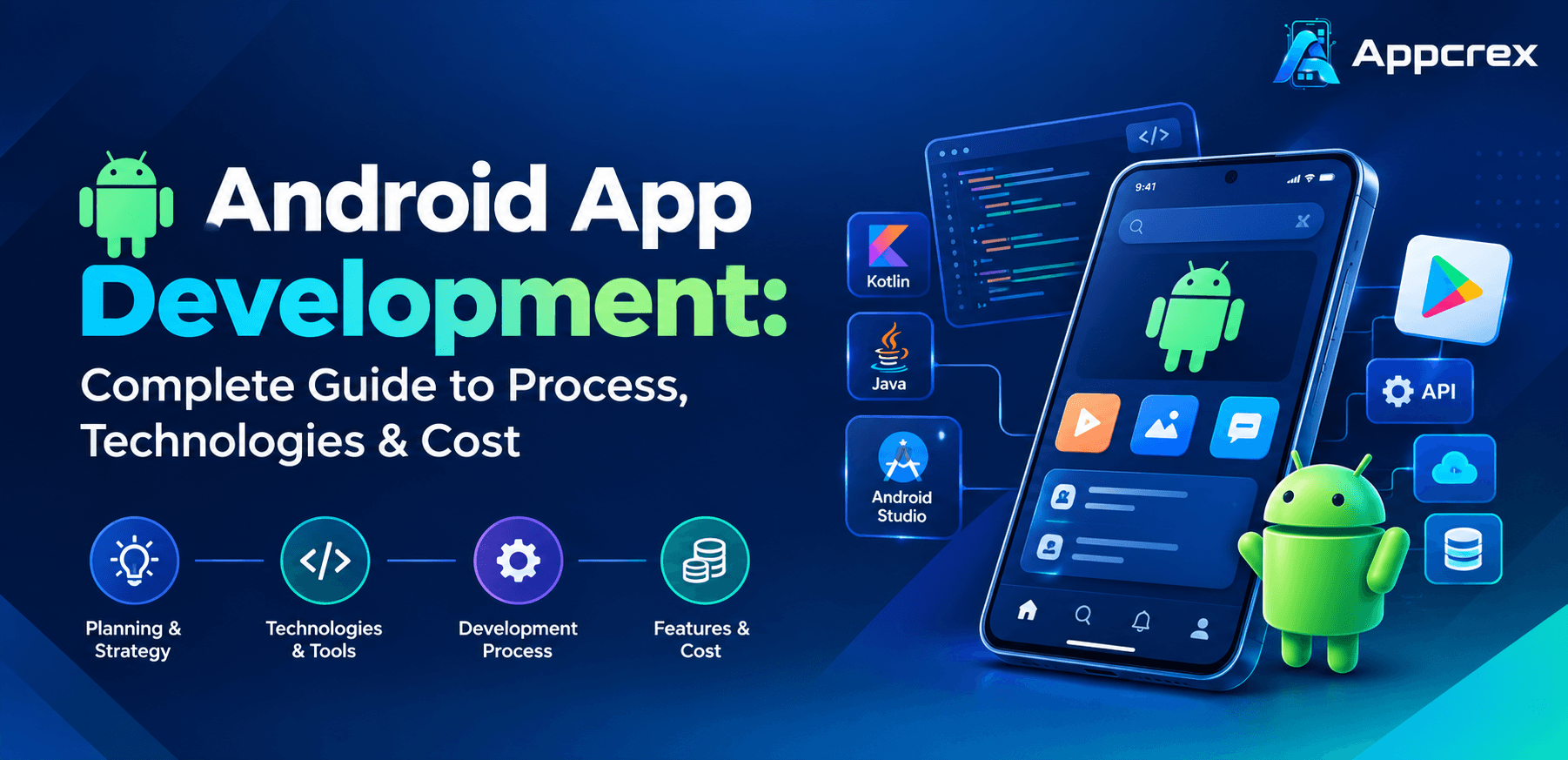
Android app development is the process of designing, building, testing, deploying, and maintaining applications for the Android platform. Developers commonly use Kotlin, Java, Android Studio, Jetpack libraries, and modern UI frameworks such as Jetpack Compose to create Android applications.
Whether you are a startup planning your first mobile application or an established company expanding its digital services, understanding the Android app development process can help you make better decisions about technology, project scope, development timelines, and costs.
This guide explains everything businesses should know about Android app development, including its technologies, development stages, essential features, estimated costs, challenges, and how to choose the right development partner.
What Is Android App Development?
Android app development is the process of creating software applications specifically for devices running the Android operating system. These applications can provide services such as online shopping, banking, entertainment, communication, appointment booking, payments, and business management.
Android applications can be developed for smartphones, tablets, foldable devices, smart TVs, wearables, and other compatible platforms.
The development process involves several technical components:
- Frontend development: Creating the screens and interfaces users interact with.
- Backend development: Managing application logic, databases, authentication, and server-side operations.
- API integration: Connecting the application with external platforms and services.
- Database management: Storing and retrieving application information.
- Testing and quality assurance: Checking functionality, security, compatibility, and performance.
- Deployment: Preparing and publishing the application through Google Play and other distribution channels.
- Maintenance: Updating the application and resolving issues after launch.
Businesses can build Android applications for different purposes, including customer-facing mobile products, internal business tools, enterprise applications, and digital marketplaces.
Why Should Businesses Invest in Android App Development?
Android has a broad global device ecosystem. This makes it an important platform for businesses that want to reach customers across different markets, device categories, and price segments.
Here are some reasons businesses consider Android application development.
1. Reach a Broad User Base
Android-powered devices are used across many countries and market segments. Businesses can develop applications for customers using different smartphone manufacturers, device configurations, and price categories.
This can be valuable for companies targeting emerging and established digital markets.
2. Flexible Development Options
Android supports different development approaches, including native development using Kotlin or Java and cross-platform development using frameworks such as Flutter and React Native.
Businesses can select an approach based on their application requirements, budget, performance expectations, and future plans.
3. Customization and Device Integration
Android applications can integrate with device capabilities such as cameras, GPS, Bluetooth, biometrics, notifications, and other supported hardware features.
These capabilities help businesses build applications for industries such as healthcare, transportation, logistics, retail, and field services.
4. Support for Different Business Models
Android applications can support several revenue and operating models, including:
- Ecommerce and product sales
- Subscription-based services
- Online bookings and appointments
- On-demand service platforms
- Advertising-supported applications
- Digital payments
- Business-to-business applications
- Enterprise workforce management
5. Integration with Business Systems
Android applications can connect with CRM, ERP, inventory management, payment gateways, cloud services, and other business platforms.
This allows companies to extend their existing systems to mobile devices and improve access to business information.
Android App Development Technologies
Choosing the right technology is one of the most important decisions in an Android application project. The technology stack affects development effort, performance, maintainability, scalability, and future upgrades.
The best choice depends on the application’s functionality and technical requirements.
1. Kotlin
Kotlin is a modern programming language widely used for native Android development. It is concise, supports null safety, and works with existing Java-based Android code.
Developers use Kotlin to build application logic, integrate APIs, manage data, and implement different Android features.
Why businesses consider Kotlin:
- Concise and readable code
- Null safety features
- Compatibility with Java
- Support for modern Android development
- Integration with Android development tools
- Suitable for maintainable application architecture
Kotlin is a strong choice for businesses planning a native Android application.
2. Java
Java has been used in Android development for many years and remains relevant in existing applications and projects that depend on Java-based libraries or systems.
It offers a mature ecosystem, extensive documentation, and broad developer familiarity.
Java may be suitable when businesses need to maintain existing Android applications, reuse Java-based components, or work with established development environments.
3. Android Studio
Android Studio is the official integrated development environment (IDE) for Android application development.
It provides tools that help developers write code, design interfaces, build applications, debug issues, and test software.
Important capabilities include:
- Code editing and intelligent suggestions
- Gradle-based build tools
- Android Emulator
- Debugging and performance profiling
- Layout inspection
- Testing support
- APK and Android App Bundle generation
Android Studio is commonly used for native Android application development.
4. Jetpack Compose
Jetpack Compose is Android’s modern declarative UI toolkit. It allows developers to build interfaces using Kotlin rather than relying entirely on traditional XML-based layouts.
It helps simplify interface development and supports reusable UI components.
Businesses may benefit from Compose when building modern Android interfaces that need consistent design, interactive elements, and maintainable UI code.
5. Android Jetpack Libraries
Android Jetpack is a collection of libraries, tools, and guidance designed to help developers build maintainable Android applications.
Depending on project requirements, developers may use components such as:
- ViewModel
- Room
- Navigation
- WorkManager
- Lifecycle
- DataStore
These components support common development needs, including data management, navigation, background tasks, and application lifecycle handling.
6. Firebase
Firebase provides services that developers can use to add backend-related capabilities to mobile applications.
Depending on the project, Firebase services may support:
- Authentication
- Push messaging
- Analytics
- Crash reporting
- Remote configuration
- Cloud-hosted data
- App distribution and testing workflows
Firebase is useful for many application scenarios, but complex business applications may require additional custom backend services.
7. Backend Technologies
Android applications often require a backend to manage business logic, user accounts, transactions, and application data.
Common backend technology choices include:
- Node.js
- Python
- PHP
- Java
- .NET
The database may use PostgreSQL, MySQL, MongoDB, or other suitable technologies depending on data structure and application requirements.
Android Native vs. Cross-Platform Development
Businesses should also decide whether to build a native Android application or use a cross-platform framework.
| Factor | Native Android | Cross-platform |
|---|---|---|
| Technologies | Kotlin or Java | Flutter or React Native |
| Codebase | Android-specific | Shared code for multiple platforms |
| Platform integration | Direct Android integration | Depends on framework and plugins |
| Performance | Strong platform-specific optimization | Depends on application and implementation |
| Multiple platforms | Separate development may be required | Shared code can reduce duplication |
| Best suited for | Android-focused or specialized apps | Products targeting multiple platforms |
Native Android development is suitable when a business needs deep Android integration, platform-specific functionality, or highly customized Android experiences.
Cross-platform development can be useful when a business wants to launch on both Android and iOS while sharing a significant portion of the codebase.
The right approach should be selected after evaluating the product requirements rather than choosing a framework simply because it is popular.
Android App Development Process: Step by Step
Developing an Android application involves several connected stages. A structured process helps businesses manage requirements, control project scope, reduce technical risks, and prepare the application for launch.
Step 1: Define the App Idea and Business Goals
The first step is understanding why the application is needed and what problem it will solve.
Businesses should identify the intended users, core problem, business model, and expected outcomes.
For example:
- A retail company may want an Android ecommerce application.
- A healthcare provider may need appointment booking and patient communication.
- A logistics business may require shipment tracking and driver management.
- A startup may want to create an on-demand service platform.
At this stage, the team should also evaluate market demand, competitor applications, and potential user expectations.
Deliverable: A validated app concept with clear business objectives and target audience information.
Step 2: Gather Requirements and Define Features
After defining the concept, the next step is documenting the application’s functional and technical requirements.
The development team works with stakeholders to understand user roles, application workflows, business rules, integrations, and performance expectations.
Typical Android application features may include:
- User registration and login
- Profile management
- Search and filtering
- Product or service listings
- Online payments
- Booking and scheduling
- Push notifications
- Location tracking
- Chat and messaging
- Admin dashboard
Not every application needs all these features. Requirements should be based on the actual business model.
Deliverable: A Software Requirements Specification (SRS) or equivalent product requirements document.
Step 3: Define the MVP and Development Scope
A Minimum Viable Product (MVP) is an initial application version containing the essential features needed to deliver its main value.
Instead of developing every possible feature at once, businesses can prioritize functionality and release a smaller, useful product.
For example, an Android food delivery MVP might include:
- Customer registration
- Restaurant listing
- Menu browsing
- Shopping cart
- Order placement
- Payment integration
- Order status updates
Advanced recommendations, loyalty programs, subscriptions, and detailed analytics can be considered for future releases.
Deliverable: An approved feature list, MVP scope, and development roadmap.
Step 4: Select the Android Technology Stack
The development team selects suitable programming languages, frameworks, databases, backend technologies, and infrastructure.
A native Android project may use Kotlin, Android Studio, Jetpack Compose, and suitable Jetpack libraries.
The backend may use Node.js, Python, Java, PHP, or another technology based on the application’s requirements.
Technology decisions should consider:
- Application complexity
- Performance requirements
- Security needs
- Device compatibility
- Integration requirements
- Expected user growth
- Long-term maintenance
Deliverable: A documented technology stack and technical implementation plan.
Step 5: Design the UI/UX
The design stage determines how users interact with the Android application.
Designers create wireframes, screen layouts, navigation flows, and visual elements that make the application easy to understand.
Important design activities include:
- User journey mapping
- Wireframe creation
- Visual interface design
- Interactive prototyping
- Navigation planning
- Usability evaluation
Android interfaces should also account for different screen sizes, device configurations, accessibility requirements, and platform conventions.
Deliverable: Approved UI designs, wireframes, and interactive prototypes.
Step 6: Develop the Android Application
Once the design and technical architecture are approved, developers begin implementing the application.
Frontend development includes building screens, navigation, forms, buttons, and user interactions.
Backend development handles server-side functionality such as authentication, business logic, database operations, and API communication.
Developers also implement platform-specific capabilities such as location access, camera functionality, notifications, and background operations when required.
Deliverable: A working Android application with implemented frontend and backend functionality.
Step 7: Integrate APIs and Third-Party Services
Many Android applications depend on external services to deliver their complete functionality.
Common integrations include:
- Payment gateways
- Google Maps and location services
- Authentication providers
- Push notification services
- CRM and ERP systems
- Analytics platforms
- Cloud storage
- AI-powered APIs
Each integration should be evaluated for reliability, security, cost, and compatibility with the application’s architecture.
Deliverable: A connected application that communicates with required external services.
Step 8: Test the Android Application
Testing helps identify functional defects, security issues, compatibility problems, and performance limitations before launch.
Important testing activities include:
Functional testing: Checks whether application features work according to requirements.
UI testing: Verifies layouts, navigation, buttons, and screen behavior.
Performance testing: Evaluates loading speed, responsiveness, and resource usage.
Security testing: Checks authentication, authorization, data storage, API security, and potential vulnerabilities.
Compatibility testing: Evaluates application behavior across supported Android versions and device configurations.
Usability testing: Checks whether users can complete important tasks without confusion.
Regression testing: Ensures that updates do not break existing functionality.
Deliverable: A tested release candidate with resolved critical issues and documented test results.
Step 9: Publish the App on Google Play
After testing and release preparation, the application can be submitted to Google Play.
The publishing process generally involves:
- Preparing the production build.
- Configuring application signing.
- Generating the required Android App Bundle or other supported release artifact.
- Creating the Google Play store listing.
- Adding descriptions, screenshots, and other required assets.
- Completing applicable privacy and data safety declarations.
- Configuring testing and release tracks.
- Submitting the application for review.
- Publishing the approved release.
Google Play policies and technical requirements can change. Businesses should check current requirements before submission.
Deliverable: A published Android application available to users through Google Play after approval and release.
Step 10: Maintain and Improve the Application
Android app development continues after the first release.
Businesses need to monitor application performance, resolve bugs, maintain security, and introduce improvements based on user feedback.
Post-launch activities may include:
- Crash and performance monitoring
- Bug fixes
- Security updates
- Android version compatibility updates
- Backend and database optimization
- Feature enhancements
- User experience improvements
- Analytics and engagement monitoring
Deliverable: An ongoing maintenance and improvement plan.
Essential Features of a Successful Android Application
The features of an Android application depend on its purpose, target users, and business model. However, several capabilities are commonly required in modern mobile applications.
1. User Registration and Authentication
Users should be able to create accounts and access the application securely. Authentication may include email, phone verification, passwords, or supported biometric methods.
2. User-Friendly Dashboard
A dashboard provides access to important application features, account information, notifications, and frequently used actions.
3. Search and Filtering
Search functionality helps users find products, services, content, or information quickly.
4. Push Notifications
Notifications can communicate order updates, booking reminders, account alerts, and other relevant information. Businesses should avoid sending excessive or unnecessary notifications.
5. Payment Integration
Applications that support online transactions may integrate payment providers to process payments and refunds securely.
6. Location-Based Services
GPS and location services can support delivery tracking, navigation, nearby service discovery, and location-based functionality.
7. Admin Dashboard
A web-based administration panel allows authorized staff to manage users, products, services, transactions, content, and reports.
8. Analytics and Reporting
Analytics help businesses understand user engagement, feature usage, retention, and application performance.
9. Security and Privacy
Applications should protect user information through appropriate authentication, access controls, secure communication, and responsible data handling.
10. Offline Functionality
Some applications benefit from offline access to selected information or features. Offline capabilities depend on the application architecture and data requirements.
Android App Development Cost: How Much Does It Cost?
Android app development cost depends on the application’s features, design complexity, backend requirements, integrations, security needs, and development team.
A simple application with basic screens and limited functionality generally requires less development effort than a complex application involving multiple user roles, real-time tracking, payments, and custom backend systems.
The following figures are broad illustrative planning ranges in USD, not fixed AppCrex pricing or guaranteed quotations.
| App complexity | Estimated development cost |
|---|---|
| Basic Android app | $5,000–$15,000 |
| Medium-complexity Android app | $15,000–$40,000 |
| Complex Android app | $40,000–$80,000 |
| Enterprise-level Android app | $80,000+ |
Actual project costs can fall outside these ranges depending on requirements, location, team structure, and delivery expectations.
Factors That Affect Android App Development Cost
1. Number of features: Applications with advanced booking, payment, chat, tracking, and reporting functionality require additional development effort.
2. UI/UX design complexity: Custom interfaces, animations, interactive dashboards, and complex user journeys can increase design and development time.
3. Backend development: Custom APIs, business logic, database architecture, and server-side processing influence the overall budget.
4. Third-party integrations: Payment gateways, maps, analytics, CRM platforms, and external APIs may add implementation and recurring service costs.
5. Security requirements: Applications that handle financial, healthcare, or other sensitive information may require additional security controls and testing.
6. Testing requirements: Device compatibility, performance testing, security assessments, and regression testing contribute to project effort.
7. Maintenance and support: Hosting, monitoring, bug fixes, security updates, and future enhancements should be included in the long-term budget.
How Can Businesses Manage Android App Development Costs?
Businesses can manage development budgets by:
- Defining requirements before development begins.
- Starting with an MVP instead of building every feature immediately.
- Prioritizing essential functionality.
- Selecting technologies based on project needs.
- Avoiding unnecessary integrations.
- Reviewing progress at defined milestones.
- Planning maintenance and infrastructure costs.
A detailed project estimate should be prepared after understanding the application scope and technical requirements.
How Long Does Android App Development Take?
Android application development timelines depend on the number of features, design complexity, backend requirements, integrations, and testing scope.
The following are indicative planning estimates.
| App complexity | Estimated timeline |
|---|---|
| Basic Android app | 2–3 months |
| Medium-complexity app | 3–5 months |
| Complex Android app | 5–8 months |
| Enterprise application | 8–12 months or more |
These estimates may change depending on project scope, feedback cycles, team availability, and external dependencies.
An MVP can help businesses release essential functionality earlier and expand the application through subsequent development phases.
Common Challenges in Android App Development
Developing an Android application can involve technical and operational challenges. Planning for these issues early can help businesses reduce development risks.
1. Device Fragmentation
Android applications run on devices with different screen sizes, hardware configurations, manufacturers, and operating system versions.
Solution: Test the application across a representative range of supported devices and screen configurations.
2. Performance Optimization
Large images, inefficient code, excessive background processing, and poorly optimized network requests can affect application performance.
Solution: Use performance profiling, efficient data handling, optimized assets, and appropriate background task management.
3. Data Security
Applications may handle personal information, payment-related data, and business records.
Solution: Apply secure authentication, authorization, encrypted communication, safe data storage, and regular security reviews.
4. Third-Party Integration Issues
External services may introduce API limitations, authentication changes, service interruptions, or additional costs.
Solution: Select reliable providers, handle failures properly, and monitor integrations after launch.
5. Changing Android Requirements
Platform updates and Google Play policies may introduce new technical or publishing requirements.
Solution: Keep dependencies updated and review official Android and Google Play documentation during maintenance.
6. Scope Changes
Adding new features after development begins can increase costs and affect delivery schedules.
Solution: Define project scope, prioritize requirements, and use a documented change-management process.
How to Choose the Right Android App Development Company?
Selecting an experienced Android app development company can make a significant difference to the quality, cost, and long-term performance of your application.
Businesses should evaluate potential partners based on technical capabilities, relevant experience, communication, development practices, and ongoing support.
Consider these factors before choosing a development company.
Android development expertise: Check experience with Kotlin, Java, Android Studio, Jetpack Compose, and relevant Android libraries.
Portfolio and case studies: Review previous applications to understand the company’s development capabilities and project experience.
UI/UX design capabilities: Evaluate whether the company can create intuitive interfaces and user-friendly application workflows.
Backend development experience: Check its ability to build APIs, databases, authentication systems, and scalable backend infrastructure.
Security practices: Ask how the team handles data protection, secure communication, access control, and application testing.
Development methodology: Understand how the company manages requirements, milestones, testing, feedback, and project delivery.
Communication and transparency: Look for clear project updates, technical documentation, and defined responsibilities.
Post-launch support: Confirm whether the company provides maintenance, bug fixes, security updates, and future enhancements.
Source code ownership: Clarify ownership of source code, designs, documentation, developer accounts, and other project assets in the agreement.
A suitable development partner should understand your business objectives and recommend technologies that fit your requirements instead of promoting a single technology for every project.
Android App Development Services by AppCrex
AppCrex helps businesses plan and develop mobile applications based on their product requirements, target users, and operational goals.
Our approach focuses on understanding the business problem first and then selecting suitable technologies, features, and architecture for the application.
Our Android application development capabilities can support projects involving:
- Custom Android application development
- Native Android development
- Kotlin and Java development
- Android UI/UX design
- Backend and API development
- Third-party service integrations
- Payment gateway integration
- Location-based application features
- Testing and quality assurance
- Google Play deployment support
- Application maintenance and upgrades
We can also help businesses evaluate AI-powered features, automation, analytics, and cloud-based capabilities where they provide meaningful value.
Whether you are a startup developing a new product, an established business digitizing operations, or an enterprise building a custom mobile solution, the development strategy should align with your business goals and future requirements.
Explore our mobile app development services to discuss your project and understand how AppCrex can help turn your Android app idea into a working application.
FAQs
1. What is Android app development?
Android app development is the process of designing, building, testing, and maintaining applications for devices running the Android operating system. It commonly involves Kotlin or Java, Android Studio, backend services, APIs, and database technologies.
2. Which programming language is best for Android app development?
Kotlin is a widely recommended choice for modern native Android development. Java is also used, particularly in existing applications and projects that depend on Java-based components.
3. Is Kotlin better than Java for Android development?
Kotlin offers features such as concise syntax and null safety, making it a popular choice for modern Android projects. Java remains useful because of its mature ecosystem and compatibility with existing applications. The best choice depends on project requirements and the existing codebase.
4. What software is used for Android app development?
Android Studio is the official IDE used for Android development. Developers also use Kotlin, Java, Gradle, Android SDK tools, Jetpack libraries, testing frameworks, and other supporting technologies.
5. How much does Android app development cost?
A basic Android application may cost around $5,000–$15,000, while medium and complex applications can cost considerably more. The actual budget depends on features, design, backend requirements, integrations, and development effort.
6. How long does it take to develop an Android app?
A basic Android application may take 2–3 months. Medium-complexity applications may require 3–5 months, while complex and enterprise applications can take 6–12 months or longer.
7. What is the difference between native Android and cross-platform development?
Native Android development uses technologies such as Kotlin or Java to build applications specifically for Android. Cross-platform development uses frameworks such as Flutter or React Native to share code across multiple platforms.
8. Can Android apps work on tablets and foldable devices?
Yes. Android applications can support tablets and foldable devices when their interfaces and functionality are designed and tested for different screen sizes, orientations, and device configurations.
9. How do I publish an Android app on Google Play?
Businesses generally need to prepare a signed production build, create a Google Play developer account, configure the store listing, complete applicable policy and data safety declarations, and submit the application for review.
10. Does an Android app need maintenance after launch?
Yes. Maintenance helps resolve bugs, improve performance, address security issues, maintain compatibility, and introduce new features based on user feedback.
11. Can AI features be integrated into Android applications?
Yes. Android applications can integrate AI services for chatbots, personalized recommendations, voice-based interactions, image processing, intelligent search, and automation. The implementation depends on the use case, model requirements, infrastructure, and data privacy considerations.
12. Should a business build an Android app or an iOS app first?
The decision depends on the target audience, market, business objectives, and available budget. Businesses should research their customers and platform usage before deciding whether to launch on Android, iOS, or both.
Conclusion
Android app development gives businesses an opportunity to build digital products, improve customer experiences, and extend their services to mobile users. However, successful development requires more than choosing a programming language or designing application screens.
Businesses should begin with clear requirements, select suitable technologies, prioritize essential features, and follow a structured development process. Proper testing, security planning, Google Play deployment, and post-launch maintenance are equally important for creating a reliable application.
The right development strategy depends on the product’s complexity, target audience, business model, and long-term goals. By working with an experienced development team, businesses can turn their ideas into functional Android applications that are designed to support future improvements and growth.
Planning to build an Android application for your business? AppCrex can help you with product planning, Android development, UI/UX design, backend integration, testing, and deployment. Contact our team to discuss your requirements and explore the right development approach for your project.