
Introduction
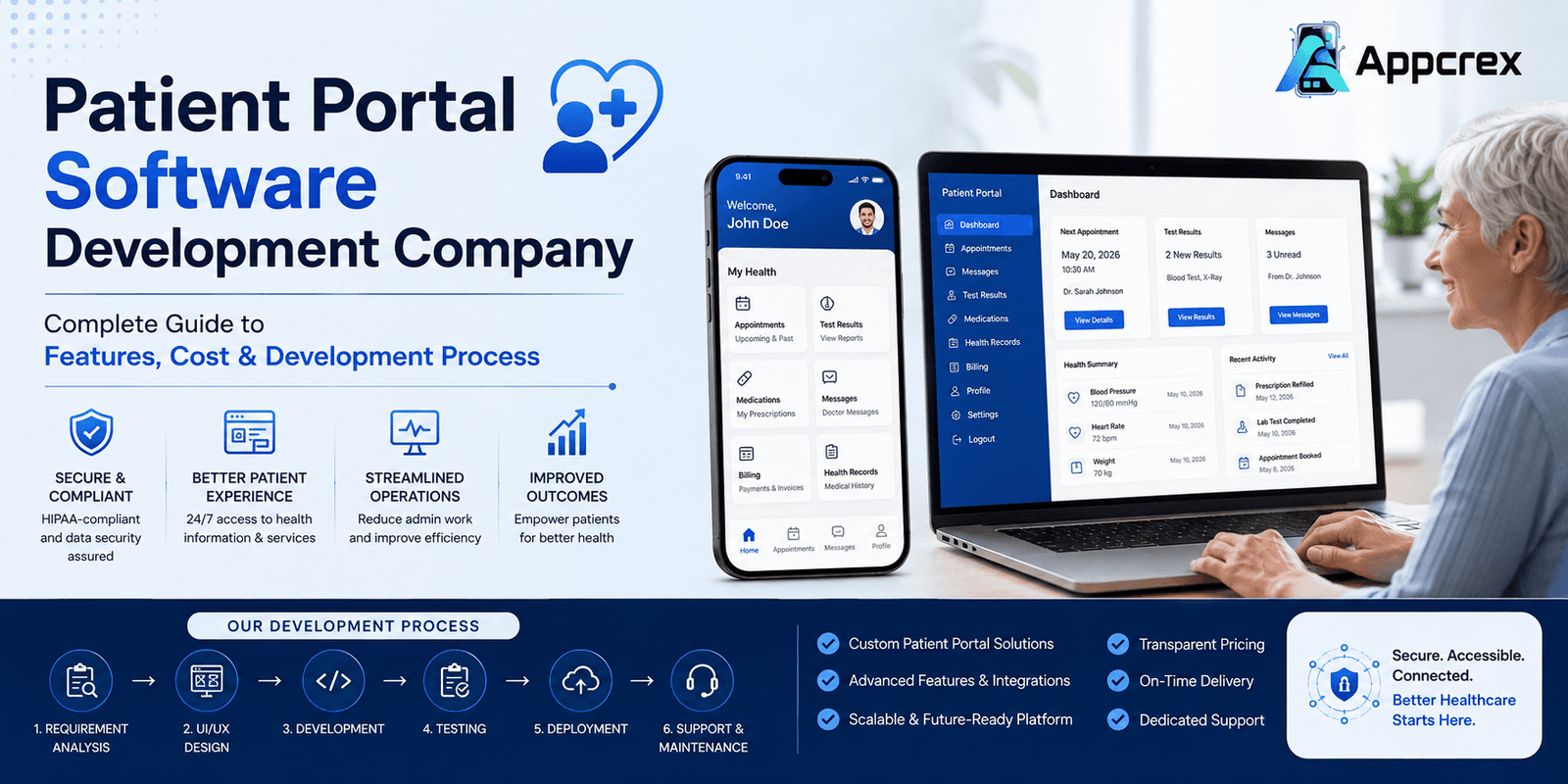
The healthcare industry is rapidly embracing digital transformation, and patient expectations have evolved significantly. Today, patients want instant access to medical records, online appointment scheduling, secure messaging with doctors, prescription refill requests, digital payments, and virtual consultations—all from a single platform. This growing demand has made patient portal software an essential solution for hospitals, clinics, diagnostic centers, and healthcare providers.
A well-designed patient portal improves communication between patients and healthcare professionals while reducing administrative workload and enhancing operational efficiency. It empowers patients to actively manage their healthcare journey, leading to better engagement, improved treatment outcomes, and higher satisfaction.
If you’re planning to build a secure healthcare platform, partnering with an experienced Patient Portal Software Development Company ensures your solution is scalable, HIPAA-compliant, user-friendly, and ready for future healthcare innovations.
At AppCrex, we specialize in developing custom patient portal software with advanced features such as EHR/EMR integration, telemedicine, appointment scheduling, AI-powered virtual assistants, online billing, secure messaging, and real-time health record access.
What is Patient Portal Software?
Patient Portal Software is a secure web or mobile application that allows patients to access their personal health information and interact with healthcare providers online. Instead of calling hospitals or visiting clinics for routine tasks, patients can manage many healthcare services digitally through a centralized platform.
A patient portal acts as a bridge between patients and healthcare providers by offering secure access to medical records, appointment scheduling, prescriptions, laboratory reports, billing information, and direct communication with doctors.
Modern patient portals integrate seamlessly with Electronic Health Records (EHR) and Electronic Medical Records (EMR) systems, ensuring that patient information remains accurate, synchronized, and accessible in real time.
Common Capabilities of Patient Portal Software
- Online appointment booking
- Access to medical records
- Lab and diagnostic reports
- Prescription refill requests
- Secure doctor-patient messaging
- Telemedicine consultations
- Digital billing and payments
- Health reminders and notifications
- Patient profile management
- Document uploads and downloads
By simplifying access to healthcare services, patient portals improve patient satisfaction while reducing administrative tasks for healthcare organizations.
Why Healthcare Providers Need Patient Portal Software?
Healthcare organizations are under constant pressure to improve patient experiences while managing increasing operational demands. Patient portal software addresses these challenges by streamlining communication, automating routine processes, and providing patients with greater control over their healthcare.
Improve Patient Engagement
Patients can actively participate in their care by viewing medical records, tracking appointments, accessing test results, and communicating directly with healthcare providers.
Reduce Administrative Workload
Many routine tasks—such as appointment scheduling, prescription refill requests, and payment processing—can be handled through the portal, reducing the burden on administrative staff.
Enhance Communication
Secure messaging allows patients and healthcare professionals to exchange information without relying on phone calls or emails.
Better Care Coordination
Integrated health records ensure that patients, doctors, specialists, and healthcare staff have access to accurate and up-to-date information, improving collaboration and continuity of care.
Increased Operational Efficiency
Automation reduces paperwork, minimizes scheduling conflicts, speeds up billing, and improves overall healthcare operations.
Higher Patient Satisfaction
Convenient digital services make healthcare more accessible, helping organizations build stronger patient relationships and improve retention.
As healthcare continues to move toward digital-first experiences, patient portals have become an essential investment for hospitals, clinics, and healthcare providers looking to deliver high-quality care efficiently.
Types of Patient Portal Software
Patient portal software can be customized based on the size, specialty, and operational needs of a healthcare organization. Selecting the right type of portal ensures a better patient experience while improving healthcare delivery.
Below are the most common types of patient portal software.
Hospital Patient Portal
A hospital patient portal is designed for multi-specialty hospitals and healthcare networks. It provides patients with a centralized platform to manage their healthcare journey while allowing hospitals to streamline operations across multiple departments.
Key Features
- Appointment Scheduling
- Access to Medical Records
- Lab Reports & Imaging Results
- Prescription Management
- Online Bill Payments
- Secure Messaging
- Telemedicine
- Health History Timeline
- Insurance Information
- Discharge Summaries
Best For
- Multi-Specialty Hospitals
- Government Hospitals
- Private Hospitals
- Medical Centers
Clinic Patient Portal
Clinic patient portals focus on simplifying day-to-day interactions between patients and healthcare providers. These portals help clinics reduce administrative workload while improving patient communication.
Key Features
- Online Appointment Booking
- Patient Registration
- Medical History Access
- Digital Prescriptions
- Secure Messaging
- Online Payments
- Appointment Reminders
- Follow-Up Scheduling
Best For
- General Clinics
- Dental Clinics
- Eye Clinics
- Physiotherapy Centers
- Diagnostic Centers
Telemedicine Patient Portal
Telemedicine portals allow patients to receive medical consultations remotely using secure video conferencing and digital communication tools.
With virtual healthcare becoming increasingly popular, telemedicine portals are now an essential part of modern healthcare systems.
Features
- Video Consultation
- Audio Consultation
- Secure Chat
- E-Prescriptions
- Online Payments
- Appointment Scheduling
- Medical Record Sharing
- Follow-Up Consultations
Best For
- Telehealth Providers
- Virtual Clinics
- Online Healthcare Platforms
- Specialist Consultation Services
Also Read : Telemedicine App Development Company: How to Choose the Right Partner
Specialty Practice Patient Portal
Specialty healthcare providers often require customized portals designed specifically for their workflow.
Examples include:
- Cardiology
- Dermatology
- Pediatrics
- Orthopedics
- Oncology
- Gynecology
- Mental Health
- Fertility Clinics
These portals often include specialized forms, treatment plans, and disease-specific monitoring tools.
Diagnostic & Laboratory Portal
Laboratories and diagnostic centers use patient portals to provide faster access to test reports while minimizing manual processes.
Features
- Test Booking
- Online Report Download
- Payment Collection
- Report Notifications
- Sample Tracking
- Medical History
Multi-Hospital Patient Portal
Healthcare groups operating multiple hospitals often require a centralized patient portal.
Patients can:
- Access records from all branches
- Book appointments at different locations
- View consolidated medical history
- Manage family members
- Make centralized payments
This improves patient convenience while simplifying healthcare management.
Benefits of Patient Portal Software
A modern patient portal offers significant advantages for patients, healthcare providers, and administrators.
Improved Patient Engagement
Patients become active participants in their healthcare by accessing records, communicating with doctors, scheduling appointments, and tracking treatment plans.
Higher engagement often leads to better health outcomes and stronger patient loyalty.
Better Communication
Secure messaging eliminates communication barriers between patients and healthcare providers.
Instead of waiting on phone calls, patients can send messages, ask questions, and receive timely responses through the portal.
Reduced Administrative Work
Patient portals automate routine administrative tasks such as:
- Appointment scheduling
- Registration
- Prescription refill requests
- Bill payments
- Document sharing
This allows healthcare staff to focus more on patient care.
Easy Access to Medical Records
Patients can securely access their:
- Health Records
- Prescriptions
- Lab Reports
- Imaging Results
- Vaccination History
- Treatment Plans
Anytime and from any device.
Faster Appointment Management
Online scheduling allows patients to:
- Book appointments
- Reschedule visits
- Cancel appointments
- Receive reminders
This reduces missed appointments and improves clinic efficiency.
Enhanced Data Security
Modern patient portals include enterprise-grade security features such as:
- End-to-End Encryption
- Multi-Factor Authentication (MFA)
- Role-Based Access Control
- Secure Cloud Storage
- Audit Logs
- HIPAA & GDPR Compliance
These measures help protect sensitive patient information and build trust.
Streamlined Billing & Payments
Patients can view invoices, pay bills online, and download payment receipts, creating a faster and more transparent billing experience.
Better Healthcare Outcomes
By giving patients timely access to their health information and enabling continuous communication with healthcare providers, patient portals support improved treatment adherence, faster follow-ups, and more personalized care.
Must-Have Features of Patient Portal Software
The success of a patient portal depends on how effectively it connects patients, healthcare providers, and administrators through a secure, user-friendly platform. A modern patient portal should simplify healthcare management while ensuring privacy, compliance, and seamless communication.
Typically, patient portal software consists of three main modules:
- Patient Portal
- Doctor Portal
- Admin Dashboard
Let’s explore the essential features of each.
Patient Portal Features
The patient portal is designed to give patients complete control over their healthcare information and interactions with providers.
Secure Registration & Login
Patients should be able to register quickly using email, mobile number, or Single Sign-On (SSO). Multi-factor authentication (MFA) adds an extra layer of security.
Benefits
- Secure access
- Faster onboarding
- Better account protection
Personal Health Records (PHR)
Patients can securely view and manage their medical information in one place.
Includes
- Medical History
- Allergies
- Immunization Records
- Diagnoses
- Treatment Plans
- Family Medical History
Appointment Scheduling
Patients should be able to:
- Book appointments
- Reschedule visits
- Cancel appointments
- Receive appointment reminders
- Join virtual consultations
This reduces administrative work and minimizes no-show rates.
Access to Lab Reports
Patients can securely view and download:
- Blood Test Reports
- X-Ray Results
- MRI Reports
- CT Scan Reports
- Diagnostic Reports
without visiting the hospital.
Prescription Management
The portal allows patients to:
- View prescriptions
- Request refills
- Download prescriptions
- Receive medication reminders
Secure Messaging
HIPAA-compliant messaging enables direct communication between patients and healthcare providers.
Patients can:
- Ask medical questions
- Share reports
- Receive follow-up instructions
- Request referrals
Online Payments
Integrated payment systems allow patients to:
- View invoices
- Pay medical bills
- Download receipts
- Track payment history
Telemedicine Integration
Patients can attend virtual consultations directly through the portal.
Features include:
- Video Consultation
- Audio Calls
- Secure Chat
- Screen Sharing
- Prescription Sharing
Notifications & Reminders
Automatic notifications keep patients informed about:
- Upcoming appointments
- Prescription refills
- Vaccination reminders
- Lab reports
- Payment due dates
Family Member Management
Patients can manage healthcare information for:
- Children
- Elderly Parents
- Dependents
- Family Members
using a single account.
Doctor Portal Features
Doctors require a dedicated dashboard that simplifies patient management while improving productivity.
Patient Profile Access
Doctors can instantly view:
- Medical History
- Allergies
- Current Medications
- Previous Visits
- Test Results
- Treatment Plans
before consultations.
Appointment Management
Doctors can:
- Accept appointments
- Reschedule visits
- Cancel appointments
- Manage availability
- Set consultation timings
Electronic Prescriptions
Doctors can generate digital prescriptions and send them directly to patients or pharmacies.
Benefits include:
- Improved accuracy
- Faster delivery
- Reduced paperwork
Medical Record Management
Doctors can update:
- Diagnoses
- Clinical Notes
- Lab Results
- Treatment Plans
- Follow-Up Recommendations
in real time.
Secure Communication
Healthcare providers can securely communicate with patients through encrypted messaging, ensuring privacy and compliance.
Telemedicine Dashboard
Doctors can conduct virtual consultations with features such as:
- HD Video Calls
- Screen Sharing
- File Sharing
- E-Prescriptions
- Consultation Notes
Clinical Reports & Analytics
Doctors gain insights into:
- Patient Visits
- Follow-Up Rates
- Appointment Statistics
- Treatment Outcomes
helping improve decision-making and patient care.
Admin Dashboard Features
The admin panel is the control center of the patient portal, enabling healthcare organizations to manage users, operations, and system performance.
User Management
Admins can manage:
- Patients
- Doctors
- Nurses
- Staff
- Administrators
with role-based permissions.
Appointment Management
The system provides complete visibility into:
- Scheduled Appointments
- Completed Visits
- Cancellations
- Doctor Availability
allowing efficient scheduling and resource management.
Hospital & Clinic Management
Administrators can configure:
- Departments
- Specialties
- Branches
- Clinic Locations
- Working Hours
from a centralized dashboard.
Billing & Payment Management
Admins can monitor:
- Payments
- Refunds
- Insurance Claims
- Outstanding Bills
- Revenue Reports
through integrated financial dashboards.
Content Management
Update and manage:
- Health Articles
- Announcements
- FAQs
- Policies
- Notifications
- Patient Education Materials
without requiring development support.
Analytics & Reporting
Advanced reporting helps healthcare organizations monitor performance.
Reports Include
- Daily Appointments
- Patient Registrations
- Revenue Reports
- Doctor Performance
- Portal Usage
- Patient Engagement
- Treatment Statistics
Role-Based Access Control (RBAC)
Different access levels ensure users only view information relevant to their roles, enhancing both security and compliance.
Also Read : Healthcare CRM Software Development: Complete Guide to Features, Benefits, Cost & AI Integration (2026)
AI Features for Patient Portal Software
Artificial Intelligence is transforming digital healthcare by improving patient engagement, automating workflows, and supporting clinical decision-making.
AI Health Assistant
An AI-powered virtual assistant helps patients by:
- Answering common health-related questions
- Booking appointments
- Sending medication reminders
- Guiding patients through portal features
AI Chatbot
Provide 24/7 support for routine queries such as:
- Appointment status
- Billing information
- Prescription requests
- Doctor availability
- FAQs
This reduces the workload on support staff while improving response times.
Smart Appointment Scheduling
AI analyzes doctor availability, patient preferences, and historical data to recommend the most suitable appointment slots.
Predictive Health Insights
By analyzing patient history and clinical data, AI can identify health trends and support early intervention for better outcomes.
Personalized Health Recommendations
AI delivers tailored suggestions based on a patient’s medical history, lifestyle, and treatment plans, encouraging better health management.
Automated Medical Document Processing
AI can extract and organize data from lab reports, prescriptions, referral letters, and insurance documents, reducing manual data entry.
HIPAA & GDPR Compliance
Healthcare applications handle sensitive patient information, making compliance with international data protection regulations essential.
A professionally developed patient portal should support:
- HIPAA Compliance
- GDPR Compliance
- Role-Based Access Control (RBAC)
- Multi-Factor Authentication (MFA)
- End-to-End Encryption
- Secure Cloud Storage
- Audit Logs
- Consent Management
- Secure APIs
- Regular Security Updates
Compliance not only protects patient data but also builds trust and helps healthcare organizations meet legal and regulatory requirements.
Security Best Practices
Security is one of the most critical aspects of patient portal software. A secure platform protects patient privacy, prevents unauthorized access, and ensures business continuity.
Recommended Security Measures
- End-to-End Data Encryption
- Multi-Factor Authentication (MFA)
- Single Sign-On (SSO)
- Secure API Authentication
- Role-Based Access Control
- Automatic Session Timeout
- Encrypted Cloud Backups
- Continuous Security Monitoring
- Regular Penetration Testing
- Disaster Recovery & Backup Plans
Implementing these best practices helps healthcare organizations safeguard sensitive information while delivering a secure and reliable digital healthcare experience.
Patient Portal Software Development Process
Developing a patient portal requires more than just building a web or mobile application. It involves understanding healthcare workflows, ensuring regulatory compliance, integrating with existing healthcare systems, and delivering a seamless user experience.
At AppCrex, we follow a structured development process to build secure, scalable, and future-ready patient portal solutions.
Step 1: Requirement Analysis & Healthcare Consultation
Every successful healthcare solution begins with understanding the client’s goals and operational challenges.
During this phase, our team works closely with healthcare organizations to identify:
- Business objectives
- Target users
- Healthcare workflows
- Compliance requirements
- Integration needs
- Required features
- Budget & timeline
This discovery phase creates a solid foundation for the project.
Step 2: UI/UX Design
Healthcare applications should be simple, intuitive, and accessible for users of all ages.
Our UI/UX designers create user-friendly interfaces that simplify patient interactions while ensuring smooth navigation.
Deliverables
- User Journey Mapping
- Wireframes
- Interactive Prototypes
- Responsive UI Design
- Accessibility Optimization
A well-designed interface improves patient satisfaction and adoption rates.
Step 3: MVP Development
Instead of building every feature at once, many healthcare providers begin with a Minimum Viable Product (MVP).
The MVP typically includes:
- Patient Registration
- Appointment Booking
- Medical Records
- Secure Messaging
- Basic Billing
- Doctor Dashboard
Launching an MVP allows organizations to gather user feedback and validate the product before expanding functionality.
Step 4: Backend Development
The backend is responsible for managing patient data, appointments, security, and integrations.
Our backend development includes:
- Secure APIs
- User Authentication
- Database Architecture
- Notification Services
- Billing System
- File Management
- Cloud Infrastructure
The system is designed for high availability, security, and scalability.
Step 5: EHR/EMR Integration
One of the most important aspects of patient portal development is integrating with Electronic Health Record (EHR) and Electronic Medical Record (EMR) systems.
Popular integrations include:
- Epic
- Cerner
- Allscripts
- Athenahealth
- eClinicalWorks
- NextGen Healthcare
This enables real-time access to patient records, prescriptions, diagnoses, and clinical history.
Step 6: Third-Party Integrations
To provide a complete digital healthcare experience, patient portals often integrate with trusted third-party services.
Common Integrations
- Payment Gateways
- Video Consultation APIs
- SMS Services
- Email Services
- Push Notifications
- Calendar Sync
- Laboratory Systems
- Pharmacy Systems
- Insurance Verification
- Cloud Storage
These integrations enhance functionality while improving the patient experience.
Step 7: Quality Assurance & Testing
Before deployment, every feature undergoes comprehensive testing to ensure reliability, security, and performance.
Testing Includes
- Functional Testing
- Security Testing
- Performance Testing
- Compatibility Testing
- API Testing
- Penetration Testing
- User Acceptance Testing (UAT)
Thorough testing minimizes bugs and ensures a seamless user experience.
Step 8: Deployment & Launch
Once the software passes all quality checks, it is deployed to production environments.
Deployment includes:
- Cloud Server Setup
- Web Application Launch
- Android App Deployment
- iOS App Deployment
- Performance Monitoring
- Security Configuration
A successful launch ensures that patients and healthcare providers can start using the platform with confidence.
Step 9: Maintenance & Continuous Support
Healthcare software requires ongoing updates to remain secure, compliant, and compatible with evolving technologies.
Our post-launch support includes:
- Feature Enhancements
- Security Updates
- Bug Fixes
- Performance Optimization
- Cloud Monitoring
- Technical Support
- Compliance Updates
Continuous maintenance ensures the portal remains reliable and future-ready.
Technology Stack for Patient Portal Software Development
Selecting the right technology stack is essential for building a secure, scalable, and high-performance patient portal.
| Layer | Technologies |
|---|---|
| Frontend | React.js, Angular |
| Mobile App | Flutter, React Native |
| Backend | Node.js, Laravel, Django, .NET |
| Database | PostgreSQL, MongoDB, MySQL |
| Cloud | AWS, Microsoft Azure, Google Cloud |
| EHR Standards | HL7, FHIR |
| Video Consultation | Twilio, Agora, Zoom SDK |
| Payment Gateways | Stripe, PayPal, Razorpay |
| Notifications | Firebase Cloud Messaging, OneSignal |
| AI Technologies | OpenAI, Google Gemini, TensorFlow |
| Analytics | Google Analytics, Firebase Analytics |
Using modern technologies ensures better scalability, faster performance, and easier future upgrades.
How Much Does Patient Portal Software Development Cost?
The cost of developing a patient portal depends on project complexity, required features, integrations, compliance requirements, and supported platforms.
Estimated Development Cost
| Solution | Estimated Cost (USD) | Timeline |
|---|---|---|
| Basic Patient Portal | $15,000–$30,000 | 3–4 Months |
| Standard Patient Portal | $30,000–$60,000 | 4–6 Months |
| Advanced Patient Portal | $60,000–$120,000 | 6–9 Months |
| Enterprise AI Patient Portal | $120,000–$250,000+ | 9–12+ Months |
Factors Affecting Development Cost
- Number of Features
- Android & iOS Support
- Web Portal Development
- UI/UX Complexity
- EHR/EMR Integration
- AI Features
- Telemedicine Integration
- Security Requirements
- HIPAA & GDPR Compliance
- Third-Party APIs
- Cloud Infrastructure
- Ongoing Maintenance
Why Choose AppCrex for Patient Portal Software Development?
AppCrex develops secure, scalable, and custom healthcare software solutions tailored to the unique needs of hospitals, clinics, diagnostic centers, and healthcare startups.
Our Expertise Includes
- Custom Patient Portal Development
- Healthcare Software Development
- HIPAA-Compliant Solutions
- EHR & EMR Integration
- Telemedicine Platform Development
- AI-Powered Healthcare Applications
- Mobile App Development
- Web Portal Development
- Cloud-Based Healthcare Solutions
- UI/UX Design
- API Integration
- Maintenance & Technical Support
Our experienced healthcare development team ensures that every patient portal is secure, compliant, and designed to deliver an exceptional patient experience.
(FAQs)
What is patient portal software?
Patient portal software is a secure digital platform that allows patients to access medical records, book appointments, communicate with healthcare providers, view test results, pay medical bills, and manage their healthcare online.
How long does it take to develop patient portal software?
A basic patient portal typically takes 3–5 months, while advanced enterprise solutions with AI, telemedicine, and EHR integrations may require 6–12 months.
Is HIPAA compliance required?
Yes. If your patient portal handles protected health information (PHI), HIPAA compliance is essential. Depending on your target markets, GDPR and other regional healthcare regulations may also apply.
Can the portal integrate with existing EHR or EMR systems?
Yes. Modern patient portals can integrate with leading EHR and EMR platforms using standards such as HL7 and FHIR, enabling secure, real-time data exchange.
Can AI be integrated into patient portal software?
Absolutely. AI can support virtual health assistants, intelligent chatbots, appointment scheduling, predictive health insights, automated document processing, and personalized patient recommendations.
Conclusion
Patient portal software has become an essential component of modern healthcare, enabling providers to deliver more convenient, secure, and patient-centric services. By offering features such as online appointment scheduling, medical record access, secure messaging, telemedicine, and AI-powered automation, healthcare organizations can improve patient engagement while streamlining daily operations.
However, building a successful patient portal requires expertise in healthcare workflows, regulatory compliance, security, and system integrations. Partnering with an experienced Patient Portal Software Development Company ensures your solution is scalable, compliant, and built for long-term success.
Build a Secure Patient Portal with AppCrex
Whether you’re a hospital, clinic, diagnostic center, telemedicine provider, or healthcare startup, AppCrex can help you develop a secure and scalable patient portal tailored to your organization’s needs.
From healthcare consulting and UI/UX design to HIPAA-compliant development, EHR/EMR integration, AI-powered features, deployment, and ongoing support, we provide end-to-end patient portal software development services.
Contact AppCrex today to build a future-ready patient portal that improves patient engagement, streamlines healthcare operations, and delivers exceptional digital care experiences.
