
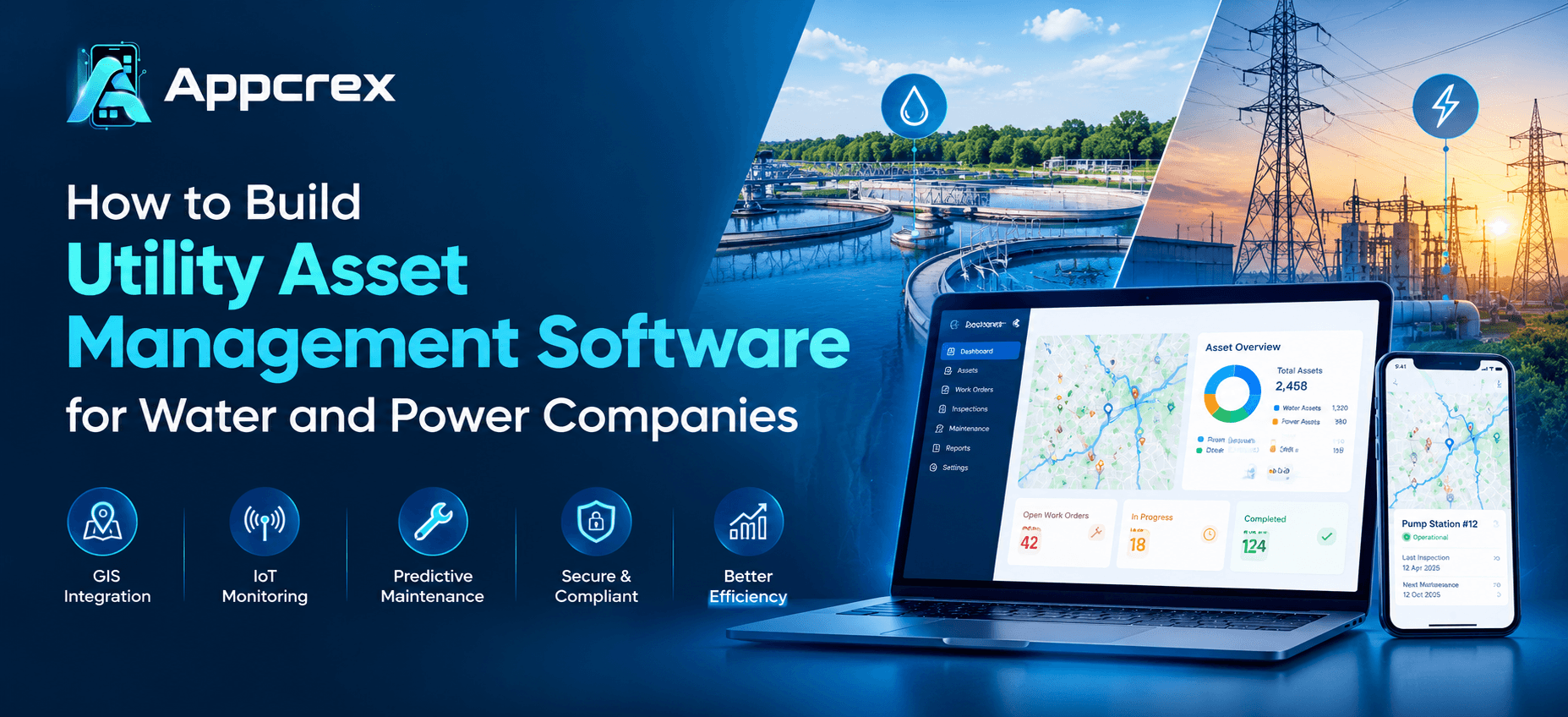
📌 Key Takeaways
- Utility asset management software helps water and power companies track infrastructure, maintenance, and asset lifecycle information.
- GIS, work orders, mobile access, and preventive maintenance are useful starting features.
- SCADA and IoT integrations require careful attention to data quality and operational technology security.
- AI can support predictive maintenance, but its performance depends on reliable data and proper validation.
- A phased development plan helps control project scope and prioritize operational value.
Introduction
Water and power companies depend on physical infrastructure that must operate reliably every day. Water utilities manage pipelines, pumps, treatment plants, valves, and meters. Electric utilities maintain transformers, substations, distribution lines, circuit breakers, and other critical equipment.
When asset records are spread across spreadsheets, maintenance schedules are managed manually, or field teams lack accurate equipment information, utilities can struggle to identify risks, prioritize repairs, and plan long-term investments.
Utility asset management software brings asset records, inspections, maintenance schedules, operational data, and lifecycle planning into a connected system. Water and power companies can use custom software to monitor equipment, coordinate field teams, assess asset risks, and make better-informed maintenance and replacement decisions.
This guide explains how to build utility asset management software, which features to prioritize, how GIS and IoT integrations work, where AI can help, and which factors affect development cost.
Just Read : Custom Software Development Company: Complete Guide to Services, Process, Cost & Benefits (2026)
What Is Utility Asset Management Software?
Utility asset management software is a digital system used to track, monitor, maintain, and manage the physical infrastructure that supports essential utility services.
It helps utility operators understand what assets they own, where those assets are located, what condition they are in, how much they cost to maintain, and when they may need repair or replacement.
A utility asset management system can support the full asset lifecycle, from acquisition and installation to inspection, maintenance, rehabilitation, and retirement.
For example, a water company can use the software to maintain records of underground pipelines, track pump inspections, document leaks, and plan pipe replacement. An electric utility can use it to monitor transformer condition, schedule substation maintenance, record equipment failures, and prioritize upgrades to its distribution network.
The US Environmental Protection Agency describes asset management as a way to balance infrastructure costs with the level of service customers expect. Its guidance also emphasizes asset inventories, operations and maintenance, capital improvements, and financial planning. EPA asset management guidance.
Why Are Water and Power Companies Investing in Asset Management Software?
Utility operators must maintain infrastructure while balancing operating costs, service reliability, workforce capacity, and long-term investment needs.
Custom asset management software can help address several common challenges:
- Fragmented asset records: Bring equipment details, maintenance history, and documentation into a more organized system.
- Reactive maintenance: Use inspections, operating data, and risk assessments to identify maintenance needs before failures occur where possible.
- Limited asset visibility: Combine asset records with maps and dashboards so authorized teams can locate equipment and understand its condition.
- Manual work orders: Create, assign, track, and close maintenance tasks through defined workflows.
- Unplanned replacement costs: Use asset condition, criticality, and lifecycle information to support replacement planning.
- Disconnected field operations: Give technicians access to relevant asset details, inspection forms, and work instructions while working on-site.
The objective is not simply to digitize spreadsheets. It is to help utility teams make consistent, evidence-based decisions about their infrastructure.
Key Differences Between Water and Power Asset Management Software
Although water and power companies share many asset management requirements, their infrastructure and operating workflows are different. A successful application should reflect those differences.
| Area | Water utility assets | Power utility assets |
|---|---|---|
| Main assets | Pipelines, pumps, valves, tanks, meters, treatment equipment | Transformers, substations, feeders, poles, cables, breakers |
| Common maintenance needs | Leak inspections, pump servicing, valve checks, pipe rehabilitation | Equipment inspections, transformer testing, breaker servicing, line maintenance |
| Important integrations | GIS, SCADA, water quality systems, pressure and flow sensors | GIS, SCADA, outage management, metering and grid monitoring systems |
| Operational priorities | Water distribution, leakage control, treatment reliability, service continuity | Grid reliability, fault response, equipment health, outage restoration |
| Planning needs | Pipe replacement, pump lifecycle, capacity and rehabilitation planning | Transformer replacement, network upgrades, substation investment and maintenance planning |
A shared software platform can support both sectors, but asset types, data models, inspection rules, and operational workflows may need to be configured separately.
Essential Features of Utility Asset Management Software
The right features depend on the size of the utility, its infrastructure, its existing technology, and its maintenance strategy. The following capabilities form a practical starting point.
1. Centralized Asset Registry
An asset registry provides a structured record of the equipment a utility owns or operates.
Each asset record may contain:
- Unique asset ID and asset category.
- Location and geographic coordinates.
- Manufacturer, model, and installation date.
- Technical specifications.
- Current condition and criticality rating.
- Warranty and service information.
- Inspection and maintenance history.
- Supporting images, documents, and drawings.
- Expected service life and replacement information.
For water utilities, records might describe pipe material, diameter, installation year, pump specifications, and valve locations. For power utilities, records might include transformer ratings, feeder associations, substation details, and inspection history.
The system should support data validation and duplicate detection so that unreliable records do not undermine maintenance planning.
2. GIS-Based Asset Mapping
Geographic Information System (GIS) integration connects asset records with their physical locations.
A GIS-enabled utility asset management system can display infrastructure on a map, help field teams locate equipment, and provide geographic context for maintenance decisions.
For water companies, the map may show pipelines, valves, pumping stations, service areas, and treatment facilities. For power companies, it may display poles, transformers, substations, feeders, and distribution lines.
Useful GIS features include:
- Interactive infrastructure maps.
- Asset search by location or ID.
- Layer-based asset visualization.
- Nearby equipment identification.
- Work-order locations and field navigation.
- Network connectivity and relationship views.
- Geographic risk and service-area analysis.
For connected networks, spatial analysis can also help teams understand which assets may be affected by a fault or maintenance activity. The usefulness of this capability depends on the accuracy of the network model and the quality of the underlying asset data.
3. Work Order and Maintenance Management
Maintenance management is one of the most important modules in utility asset management software.
It helps teams move from identifying an issue to assigning work, completing repairs, and recording the outcome.
A typical workflow includes:
- Create a work order from an inspection, fault report, scheduled task, or monitoring alert.
- Identify the affected asset and assess the priority.
- Assign a technician or maintenance team.
- Record the required tools, materials, and safety instructions.
- Track progress and update the work status.
- Record findings, labor, parts, and repair details.
- Close the work order and update the asset history.
The system can support preventive maintenance schedules, recurring inspections, corrective maintenance, and emergency repair workflows.
Rules for work priority should reflect operational risk, asset criticality, safety requirements, and service impact rather than relying only on the order in which requests arrive.
4. Preventive and Predictive Maintenance
Preventive maintenance schedules work at planned intervals or according to operating conditions. Predictive maintenance uses data to estimate when equipment may be developing a fault or approaching a maintenance threshold.
For example, a water utility might schedule pump servicing based on operating hours and manufacturer guidance. A power company might analyze transformer temperature, load patterns, and inspection findings to identify equipment that needs closer attention.
A maintenance module may include:
- Time-based and usage-based schedules.
- Inspection checklists.
- Condition thresholds.
- Automated reminders and alerts.
- Failure history and recurring issue analysis.
- Risk-based maintenance prioritization.
- Maintenance performance reports.
Predictive maintenance requires reliable historical data, appropriate sensors or inspection information, and a suitable analytical model. It should not be treated as a guaranteed way to prevent every equipment failure.
5. Asset Health and Risk Scoring
Not all utility assets have the same importance. A failure in a critical pumping station or major electrical substation may have a much larger impact than a failure involving less critical equipment.
Asset health and risk scoring can help maintenance managers determine which assets need attention first.
A risk model may consider:
- Current asset condition.
- Failure probability or historical failure rate.
- Consequences of failure.
- Number of customers or services affected.
- Safety and environmental impact.
- Repair and replacement costs.
- Availability of backup equipment.
The software can use these factors to organize inspection queues and support capital investment decisions. Utilities should define and validate their own scoring methods so the results reflect real operating conditions.
6. Mobile App for Field Technicians
Utility maintenance takes place across large service areas, remote sites, underground networks, and outdoor installations. Field teams need access to useful information without returning to the office for every update.
A companion mobile application can provide:
- Assigned work orders.
- Asset details and location maps.
- Inspection forms and checklists.
- Photo and document uploads.
- Repair notes and parts usage.
- Work status updates.
- Technician time records.
- Digital sign-off and task completion.
Where connectivity is unreliable, the app may support offline access to selected records and allow updates to synchronize when a connection returns. Offline functionality requires careful conflict handling, access controls, and synchronization testing.
Just Read : Enterprise Software Development: Complete Guide for Growing Businesses
7. Inventory and Spare Parts Management
Maintenance teams need the right spare parts, tools, and materials to complete repairs efficiently.
Inventory features can connect maintenance work orders with stock records and purchasing workflows.
Depending on requirements, the module may support stock levels, part identification, warehouse locations, material reservations, reorder thresholds, supplier details, and usage history.
For example, a transformer repair may require specific components that are not immediately available. Linking maintenance tasks to inventory records helps teams assess availability and plan the work before dispatch.
8. Asset Lifecycle and Capital Planning
Utility infrastructure requires long-term planning because replacing pipelines, transformers, substations, and treatment equipment can involve substantial investment.
Lifecycle planning tools help compare maintenance, rehabilitation, and replacement options.
The software may track acquisition costs, installation dates, maintenance expenses, condition assessments, expected service life, and replacement estimates. Reports can help managers prepare capital improvement plans and compare investments based on asset criticality and expected service impact.
These tools support planning, but financial forecasts should be based on appropriate assumptions, engineering assessments, and validated cost data.
9. Dashboards and Operational Reporting
Dashboards help utility managers monitor the status of assets, maintenance activities, and operational performance.
Potential metrics include:
- Assets by type, location, and condition.
- Overdue inspections and maintenance tasks.
- Open and completed work orders.
- Repeat failures and repair history.
- Maintenance costs by asset category.
- Critical assets requiring attention.
- Spare parts availability.
- Asset replacement priorities.
For water utilities, dashboards may also display selected pump, pressure, flow, or leakage indicators where data is available. Power utilities may monitor transformer health, equipment alarms, maintenance backlogs, and outage-related indicators through appropriate integrations.
How GIS, IoT, and SCADA Integrations Work?
A utility asset management application becomes more useful when it can exchange data with the systems already used by operators.
However, these technologies serve different purposes and should not be treated as interchangeable.
GIS Integration
GIS provides the spatial view of infrastructure. It helps operators connect asset records to locations, network relationships, service territories, and nearby equipment.
The application can retrieve or exchange approved asset and location data with the utility’s GIS platform. The integration should define which system is the source of truth for asset identifiers, coordinates, and network relationships.
IoT Sensor Integration
Internet of Things (IoT) sensors can collect measurements such as temperature, vibration, pressure, flow, or operating hours.
When connected to the asset management platform, these measurements may help trigger alerts, create inspection tasks, or support condition analysis.
For example, unusual vibration readings from a pump could prompt an inspection. A temperature trend from supported power equipment could trigger a review against defined operating thresholds.
The value depends on sensor reliability, data frequency, connectivity, and the accuracy of the thresholds or analytical models.
SCADA Integration
Supervisory Control and Data Acquisition (SCADA) systems monitor and, in many settings, control industrial processes and equipment.
Asset management software generally complements SCADA rather than replacing it. SCADA may provide operational signals, while asset management software uses selected information to support maintenance planning, asset history, and work orders.
For critical infrastructure, integrations should use appropriate network segmentation, access permissions, secure interfaces, and operational technology security practices. An asset management app should not introduce unauthorized control paths into operational systems.
Integration Architecture
A typical integration workflow may look like this:
GIS and asset records → approved integration services → asset management platform → maintenance workflows and dashboards
Sensor and SCADA data can enter through separate, appropriately secured interfaces. The system then validates the data, associates it with the correct asset, and applies defined rules to produce alerts or maintenance tasks.
The architecture should address data ownership, timestamps, asset identifiers, failed messages, synchronization, and auditability.
How to Build Utility Asset Management Software: Step-by-Step
Developing utility asset management software requires more than selecting a technology stack. The project should begin with operational requirements and existing infrastructure.
Step 1: Identify Business and Operational Requirements
Start by understanding how the utility currently records assets, schedules inspections, assigns work, and plans replacements.
Interview asset managers, maintenance supervisors, engineers, field technicians, IT teams, and operational technology specialists.
Define the main problems to solve. These might include incomplete asset records, repeated equipment failures, delayed maintenance, limited field visibility, or disconnected reporting systems.
Also establish measurable objectives, such as improving asset-record completeness, reducing overdue work orders, or increasing the percentage of preventive maintenance completed on schedule.
Step 2: Audit Existing Asset Data
Review spreadsheets, GIS databases, maintenance records, sensor feeds, and legacy systems.
Identify missing asset IDs, inconsistent naming, duplicate records, outdated locations, and gaps in maintenance history.
Create a data-cleanup plan before migrating information. Poor-quality data can produce misleading dashboards, incorrect work orders, and unreliable risk assessments even when the software itself is well designed.
Step 3: Define the Asset Model and Workflows
Specify the asset types, relationships, attributes, and lifecycle states the platform must support.
A water utility may need relationships between treatment facilities, pumps, pipelines, valves, and service areas. An electric utility may need to model substations, transformers, feeders, and connected network assets.
Define how inspections, faults, maintenance requests, approvals, and work-order closures should operate. Establish permissions for field staff, engineers, supervisors, contractors, and administrators.
Step 4: Prioritize the Initial Release
Avoid trying to automate every utility process in the first release.
A practical minimum viable product (MVP) could include:
- Central asset registry.
- GIS map and asset search.
- Inspection and work-order management.
- Preventive maintenance schedules.
- Technician mobile app.
- Basic operational dashboards.
- Role-based access and audit records.
Advanced predictive models, large-scale sensor integrations, and complex lifecycle forecasting can be introduced after the core workflows and data quality have been validated.
Critical safety, security, and operational controls should still be included from the beginning.
Also Read : utility app development
Step 5: Choose the Technology Stack
Select technologies based on system integration requirements, expected data volume, availability needs, and the skills available to maintain the platform.
The solution may include a web application, mobile app, backend APIs, databases, a GIS integration layer, reporting tools, and cloud or on-premises infrastructure.
Utilities with existing operational technology systems may have specific requirements for network isolation, hosting, data residency, and integration methods. These constraints should guide technology decisions rather than being addressed after development.
Step 6: Develop and Integrate the Platform
Build the application in stages, starting with the asset registry and core maintenance workflows.
Then connect approved GIS, inventory, sensor, SCADA, or enterprise systems as required. Each integration should have defined data ownership, validation rules, error handling, and access controls.
Use milestone-based development so utility stakeholders can review working features and confirm that the software reflects real operational needs.
Step 7: Test Real-World Scenarios
Testing should cover more than whether screens load correctly.
Important scenarios include:
- Creating and updating asset records.
- Locating equipment on a map.
- Generating and assigning work orders.
- Completing inspections on mobile devices.
- Handling offline field updates.
- Processing missing or delayed sensor data.
- Preventing unauthorized access.
- Recovering from integration failures.
- Maintaining accurate audit records.
- Handling peak workloads and network interruptions.
For critical infrastructure environments, security and operational testing should follow the utility’s approved procedures.
Step 8: Pilot, Train, and Deploy
Begin with a manageable asset group, service area, facility, or maintenance team.
Use the pilot to validate data quality, usability, alert accuracy, work-order processes, and reporting. Collect feedback from technicians and supervisors before expanding the deployment.
Provide training, documentation, support procedures, and a clear plan for migrating from existing workflows. Monitor the system after launch and prioritize improvements based on operational feedback.
How AI Can Improve Utility Asset Management?
AI can help utility companies interpret large volumes of asset and operational data, but it works best when supported by reliable records and clear maintenance processes.
Predictive Failure Analysis
Machine learning models can analyze historical failures, inspection results, maintenance records, and available sensor readings to identify patterns associated with equipment deterioration.
The output may help teams prioritize inspections or flag assets for closer review. Models need validation against real outcomes and should be monitored for changes in equipment behavior and data quality.
Anomaly Detection
AI-based anomaly detection can identify readings or patterns that differ from expected operating behavior.
For example, unusual pump vibration or a change in a transformer temperature trend may prompt further investigation. An anomaly is not necessarily a fault, so alerts should include appropriate context and review procedures.
Maintenance Prioritization
Decision-support models can combine asset criticality, condition, failure history, and operational impact to help organize maintenance queues.
Utility managers should retain oversight of safety-critical decisions and be able to understand the factors that influence priorities.
Document and Inspection Analysis
AI tools may help extract information from equipment manuals, inspection reports, maintenance notes, and technical documents.
This can reduce manual data-entry effort, but extracted information should be checked before it is used for critical maintenance or engineering decisions.
Also Read : AI Software Development Company: Custom AI Solutions, Cost & Development Process
How Much Does Utility Asset Management Software Development Cost?
The cost of developing utility asset management software depends on the number of modules, existing infrastructure, integrations, data quality, mobile requirements, security needs, and deployment model.
A system that manages asset records and work orders is usually less complex than a platform that combines GIS, real-time sensor data, SCADA integration, predictive maintenance, and enterprise-wide reporting.
For this reason, the most reliable approach is to estimate the project after defining the scope and reviewing existing systems.
Main Cost Factors
Application scope: Asset tracking, inspections, work orders, inventory, lifecycle planning, and analytics each add requirements.
GIS complexity: Mapping existing assets may be straightforward when clean data is available, but complex network models and data migration can require significant effort.
IoT and SCADA integration: Sensor protocols, data volume, integration access, operational technology constraints, and security requirements affect implementation.
Data migration and cleanup: Inconsistent asset records, missing identifiers, and legacy data formats can increase preparation and validation work.
Mobile and offline functionality: Field applications with offline data access, synchronization, maps, and photo uploads need additional development and testing.
AI and predictive maintenance: Advanced analytics require suitable data, model development, validation, monitoring, and ongoing refinement.
Deployment and security: Hosting, network architecture, backup, disaster recovery, access controls, and security testing all influence the budget.
Maintenance and support: Updates, monitoring, infrastructure, integration maintenance, and user support should be included in the long-term cost plan.
How to Keep the Project Within Budget?
Begin with a focused release that solves a clearly defined operational problem. For example, a utility may start by digitizing asset records and maintenance work orders for one asset category before expanding to GIS-linked workflows across the organization.
Set measurable acceptance criteria, validate data early, and test high-risk integrations before committing to a full rollout.
This phased approach helps decision-makers evaluate operational value while keeping the scope manageable.
Benefits of Custom Utility Asset Management Software
A well-designed platform can support better infrastructure decisions by bringing asset data, maintenance activity, and lifecycle planning into a consistent workflow.
Potential benefits include:
- Better asset visibility: Teams can access organized records and locate equipment more easily.
- More structured maintenance: Scheduled tasks, inspections, and work orders follow defined processes.
- Improved field coordination: Technicians can access relevant information and record work from the field.
- Better-informed replacement planning: Condition, risk, and lifecycle records can support investment decisions.
- More consistent reporting: Managers can monitor maintenance backlogs, asset condition, and operational indicators.
- Integration with existing systems: Approved connections reduce the need to maintain disconnected records.
- A foundation for predictive analytics: Reliable asset and maintenance data can support future AI and condition-monitoring initiatives.
Results depend on implementation quality, data accuracy, adoption by staff, and the utility’s existing processes. Software is one part of a broader asset management program, not a replacement for engineering expertise or operational planning.
How to Choose a Utility Asset Management Software Development Company?
Choosing the right development partner is important because utility applications must fit real infrastructure, field workflows, and operational constraints.
Evaluate potential partners on the following points:
- Industry understanding: Can the team understand utility asset types, maintenance processes, and infrastructure relationships?
- Integration experience: Can they assess GIS, enterprise systems, sensor feeds, and approved SCADA integration patterns?
- Security awareness: Do they understand access control, auditability, network separation, and secure handling of operational data?
- Mobile capabilities: Can they design reliable field applications for real-world connectivity conditions?
- Data migration planning: Can they help validate and structure existing asset records before rollout?
- Scalable architecture: Can the proposed design support more assets, users, locations, and integrations over time?
- Testing and support: Are integration testing, documentation, deployment, monitoring, and maintenance included in the project plan?
Ask for a clear scope, deliverables, dependencies, timeline assumptions, acceptance criteria, and post-launch support arrangements before committing to development.
FAQs
1. What is utility asset management software?
Utility asset management software helps water and power companies record, monitor, maintain, and plan the lifecycle of infrastructure assets such as pipelines, pumps, transformers, substations, and meters.
2. What features should utility asset management software include?
Common features include an asset registry, GIS mapping, inspections, work-order management, preventive maintenance, asset health tracking, mobile access, inventory management, and operational dashboards. IoT monitoring and predictive analytics can be added where appropriate.
3. How is water utility asset management software different from power utility software?
Water utility systems often focus on pipelines, pumps, valves, treatment equipment, pressure, and flow. Power utility systems may focus on transformers, substations, feeders, electrical equipment, and grid reliability. Both can share asset registry, maintenance, mapping, and reporting modules.
4. Can utility asset management software integrate with GIS?
Yes. A custom platform can connect with supported GIS systems to display asset locations, map infrastructure, and associate maintenance activities with geographic locations. Integration depends on data quality, licensing, APIs, and the existing GIS architecture.
5. Can the software integrate with SCADA and IoT sensors?
Potentially, yes. The platform can use approved interfaces to receive selected operational data and sensor readings. The design must account for supported protocols, data validation, network security, and the utility’s operational technology policies.
6. Can AI predict utility equipment failures?
AI models can help identify patterns associated with equipment deterioration and prioritize inspections. Their usefulness depends on data quality, historical records, sensor availability, model validation, and ongoing monitoring. They cannot guarantee that every failure will be predicted.
7. How much does it cost to build utility asset management software?
Cost depends on the modules, integrations, data migration, mobile features, security requirements, analytics, and deployment model. A project estimate should follow a review of the utility’s requirements and existing systems.
8. How long does it take to develop utility asset management software?
The timeline depends on the number of modules, data readiness, integration complexity, testing requirements, and rollout strategy. A focused MVP generally has a smaller scope than an enterprise-wide platform connected to multiple operational systems. A realistic schedule should be defined after discovery.
9. Does utility asset management software replace an existing EAM or CMMS?
Not necessarily. Enterprise Asset Management (EAM) and Computerized Maintenance Management System (CMMS) platforms already provide many asset and maintenance capabilities. A custom application may complement these systems, integrate with them, or replace selected functions after a detailed assessment.
10. Can small and medium-sized utility companies use custom asset management software?
Yes. A smaller utility can begin with an asset registry, inspections, work orders, and basic reporting. The platform can expand as data quality, operational needs, and available budget allow.
Conclusion
Building utility asset management software for water and power companies starts with understanding the infrastructure, data, and maintenance processes that keep essential services running.
A practical solution combines reliable asset records, GIS mapping, maintenance workflows, mobile access, and reporting. IoT monitoring and AI-powered analytics can add value when the utility has the right data, integrations, and operational controls.
The best approach is to begin with clearly defined business problems, validate existing data, prioritize essential features, and introduce advanced capabilities in manageable phases.
For utilities planning a new platform or modernizing existing systems, custom software development can provide a way to align technology with infrastructure requirements, field operations, and long-term asset planning.
Build Custom Utility Software with AppCrex
AppCrex helps businesses plan and develop custom digital solutions around their operational needs. If your organization is exploring utility asset management software, our team can help assess your requirements, identify essential features, and evaluate suitable integration and development options.
Explore our app development services to discuss a custom software solution for your business.
