
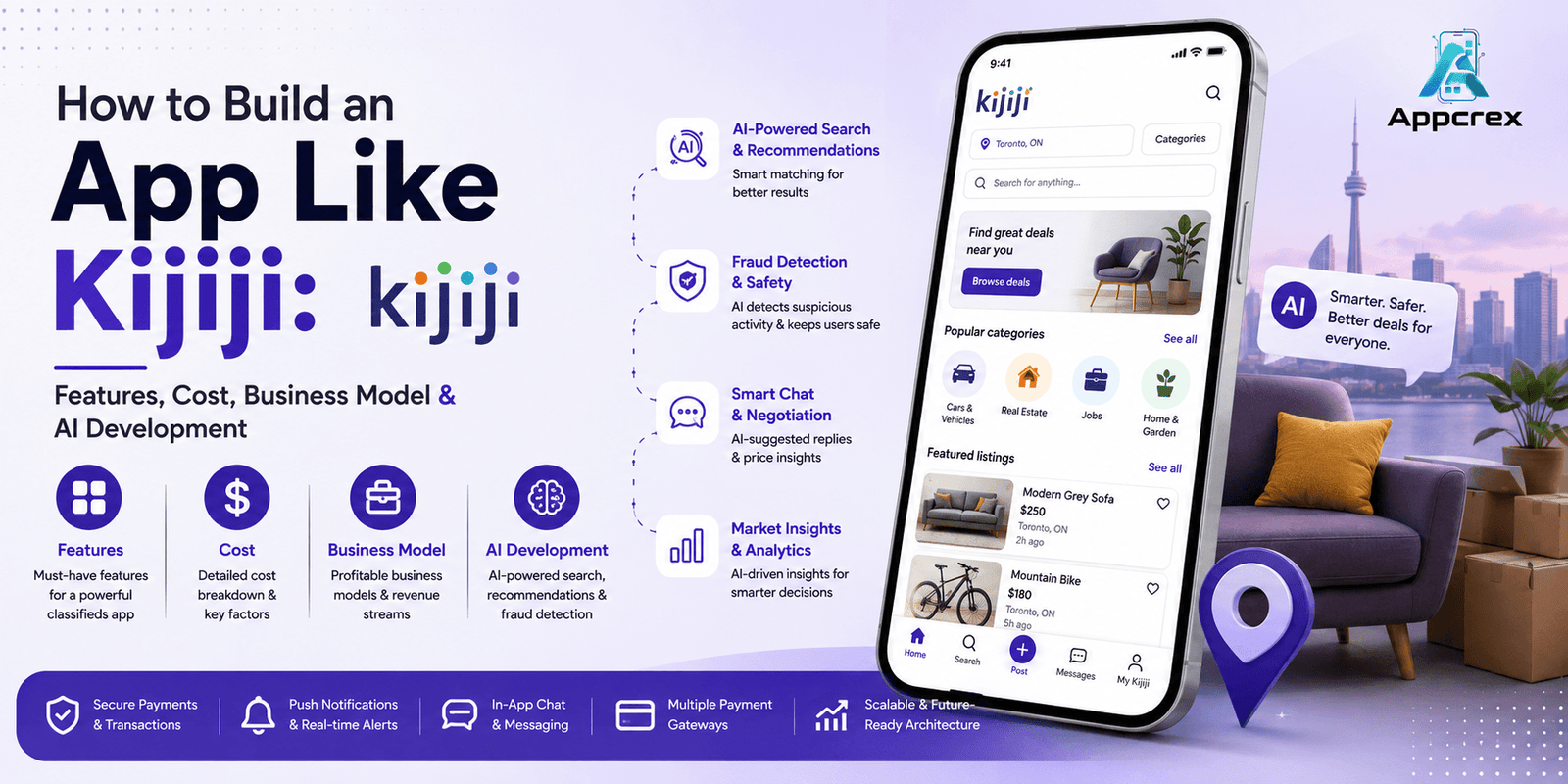
📌 Key Takeaways
- A Kijiji-style marketplace connects buyers and sellers through listings, search, location and messaging.
- A focused MVP can start around $35,000–$55,000, while advanced AI marketplaces can exceed $100,000.
- Search, location, seller trust and communication are the foundation of a successful marketplace.
- AI can improve listing creation, product discovery, recommendations, price suggestions and fraud detection.
- Starting with a specific Canadian niche can be more effective than trying to compete with an established marketplace across every category.
Introduction
Buying and selling locally has become much easier with mobile marketplaces. Instead of putting up a traditional classified ad and waiting for responses, people can now list a product from their phone, add photos, set a price and start talking to potential buyers within minutes.
That simple experience is one reason marketplace platforms remain attractive for startups.
A Kijiji-style app can bring together buyers, sellers, landlords, service providers and local businesses on one digital platform. But if you’re planning to build one in Canada, simply copying an existing marketplace isn’t enough. The better opportunity is to create a faster, safer and more personalised marketplace, supported by AI, location technology and strong seller tools.
This guide explains how to build an app like Kijiji, including its features, development cost, business model, technology stack, AI opportunities and development process.
Just Read : Mobile App Development Company in Canada: Custom Android, iOS & AI App Development Services
What Is a Kijiji-Like App?
A Kijiji-style app is a local online marketplace where people can publish listings and connect with interested buyers.
Depending on your niche, users could buy or sell:
- Cars
- Electronics
- Furniture
- Clothing
- Mobile phones
- Home appliances
- Property
- Jobs
- Services
- Collectibles
- Business equipment
The basic journey is simple:
Create account → Post listing → Find interested users → Chat → Complete transaction
You can also build a more advanced marketplace with:
AI recommendations + seller verification + location search + payments + fraud detection + personalised discovery
How Much Does It Cost to Build an App Like Kijiji?
The cost depends on how much functionality you want in the first version.
| App Type | Estimated Cost | Approx. Timeline |
|---|---|---|
| Basic Classified Marketplace MVP | $35,000–$55,000 | 3–5 months |
| Advanced Marketplace App | $55,000–$100,000 | 5–8 months |
| AI-Powered Kijiji-Like Platform | $100,000–$180,000 | 7–12 months |
| Large-Scale Marketplace | $180,000–$300,000+ | 12–18+ months |
These are general estimates. Your actual budget will depend on:
- Number of platforms
- User roles
- Listing categories
- Search complexity
- Map integration
- Payment functionality
- AI features
- Chat infrastructure
- Verification systems
- Admin dashboard
- Third-party APIs
- Cloud infrastructure
- Security and testing
For a startup, beginning with an MVP is usually the more practical route.
Just Read : Farm Management Software Development Company in Canada: Complete Guide to Features, Cost & Benefits
Why Build a Kijiji-Like App in Canada?
The local marketplace model has a major advantage: location creates relevance.
Someone looking for a used sofa in Toronto doesn’t necessarily want results from Vancouver.
Likewise, someone selling a car in Calgary wants to reach nearby buyers.
A location-focused marketplace can therefore make discovery much more useful.
You could build a marketplace specifically for:
- Used products
- Cars
- Rental properties
- Student accommodation
- Local services
- Jobs
- Second-hand fashion
- Electronics
- Furniture
- Business equipment
You don’t necessarily need to compete with a general marketplace across every category.
A niche-first strategy can be easier to launch and market.
Key Features of a Kijiji-Like App
1. User Registration
Users should be able to register through:
- Phone number
- OTP
- Apple
Once registered, they can manage their:
- Listings
- Favourites
- Messages
- Searches
- Alerts
- Profile
2. User Profiles
A seller profile can display:
- Name
- Profile photo
- Location
- Member since date
- Active listings
- Seller rating
- Verification status
A strong profile system helps users feel more comfortable interacting with sellers.
3. Create a Listing
The listing process should be quick.
A seller can enter:
- Title
- Description
- Price
- Category
- Condition
- Location
- Photos
- Videos
The app can then publish the listing after moderation.
4. Multiple Listing Categories
A marketplace can support multiple categories.
For example:
Vehicles
Cars, motorcycles and trucks.
Electronics
Phones, laptops, gaming consoles and cameras.
Home
Furniture, appliances and home décor.
Fashion
Clothing, shoes and accessories.
Property
Homes, rentals and commercial spaces.
Services
Local professionals and service providers.
Jobs
Local employment opportunities.
5. Advanced Search
Search is one of the most important features.
Users should be able to search by:
- Keyword
- Category
- Location
- Price
- Condition
- Date posted
- Seller type
The faster users find relevant listings, the better the marketplace experience.
6. Smart Filters
Filters can change according to the category.
For a car listing:
- Make
- Model
- Year
- Mileage
- Transmission
- Fuel type
- Price
For electronics:
- Brand
- Model
- Condition
- Storage
- Price
Dynamic filters make the search experience much more useful.
Also Read : Marketplace App Development Company Dubai: Complete Guide to Features, Cost & Development Process
7. Location-Based Search
Users should be able to specify:
Within 5 km
Within 25 km
Within 50 km
or search an entire city or region.
GPS and map integration can automatically determine nearby listings.
8. Map View
Instead of only showing listings as cards, users can view them on a map.
For example:
Toronto → Listings → Prices → Location
This can be particularly useful for:
- Vehicles
- Furniture
- Property
- Local services
9. Listing Detail Page
Each listing should provide complete information.
It can include:
- Product photos
- Video
- Title
- Price
- Description
- Condition
- Location
- Seller information
- Date posted
- Similar listings
A clear call-to-action such as “Message Seller” should remain visible.
10. Photo and Video Uploads
Sellers should be able to upload multiple images.
Advanced features can include:
- Automatic image compression
- Image cropping
- Duplicate image detection
- Video uploads
- AI image moderation
Fast image loading is especially important for marketplaces with thousands of listings.
11. Favourites
Users can save listings they like.
A Favourite feature allows them to create a personal shortlist without contacting every seller immediately.
12. Saved Searches
A buyer might search for:
Used iPhone under $700 within 20 km.
They can save the search and receive notifications when matching listings appear.
This is an excellent retention feature.
13. Price Alerts
Users can receive an alert when:
- A saved listing changes price
- A new matching item appears
- A seller reduces the price
For example:
“A saved item has dropped from $800 to $700.”
14. In-App Chat
Messaging is central to a local marketplace.
Buyers can ask:
- Is the item still available?
- Is the price negotiable?
- Can I pick it up tomorrow?
- Where are you located?
The platform can support:
- Text
- Images
- Notifications
- Read status
- Message history
- Report/block functionality
15. Seller Verification
Trust is one of the biggest challenges in marketplace businesses.
Verification can include:
- Email verification
- Phone verification
- Identity verification
- Business verification
Verified sellers can receive a visible badge.
16. Ratings and Reviews
After a transaction, users can potentially rate their experience.
Ratings can cover:
- Seller communication
- Listing accuracy
- Reliability
- Overall experience
A moderation system should be included to handle abusive or fraudulent reviews.
17. Secure Payments
If your marketplace supports transactions inside the app, you can integrate online payments.
Possible methods include:
- Credit cards
- Debit cards
- Digital wallets
- Other supported payment methods
You can also begin with chat + transaction coordination and introduce in-app payments later.
18. Delivery Integration
For products that can be shipped, you could integrate delivery services.
Users may receive:
- Delivery estimates
- Shipping costs
- Tracking
- Delivery notifications
This can turn a local classifieds platform into a broader commerce marketplace.
19. Seller Dashboard
Sellers need their own management area.
They can:
- Create listings
- Edit listings
- Pause listings
- Delete listings
- View enquiries
- Manage messages
- Track listing performance
A professional dashboard becomes increasingly important as sellers move from casual users to businesses.
Also Read : Property Listing App Development Company: Complete Guide to Features, Cost & Development Process
20. Promoted Listings
Sellers can pay to promote their listings.
For example:
Featured Listing
could appear higher in search results or in a featured section.
This can become one of the marketplace’s primary revenue streams.
21. Business Accounts
Businesses may need additional capabilities.
A business account can provide:
- Multiple listings
- Business profile
- Team members
- Analytics
- Promotional tools
- Subscription plans
This creates a separate B2B revenue opportunity.
22. Push Notifications
Notifications can inform users about:
- New messages
- New matching listings
- Price changes
- Favourite updates
- Listing expiry
- Promotional campaigns
Users should have control over notification preferences.
23. Listing Moderation
Marketplace platforms need strong moderation.
Listings can be checked for:
- Prohibited products
- Spam
- Duplicate content
- Misleading descriptions
- Suspicious behaviour
Moderation can combine automated detection with human review.
24. AI-Powered Listing Creation
AI can make selling easier.
A seller could upload a few photos and enter:
“Used iPhone 15, 256GB, excellent condition.”
The AI could generate:
- Listing title
- Description
- Suggested category
- Relevant attributes
- Search keywords
The seller can review and edit the generated content before publishing.
25. AI Product Recommendations
AI can learn from:
- Searches
- Favourites
- Clicks
- Categories
- Price preferences
It can then recommend relevant listings.
For example:
“You viewed three gaming laptops. Here are five similar listings.”
26. AI Search
Instead of using traditional filters, users can type:
“Find a used SUV under $30,000 near Toronto with less than 100,000 km.”
The AI can understand the request and convert it into structured search criteria.
This can significantly improve marketplace discovery.
27. AI Fraud Detection
Machine learning can identify suspicious marketplace behaviour.
Signals can include:
- Repeated listings
- Unusual account behaviour
- Suspicious pricing
- Duplicate images
- Rapid account activity
- Suspicious messages
High-risk listings can be flagged for review.
28. AI Image Analysis
AI can analyse uploaded images to identify:
- Duplicate photos
- Potentially prohibited content
- Poor-quality images
- Product category
- Visual attributes
This can reduce manual moderation work.
29. AI Price Suggestions
A seller could receive an estimated price range based on:
- Product category
- Brand
- Condition
- Location
- Historical marketplace data
For example:
“Similar items are commonly listed between $450 and $550.”
This can help sellers price listings more competitively.
30. Admin Dashboard
The marketplace owner needs a powerful backend.
The admin panel can manage:
- Users
- Sellers
- Listings
- Categories
- Payments
- Reports
- Reviews
- Promotions
- Subscriptions
- Fraud alerts
- Analytics
Admins should also have tools for suspending accounts and removing problematic listings.
Kijiji-Like App Business Model
A marketplace has several potential revenue streams.
1. Featured Listings
Sellers pay to increase the visibility of their listings.
This is one of the easiest monetisation models to implement.
2. Seller Subscriptions
Businesses can pay monthly for additional features.
For example:
Basic → Professional → Business
Premium features could include:
- More listings
- Analytics
- Featured placement
- Business profile
- Promotional tools
3. Listing Fees
You can charge sellers to publish listings in selected categories.
This can be particularly useful for high-value categories.
4. Advertising
Businesses can advertise products or services within the platform.
Potential advertisers include:
- Automotive companies
- Real estate agencies
- Local businesses
- Financial companies
- Retailers
5. Transaction Fees
If buyers complete purchases inside the app, the marketplace can potentially earn a transaction fee, subject to the payment structure and applicable terms.
6. Lead Generation
Businesses can pay for qualified customer enquiries.
This works particularly well for:
- Real estate
- Automotive
- Local services
- Professional services
Technology Stack for a Kijiji-Like App
Mobile Development
You can use:
- Flutter
- React Native
- Swift
- Kotlin
For startups launching on both iOS and Android, Flutter or React Native can reduce duplicated development effort.
Backend
Common choices include:
- Node.js
- Python
- Java
- .NET
The backend should be designed to support high listing volumes and real-time communication.
Database
Possible choices include:
- PostgreSQL
- MySQL
- MongoDB
- Redis
Search Technology
For a large marketplace, a dedicated search engine can improve:
- Keyword search
- Filtering
- Sorting
- Location search
- Category matching
Technologies such as Elasticsearch or OpenSearch can be considered depending on the architecture.
Cloud Infrastructure
Possible platforms include:
- AWS
- Microsoft Azure
- Google Cloud
Cloud infrastructure can provide scalable storage, computing, databases, monitoring and security.
How to Build an App Like Kijiji?
Step 1: Select Your Marketplace Niche
Don’t start with hundreds of categories.
Choose one or two areas where you can build strong supply and demand.
For example:
Used electronics marketplace in Canada.
Once the marketplace gains traction, you can expand.
Step 2: Research Buyers and Sellers
Talk to potential users.
Find out:
- What are they currently using?
- What frustrates them?
- Why do listings fail?
- What makes them trust a seller?
- Would they pay for premium visibility?
This research can directly influence the MVP.
Step 3: Define the Business Model
Decide whether revenue will come from:
- Featured listings
- Subscriptions
- Advertising
- Transaction fees
- Lead generation
Don’t build monetisation features that your initial target users don’t need.
Step 4: Design the Marketplace UX
The ideal buyer journey is:
Search → Filter → Compare → Chat → Buy
The seller journey is:
Create Listing → Receive Enquiries → Communicate → Sell → Review
Keep both journeys simple.
Step 5: Build the MVP
The first release could include:
Buyer
- Registration
- Search
- Filters
- Map
- Listing details
- Favourites
- Saved searches
- Chat
Seller
- Profile
- Create listing
- Image upload
- Listing management
- Chat
- Seller dashboard
Admin
- User management
- Listing moderation
- Category management
- Reports
- Analytics
This gives you enough functionality to test the marketplace.
Step 6: Add AI
Once the basic marketplace works, introduce AI where it provides measurable value.
Start with:
AI listing creation
Then:
AI search → recommendations → price suggestions → fraud detection
This phased approach is usually more practical than building a complex AI system before you have marketplace data.
Step 7: Launch in a Focused Region
Rather than launching across all of Canada immediately, consider starting in one market.
For example:
- Toronto
- Vancouver
- Calgary
- Montreal
- Ottawa
Build sufficient supply and demand in one area first.
Step 8: Improve Based on Data
Track:
- Searches
- Listing views
- Messages
- Favourite actions
- Successful transactions
- Seller retention
- Buyer retention
Then use this data to decide what to improve next.
How Long Does It Take to Build a Kijiji-Like App?
| Development Stage | Estimated Time |
|---|---|
| Research & Planning | 2–4 weeks |
| UI/UX Design | 4–6 weeks |
| Mobile Development | 8–14 weeks |
| Backend Development | 10–16 weeks |
| Search & Location | 4–7 weeks |
| Chat & Notifications | 3–5 weeks |
| Admin Dashboard | 3–6 weeks |
| AI Features | 4–10 weeks |
| Testing | 4–6 weeks |
| Deployment | 1–3 weeks |
A basic marketplace MVP can take around 4–6 months.
A large AI-powered marketplace may require 8–12 months or longer.
How to Make Your Marketplace Different From Kijiji?
Competing feature-for-feature isn’t necessarily the best strategy.
Instead, focus on a specific advantage.
Safer Transactions
Build stronger seller verification and fraud detection.
Better Search
Use AI and natural-language queries.
Better Local Discovery
Use location intelligence to show relevant nearby listings.
Better Seller Tools
Give professional sellers analytics and automated listing creation.
Better Personalisation
Recommend listings based on actual user behaviour.
Better Category Experience
Create specialised search filters for each category instead of using generic filters everywhere.
Why Choose a Mobile App Development Company Canada?
If you’re targeting Canadian buyers and sellers, working with a Mobile App Development Company Canada can help you build a marketplace around your target audience and business requirements.
A development team can help with:
- Marketplace App Development
- Classified App Development
- E-commerce App Development
- AI App Development
- Geolocation Integration
- Real-Time Chat
- Payment Integration
- Recommendation Engines
- Fraud Detection
- Search Development
- Admin Dashboard
- Cloud Infrastructure
- API Integration
- App Maintenance
For a marketplace, it’s particularly important to think about scalability, moderation, trust and search performance from the beginning.
Why Choose AppCrex?
AppCrex provides custom mobile and software development services for startups and businesses.
Our capabilities include:
- Marketplace App Development
- AI App Development
- E-commerce App Development
- Classified App Development
- Real Estate App Development
- Automotive App Development
- Flutter App Development
- React Native App Development
- iOS App Development
- Android App Development
- AI Integration
- AI Agent Development
- Machine Learning
- Payment Integration
- Geolocation & Maps
- Real-Time Chat
- Admin Dashboard Development
- Cloud Backend Development
- Maintenance & Support
Instead of creating a simple copy of an existing marketplace, AppCrex can help you design a platform around your own niche, audience and revenue model.
Final Thoughts
Building an app like Kijiji is ultimately about solving a trust and discovery problem.
Buyers want to find relevant products quickly and communicate with reliable sellers.
Sellers want an easy way to publish listings and reach serious buyers.
A successful marketplace brings those two sides together with:
Good search + relevant listings + location + communication + trust
AI can take the experience further by improving listing creation, search, recommendations, pricing and fraud detection.
For startups, the best approach is usually to start with a focused MVP rather than attempting to build a massive marketplace immediately.
Begin with:
Listings → Search → Filters → Location → Chat → Favourites
Then expand into:
Payments → Verification → AI Search → Recommendations → Fraud Detection → Seller Analytics
Depending on the scope, a Kijiji-like marketplace can cost approximately $35,000–$55,000 for an MVP and $100,000–$180,000+ for a sophisticated AI-powered platform.
The opportunity isn’t simply to build another classifieds app.
It’s to create a marketplace that is easier to search, safer to use and smarter for both buyers and sellers.
FAQs
Q. How much does it cost to build an app like Kijiji?
A basic marketplace MVP can cost approximately $35,000–$55,000, while an advanced AI-powered marketplace may cost $100,000–$180,000 or more.
Q. How long does it take to build a Kijiji-like app?
A focused MVP can take approximately 4–6 months. A feature-rich marketplace with AI, payments and advanced search may take 8–12 months or longer.
Q. What are the main features of a Kijiji-like app?
Core features include user registration, listings, search, filters, location-based discovery, favourites, saved searches, messaging, seller profiles and listing management.
Q. Can I build a marketplace for a specific Canadian niche?
Yes. You can create a marketplace specifically for vehicles, electronics, property, furniture, jobs, services or another category.
Q. Can AI be used in a marketplace app?
Yes. AI can support natural-language search, recommendations, listing generation, price suggestions, image analysis and fraud detection.
Q. How does a marketplace app make money?
Common revenue models include featured listings, subscriptions, listing fees, advertising, transaction fees and lead generation.
Q. Do I need an in-app payment system?
Not necessarily. You can launch with listings and messaging first and introduce integrated payments later, depending on your business model.
Q. How can I prevent fake listings?
Use seller verification, listing moderation, suspicious-behaviour detection, reporting tools, duplicate detection and appropriate payment protections.
Q. Can AppCrex build a Kijiji-like marketplace?
Yes. AppCrex can build custom marketplace applications with mobile apps, search, geolocation, chat, payments, AI features, seller dashboards and admin systems.
Ready to Build Your Marketplace App?
Have an idea for a Kijiji-like marketplace app in Canada?
AppCrex can help you build the complete platform—from UI/UX and mobile development to search, geolocation, real-time chat, payments, AI recommendations, fraud detection and admin management.
Whether you want to build a marketplace for products, vehicles, property, services or another niche, we can help you plan the right MVP and technology strategy.
Talk to AppCrex today and turn your marketplace idea into a scalable mobile platform.
