
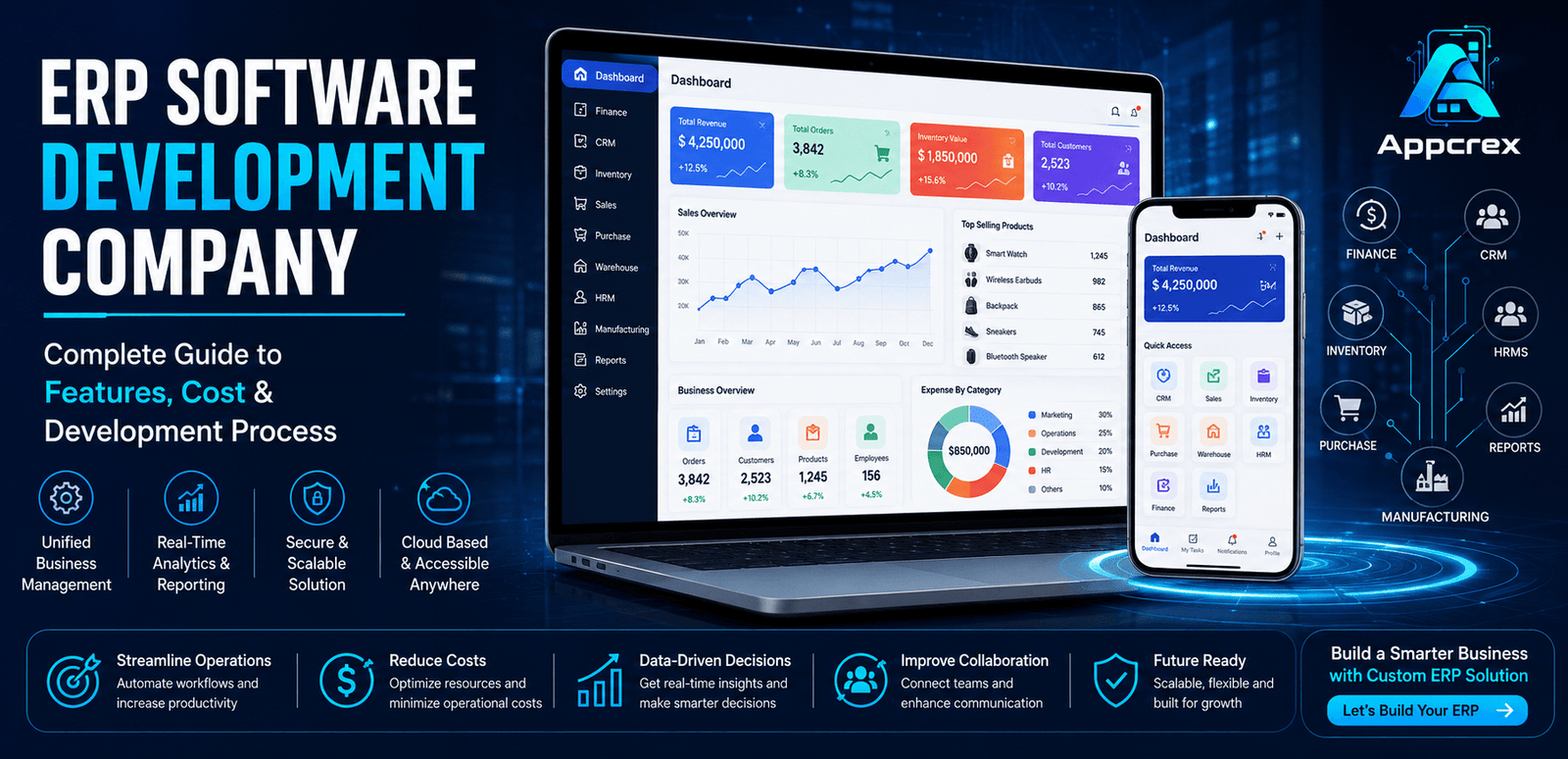
📌 Key Takeaways
- ERP software centralizes finance, HR, CRM, inventory, warehouse, procurement, and supply chain into one platform.
- AI-powered ERP improves automation, forecasting, reporting, and business decision-making.
- Custom ERP solutions integrate seamlessly with CRM, accounting, payment gateways, HRMS, and third-party business tools.
- ERP software development typically costs $40,000–$500,000+, depending on modules, integrations, and customization.
- A custom ERP system helps manufacturing, retail, healthcare, logistics, construction, education, and eCommerce businesses improve efficiency and scale operations.
Introduction
As businesses grow, managing multiple departments through separate software solutions becomes increasingly complex. Sales teams use one system, finance relies on another, inventory is tracked separately, and HR maintains its own records. This fragmented approach often leads to data duplication, communication gaps, manual errors, and slower decision-making.
To overcome these challenges, organizations are adopting Enterprise Resource Planning (ERP) software—a centralized platform that connects every core business function into a single integrated system. From finance and inventory management to human resources, procurement, manufacturing, customer relationship management (CRM), and supply chain operations, ERP software enables businesses to manage everything from one dashboard.
The demand for ERP Software Development is growing rapidly across industries such as manufacturing, retail, healthcare, logistics, construction, education, real estate, and eCommerce. Companies are investing in custom ERP solutions to automate business processes, improve operational efficiency, enhance data visibility, and support long-term growth.
Countries including the USA, Germany, UK, UAE, and India are leading the adoption of cloud-based and AI-powered ERP systems as businesses accelerate their digital transformation initiatives.
Unlike off-the-shelf ERP platforms, custom ERP software is designed around your unique business workflows. It offers greater flexibility, seamless third-party integrations, stronger security, and the ability to scale as your organization expands.
In this guide, you’ll learn everything about ERP Software Development, including its features, business benefits, development process, technology stack, AI capabilities, development cost, and the latest ERP trends shaping businesses in 2026.
What is ERP Software?
Enterprise Resource Planning (ERP) Software is an integrated business management solution that helps organizations manage multiple departments through a single centralized platform.
Instead of using separate applications for finance, inventory, sales, purchasing, and HR, an ERP system stores all business data in one database, enabling departments to work together efficiently and make informed decisions.
A modern ERP system typically includes the following core modules:
Finance & Accounting
Manage invoices, payments, expenses, taxation, budgeting, financial reporting, and cash flow from one dashboard.
Inventory & Warehouse Management
Track inventory in real time, monitor stock levels, manage warehouses, and automate order fulfillment.
Sales & CRM
Manage leads, customers, quotations, sales orders, invoices, and customer interactions to improve business relationships.
Procurement & Purchasing
Automate vendor management, purchase orders, approvals, and procurement workflows.
Human Resource Management (HRMS)
Manage employee records, attendance, payroll, leave requests, recruitment, and performance evaluation.
Just Read : HR Management Software Development: Complete Guide to Features, Cost, Benefits & Development Process
Manufacturing & Production
Plan production schedules, manage bills of materials (BOM), monitor work orders, and improve manufacturing efficiency.
Supply Chain & Logistics
Optimize procurement, inventory movement, warehouse operations, transportation, and last-mile delivery from a unified system.
A professionally developed ERP solution helps businesses eliminate data silos, automate routine tasks, and improve overall operational performance.
How ERP Software Works?
An ERP system connects all business departments using a centralized database.
A typical workflow looks like this:
- A customer places an order.
- The Sales module creates the order.
- Inventory automatically checks product availability.
- If stock is low, the Procurement module generates a purchase request.
- The Warehouse module prepares products for dispatch.
- Finance generates the invoice and records payment.
- Logistics tracks shipment and delivery.
- Managers view real-time reports and KPIs from a centralized dashboard.
This integrated workflow eliminates duplicate data entry, reduces manual errors, and improves collaboration across the organization.
Why Businesses Need ERP Software?
Modern businesses require a centralized system to streamline operations, improve productivity, and support growth.
Centralized Business Management
Manage all departments from one platform instead of using multiple disconnected applications.
Improved Productivity
Automating repetitive tasks reduces manual effort and allows employees to focus on strategic work.
Real-Time Business Insights
Access live dashboards and reports to monitor sales, inventory, finances, employee performance, and operational KPIs.
Better Decision-Making
Centralized and accurate business data enables faster, data-driven decisions.
Enhanced Collaboration
Departments can share real-time information, reducing communication gaps and improving workflow efficiency.
Scalability
Custom ERP software grows with your business, supporting new users, departments, locations, and integrations without disrupting operations.
ERP Software Market Opportunities in USA, Germany, UK, UAE & India
The global demand for ERP Software Development is growing rapidly as businesses invest in digital transformation, process automation, and data-driven decision-making. Companies of all sizes are replacing outdated systems with cloud-based ERP solutions to improve productivity, reduce operational costs, and manage business operations from a single platform.
Businesses across the USA, Germany, UK, UAE, and India are implementing custom ERP software to streamline finance, inventory, procurement, human resources, manufacturing, and customer relationship management.
USA
The United States is one of the largest markets for ERP software. Enterprises, manufacturers, healthcare providers, retailers, and logistics companies use ERP systems to automate operations, improve compliance, and gain real-time business insights.
Cloud ERP adoption continues to grow as organizations prioritize scalability, remote access, and AI-driven business intelligence.
Germany
Germany’s manufacturing and industrial sectors are among the biggest adopters of ERP solutions. Businesses use ERP software to optimize production planning, warehouse management, procurement, and supply chain operations while supporting Industry 4.0 initiatives.
United Kingdom
Businesses across the UK are implementing ERP software to improve operational efficiency, financial management, inventory control, and customer service. Cloud-based ERP solutions are particularly popular among SMEs looking for scalable and cost-effective business management platforms.
UAE
The UAE’s focus on digital transformation has increased ERP adoption across retail, construction, healthcare, logistics, hospitality, and government sectors. Businesses are investing in custom ERP systems to automate workflows, improve reporting, and manage multiple business locations efficiently.
India
India’s expanding startup ecosystem, manufacturing sector, retail industry, and IT services market have significantly increased the demand for ERP software. Companies are adopting ERP systems to automate operations, improve inventory control, manage finance, and support rapid business growth.
Industries Using ERP Software
ERP software is used across almost every industry that requires centralized business management and operational efficiency.
Manufacturing
Manufacturers use ERP systems to manage production planning, inventory, procurement, quality control, and supply chain operations.
Retail & eCommerce
Retailers use ERP software to synchronize inventory, sales, customer data, warehouse operations, and accounting across multiple channels.
Logistics & Transportation
Logistics companies manage fleet operations, warehouse management, order fulfillment, shipment tracking, and procurement using integrated ERP platforms.
Healthcare
Hospitals, clinics, and pharmaceutical companies use ERP systems to manage finance, procurement, inventory, employee records, and compliance.
Construction
Construction firms use ERP software to manage projects, contracts, procurement, budgeting, workforce management, and equipment tracking.
Education
Universities, schools, and training institutes use ERP platforms for student management, admissions, attendance, payroll, fee collection, and reporting.
Real Estate
Real estate businesses use ERP systems to manage property listings, sales, leasing, accounting, customer relationships, and maintenance operations.
Wholesale & Distribution
Distributors use ERP software to automate inventory management, order processing, warehouse operations, procurement, and customer management.
Types of ERP Software
Different businesses require different ERP solutions depending on their size, industry, and operational complexity.
| ERP Type | Best For |
|---|---|
| Cloud ERP | Startups, SMEs & growing businesses |
| On-Premise ERP | Large enterprises with in-house infrastructure |
| Hybrid ERP | Businesses needing both cloud and on-premise capabilities |
| Industry-Specific ERP | Manufacturing, Healthcare, Retail, Construction, Logistics |
| Enterprise ERP | Large organizations with multiple departments and locations |
| Custom ERP Software | Businesses with unique workflows and specialized requirements |
Choosing the right ERP solution depends on your business goals, operational requirements, budget, and future scalability.
Key Benefits of ERP Software
A modern ERP system delivers significant operational and strategic benefits.
Centralized Data Management
All business data is stored in one secure system, eliminating duplicate records and improving data accuracy.
Improved Productivity
Automation reduces manual work, streamlines workflows, and enables employees to focus on higher-value tasks.
Better Financial Control
ERP software provides real-time visibility into cash flow, expenses, budgets, invoices, and financial reports.
Real-Time Business Insights
Interactive dashboards and analytics help business leaders monitor KPIs, identify trends, and make informed decisions.
Enhanced Collaboration
Departments such as sales, finance, HR, inventory, and procurement can work together using shared, real-time information.
Scalable Business Growth
Custom ERP software grows with your organization, supporting additional users, new business units, warehouses, and international operations.
ERP Software vs Traditional Business Software
| Feature | ERP Software | Traditional Software |
|---|---|---|
| Data Management | Centralized | Separate databases |
| Department Integration | Fully integrated | Limited integration |
| Automation | High | Mostly manual |
| Reporting | Real-time dashboards | Basic reports |
| Scalability | Excellent | Limited |
| Business Visibility | Complete | Department-specific |
An ERP system provides a unified platform that improves efficiency, collaboration, and decision-making compared to using multiple disconnected business applications.
Core ERP Software Modules & Features
A modern Enterprise Resource Planning (ERP) system brings all business operations together on one platform. Instead of managing multiple disconnected applications, businesses can automate workflows, improve collaboration, and access real-time business data from a centralized dashboard.
A complete ERP solution generally includes the following modules:
- Sales & CRM
- Finance & Accounting
- Inventory Management
- Warehouse Management
- Procurement
- Human Resource Management (HRMS)
- Manufacturing
- Supply Chain Management
- Admin Panel
Sales & CRM Module
The Sales & CRM module helps businesses manage leads, customers, quotations, sales orders, and customer relationships.
1. Lead Management
Track leads from multiple sources, assign them to sales representatives, and monitor their progress through the sales pipeline.
2. Customer Management
Store customer information, communication history, purchase records, and support requests in one centralized database.
3. Sales Order Management
Create quotations, convert them into sales orders, generate invoices, and monitor payment status.
4. Customer Support
Manage customer inquiries, complaints, service requests, and follow-ups to improve customer satisfaction.
Finance & Accounting Module
The finance module automates accounting processes and provides complete visibility into business finances.
1. Invoice Management
Generate and manage invoices, payment receipts, credit notes, and recurring billing.
2. Expense Management
Track business expenses, reimbursements, budgets, and departmental spending.
3. Financial Reporting
Generate reports including:
- Profit & Loss
- Balance Sheet
- Cash Flow
- Tax Reports
- Revenue Analysis
4. Payment Tracking
Monitor incoming and outgoing payments while managing accounts receivable and payable.
Inventory & Warehouse Management Module
This module provides real-time visibility into inventory and warehouse operations.
1. Inventory Tracking
Monitor stock levels, inventory movement, product availability, and stock history across multiple locations.
2. Warehouse Management
Manage warehouses, storage locations, picking, packing, shipping, and inventory transfers efficiently.
3. Barcode & RFID Integration
Use barcode scanners and RFID technology to improve inventory accuracy and automate warehouse operations.
4. Stock Alerts
Receive automatic notifications for:
- Low stock
- Overstock
- Reorder levels
- Expiring products
Procurement Module
The procurement module automates purchasing and vendor management.
1. Vendor Management
Maintain supplier information, contracts, pricing, and purchase history.
2. Purchase Orders
Create, approve, and manage purchase orders while tracking delivery status.
3. Supplier Performance
Evaluate suppliers based on delivery performance, pricing, quality, and reliability.
Human Resource Management (HRMS)
The HR module simplifies employee management and workforce administration.
1. Employee Management
Store employee records, departments, designations, and employment history.
2. Attendance & Leave Management
Track attendance, working hours, leave requests, holidays, and shift schedules.
3. Payroll Management
Automate salary calculations, tax deductions, bonuses, reimbursements, and payslip generation.
4. Performance Management
Monitor employee goals, appraisals, training, and overall performance.
Manufacturing Module
Manufacturers can streamline production planning and operations.
Key Features
- Production Planning
- Bill of Materials (BOM)
- Work Order Management
- Quality Control
- Production Tracking
- Equipment Monitoring
Supply Chain Management Module
Improve end-to-end supply chain visibility and coordination.
Key Features
- Procurement Management
- Inventory Synchronization
- Warehouse Coordination
- Logistics Management
- Shipment Tracking
- Supplier Collaboration
Manager Dashboard Features
Business managers gain complete visibility into organizational performance through real-time dashboards.
Key Features
- Sales Performance
- Financial Reports
- Inventory Status
- Warehouse KPIs
- Employee Productivity
- Procurement Analytics
- Manufacturing Reports
- Business Insights
Admin Panel Features
The admin panel provides centralized control over the ERP platform.
1. User & Role Management
Create and manage employees, departments, roles, and permissions securely.
2. Module Configuration
Enable or disable ERP modules based on business requirements and configure workflows.
3. Multi-Branch Management
Manage multiple offices, warehouses, factories, or business locations from a single ERP system.
4. Reports & Analytics
Generate comprehensive reports covering:
- Revenue
- Sales
- Inventory
- Finance
- HR
- Procurement
- Manufacturing
- Customer Performance
5. Security & Access Control
Protect business data using:
- Role-Based Access Control (RBAC)
- Multi-Factor Authentication (MFA)
- Data Encryption
- Audit Logs
- Backup & Recovery
AI-Powered Features in ERP Software
Artificial Intelligence is making ERP systems smarter by automating processes and providing predictive insights.
AI Business Forecasting
Predict sales, revenue, inventory demand, and future business trends using historical data and machine learning.
Intelligent Inventory Management
AI automatically recommends stock replenishment, identifies slow-moving inventory, and prevents stock shortages.
Smart Financial Analytics
AI analyzes financial transactions, detects anomalies, forecasts cash flow, and generates actionable insights.
Predictive Maintenance
For manufacturing businesses, AI predicts equipment failures and schedules maintenance before breakdowns occur.
Intelligent Workflow Automation
Automate approvals, notifications, task assignments, invoice processing, and repetitive business operations.
AI Business Intelligence
Interactive dashboards provide real-time insights into KPIs, helping decision-makers identify opportunities and improve operational performance.
Technology Stack for ERP Software Development
Choosing the right technology stack ensures your ERP software is secure, scalable, and capable of supporting enterprise operations.
| Component | Recommended Technologies |
|---|---|
| Frontend | React.js, Angular, Next.js |
| Mobile App | Flutter, React Native |
| Backend | Node.js, Java, Python, .NET |
| Database | PostgreSQL, MySQL, MongoDB |
| Cloud Hosting | AWS, Microsoft Azure, Google Cloud |
| Authentication | OAuth 2.0, JWT, MFA |
| Analytics | Power BI, Google Analytics |
| ERP Integrations | SAP, Oracle, Microsoft Dynamics, QuickBooks |
| Notifications | Firebase Cloud Messaging, Twilio |
