
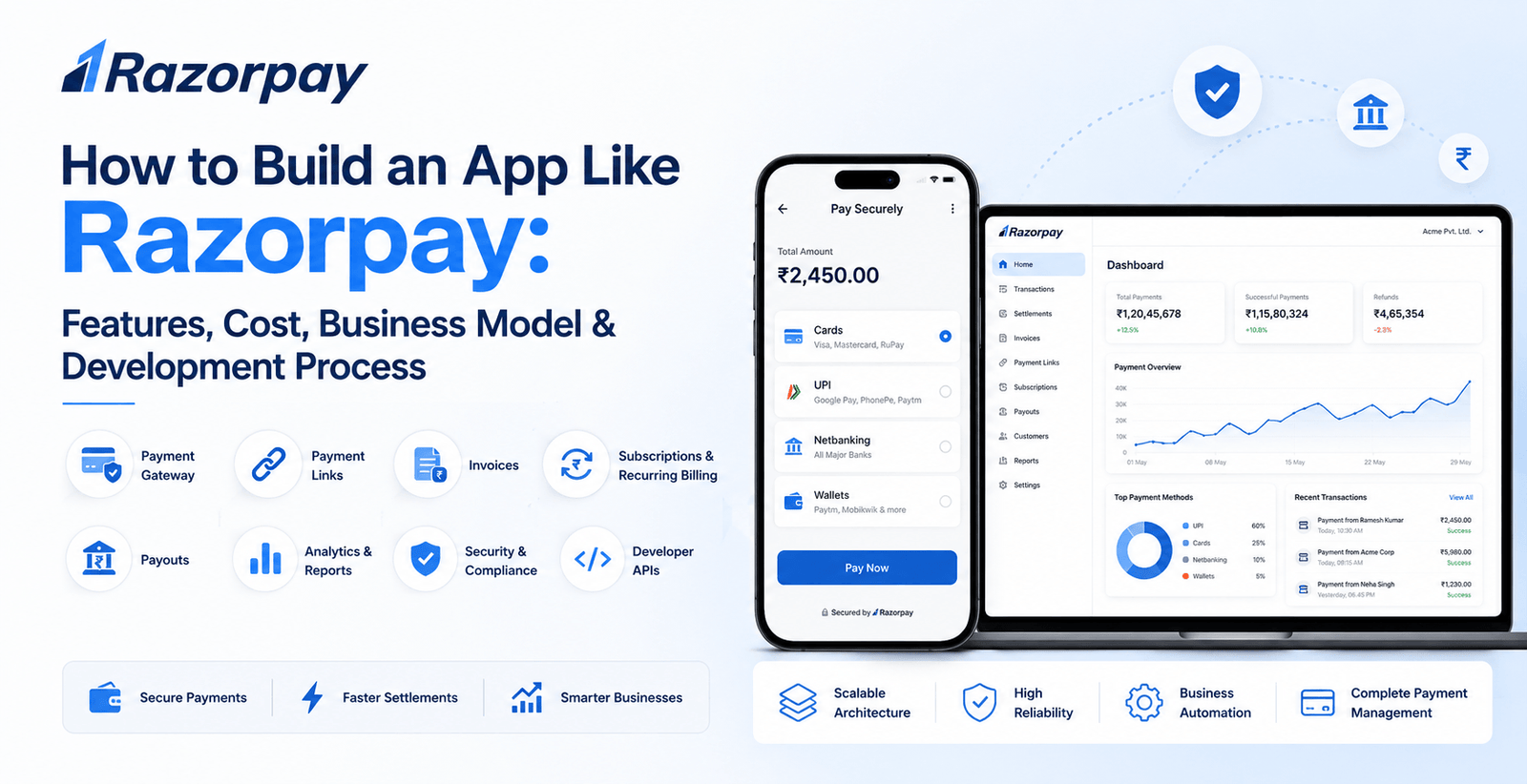
📌 Key Takeaways
- A Razorpay-like payment platform can cost around $50,000–$300,000+ depending on complexity.
- Payment processing, security, reconciliation, and financial integrations are the core technical components.
- Merchant dashboards, payment links, subscriptions, payouts, and APIs can create additional business value.
- Using existing regulated payment infrastructure can reduce the complexity of an initial MVP.
- Compliance, security, and financial partnerships should be considered before production development.
Introduction
Razorpay is a strong example of a modern payment technology platform that provides businesses with payment acceptance, payment links, subscriptions, payouts, invoices, and financial management capabilities.
For entrepreneurs and fintech startups, building an app or platform inspired by Razorpay can create opportunities in payment gateway services, merchant payments, subscription billing, payment links, payouts, and financial automation.
But building a Razorpay-like platform is considerably more complex than developing a standard payment application. It requires secure transaction processing, payment integrations, merchant onboarding, authentication, reconciliation, fraud prevention, reporting, and compliance.
So, how do you build an app like Razorpay, and how much does it cost?
A basic payment platform MVP can cost approximately $50,000–$80,000, while a feature-rich fintech payment platform can cost around $100,000–$200,000+. A large-scale payment ecosystem with advanced payment orchestration, fraud detection, merchant tools, recurring billing, payouts, analytics, and enterprise integrations can require $200,000–$300,000+.
This guide explains the features, development cost, technology stack, business model, security, integrations, development process, timeline, and monetization opportunities involved in building a Razorpay-like payment platform.
What Is a Razorpay-Like Payment Platform?
A Razorpay-like platform acts as a technology layer between businesses, customers, payment methods, banks, and other financial infrastructure.
Depending on the business model, a platform can provide:
- Payment gateway
- Online payment acceptance
- Payment links
- Invoices
- Subscription billing
- Recurring payments
- Payouts
- Merchant dashboard
- Transaction management
- Refunds
- Payment analytics
- Fraud detection
- Payment APIs
- Developer tools
The exact services depend on the market, regulatory structure, partnerships, and payment methods supported.
For a startup, it is generally more practical to begin with one core payment use case instead of attempting to build an entire financial ecosystem from day one.
How Much Does It Cost to Build an App Like Razorpay?
The total cost depends on the scope of your platform.
| Platform Type | Estimated Cost |
|---|---|
| Basic Payment Gateway MVP | $50,000–$80,000 |
| Standard Fintech Payment Platform | $80,000–$150,000 |
| Advanced Razorpay-Like Platform | $150,000–$250,000+ |
| Enterprise Payment Ecosystem | $250,000–$300,000+ |
These figures represent broad software development estimates. They do not automatically include licenses, banking partnerships, payment network charges, compliance costs, transaction fees, legal expenses, or third-party infrastructure costs.
Just Read : How Much Does It Cost to Build a Mobile App in Jordan? 2026 Pricing Guide
Why Does a Razorpay-Like Platform Cost More?
A normal e-commerce application might simply redirect a customer to a payment provider.
A payment platform, however, may need to manage the complete transaction lifecycle:
Customer → Payment Method → Payment Gateway → Processing → Bank/Network → Confirmation → Merchant
The system also needs to handle:
- Failed payments
- Refunds
- Chargebacks
- Transaction reconciliation
- Merchant settlements
- Webhooks
- Fraud checks
- Payment status
- Disputes
This makes payment infrastructure significantly more complex.
Key Features of a Razorpay-Like Platform
1. Merchant Registration
Businesses should be able to create merchant accounts.
The onboarding process can include:
- Business registration
- Email verification
- Mobile verification
- Identity verification
- Business documents
- Bank account details
- Tax information
- KYC/KYB workflows
The exact requirements depend on the country and regulatory framework.
2. Merchant Dashboard
The dashboard is the central control panel for businesses.
Merchants can view:
- Total payments
- Successful transactions
- Failed transactions
- Refunds
- Settlements
- Payouts
- Revenue
- Customers
- Payment methods
A clear dashboard can help merchants understand their financial activity quickly.
3. Payment Gateway
The payment gateway is the core component.
It allows businesses to accept payments through supported methods such as:
- Credit cards
- Debit cards
- Bank transfers
- Digital wallets
- Local payment methods
- Other supported payment instruments
The exact payment methods depend on the target market.
4. Checkout
A smooth checkout experience is essential for conversion.
The checkout can support:
- Customer details
- Payment method selection
- Secure authentication
- Order summary
- Payment confirmation
The checkout experience should be optimized for both mobile and desktop users.
5. Payment Links
Businesses can generate payment links and share them with customers.
Possible sharing channels include:
- SMS
- Messaging platforms
- Social media
This is useful for businesses that don’t have a complete e-commerce website.
6. Payment Invoices
Merchants can generate invoices containing:
- Customer information
- Product/service details
- Amount
- Tax
- Payment status
- Due date
Customers can receive a payment link associated with the invoice.
Also Read : DeFi Development Company: Complete Guide to Services, Cost & Development Process
7. Refund Management
Merchants may need to initiate full or partial refunds.
The system should track:
- Refund amount
- Refund status
- Original transaction
- Refund date
- Customer information
Refund processing should remain synchronized with the underlying payment infrastructure.
8. Transaction History
Merchants need access to detailed transaction information.
The dashboard can display:
- Transaction ID
- Customer
- Amount
- Payment method
- Status
- Date
- Refund status
Filters and search functionality make large transaction histories easier to manage.
9. Payment Status Tracking
Every transaction can move through different states.
For example:
Created → Processing → Successful
or:
Created → Processing → Failed
The system needs reliable status updates from payment providers and banking infrastructure.
10. Webhooks
Webhooks allow the payment platform to notify external systems about events.
Examples include:
- Payment successful
- Payment failed
- Refund completed
- Subscription renewed
- Payout processed
Webhooks are particularly important for e-commerce and SaaS integrations.
11. Subscription Billing
A Razorpay-like platform can support recurring payments for businesses that sell:
- SaaS subscriptions
- Memberships
- Online courses
- Streaming services
- Digital products
Features can include:
- Subscription plans
- Billing cycles
- Automatic payments
- Renewal notifications
- Failed payment handling
- Cancellation
12. Recurring Payments
Businesses can create recurring billing schedules.
For example:
Customer → Monthly Plan → Automatic Payment → Invoice → Renewal
The system must securely manage billing schedules and payment status.
13. Payouts
A payment platform can allow businesses to send money to:
- Vendors
- Employees
- Freelancers
- Delivery partners
- Customers
Payout functionality requires strong transaction controls and appropriate financial integrations.
14. Marketplace Payments
A more advanced platform can support marketplaces where payments need to be distributed among multiple parties.
For example:
Customer Payment → Platform → Seller/Vendor → Settlement
This requires additional ledger, settlement, and reconciliation functionality.
15. Multi-Currency Payments
For international businesses, the platform may support multiple currencies.
Features can include:
- Currency selection
- Exchange-rate handling
- International payments
- Currency-based reporting
International payment functionality can introduce additional regulatory and financial complexity.
16. Payment Analytics
Merchants can analyze:
- Total revenue
- Successful payments
- Failed payments
- Refunds
- Average transaction value
- Payment methods
- Customer behavior
Analytics can help businesses optimize their payment operations.
17. Fraud Detection
Payment platforms need mechanisms to identify suspicious transactions.
Potential signals include:
- Unusual transaction patterns
- Multiple failed attempts
- Suspicious devices
- Abnormal transaction amounts
- Geographic anomalies
Advanced systems can use machine learning to identify unusual patterns.
18. Customer Management
Merchants can maintain customer records containing:
- Name
- Phone
- Payment history
- Subscription status
- Invoice history
This can help businesses manage recurring customers.
19. Developer APIs
APIs allow businesses to integrate payment functionality into their own systems.
Possible APIs include:
- Payment API
- Order API
- Refund API
- Customer API
- Subscription API
- Invoice API
- Payout API
Good API documentation becomes particularly important when targeting developers and SaaS companies.
20. Admin Dashboard
The platform owner requires a separate administration system.
Administrators can manage:
- Merchants
- Transactions
- Refunds
- Payouts
- Settlements
- KYC/KYB
- Disputes
- Risk alerts
- Support tickets
- Reports
Role-based permissions should be implemented to limit access to sensitive information.
Payment Reconciliation
Reconciliation is one of the most important backend processes.
The system needs to compare transactions across different systems.
For example:
Platform Transaction Records ↔ Payment Provider ↔ Bank Settlement
The goal is to identify discrepancies such as:
- Missing transactions
- Duplicate transactions
- Incorrect settlements
- Failed settlements
- Refund mismatches
A robust reconciliation system becomes increasingly important as transaction volume grows.
Payment Ledger
An internal ledger can track the movement of funds within the platform.
It can record:
- Credits
- Debits
- Fees
- Refunds
- Settlements
- Payouts
A reliable ledger architecture is essential for accurate financial reporting.
Security for a Razorpay-Like Platform
Security should be designed into the system from the beginning.
Important measures can include:
- Encryption
- Secure APIs
- Multi-factor authentication
- Tokenization
- Role-based access control
- Fraud monitoring
- Secure session management
- Audit logs
- Rate limiting
- Secure payment processing
Payment-card handling should also be designed around applicable payment-security requirements, such as PCI DSS where relevant.
Compliance Considerations
A payment platform cannot be treated like an ordinary mobile application.
Depending on the country and business model, you may need to consider:
- Payment regulations
- KYC/KYB
- AML requirements
- Data protection
- PCI DSS
- Financial reporting
- Consumer protection
- Transaction monitoring
For India, businesses should evaluate the applicable requirements involving the Reserve Bank of India (RBI), payment networks, banks, regulated entities, and other relevant authorities.
The exact requirements depend on what your company actually does.
For example, a software company integrating an existing payment provider has very different regulatory responsibilities from a company attempting to operate payment infrastructure directly.
Technology Stack for a Razorpay-Like Platform
Frontend
Possible technologies include:
- React
- Next.js
- TypeScript
For merchant dashboards, a responsive web interface is particularly important.
Mobile Development
Depending on the product, you can use:
- Flutter
- React Native
- Swift
- Kotlin
If the main product is a merchant dashboard, web development may be more important than native mobile applications in the first version.
Backend
Possible technologies include:
- Node.js
- Java
- Python
- Go
- .NET
The backend should be designed for high availability and secure transaction processing.
Database
Potential technologies include:
- PostgreSQL
- MySQL
- MongoDB
- Redis
Financial transaction records generally require careful data modeling, consistency, auditing, and backup strategies.
Cloud Infrastructure
Potential cloud providers include:
- AWS
- Microsoft Azure
- Google Cloud
Cloud infrastructure can provide:
- Computing
- Databases
- Storage
- Monitoring
- Load balancing
- Security services
- Disaster recovery
APIs & Payment Integrations
A Razorpay-like platform may integrate with:
- Banks
- Card networks
- Payment processors
- Digital wallets
- UPI or local payment networks
- KYC providers
- Fraud detection systems
- Accounting platforms
The exact integrations depend on the market and business model.
Also Read : What Is API Integration? A Complete Guide to Benefits, Types & Best Practices (2026)
AI Features for a Payment Platform
AI can add useful capabilities beyond basic payment processing.
AI Fraud Detection
Machine-learning models can analyze transaction behavior and identify potentially suspicious patterns.
Payment Failure Prediction
AI can identify patterns associated with failed transactions and help businesses optimize payment flows.
Smart Analytics
AI can summarize merchant transaction trends.
For example:
“Your payment failure rate increased this week compared with the previous period.”
Customer Support Assistant
An AI assistant can help merchants find transaction information and understand dashboard metrics.
Intelligent Reconciliation
AI-assisted systems can help identify unusual differences between transaction records and settlement reports.
Business Model of a Razorpay-Like Platform
A payment company can generate revenue in several ways.
Transaction Fees
The platform can charge businesses a fee for processing payments, subject to the applicable commercial and regulatory structure.
Subscription Plans
Premium merchant plans can offer:
- Advanced analytics
- Higher limits
- Automated reports
- Premium support
- Advanced billing features
Payout Fees
Businesses may pay fees for certain payout services.
Enterprise Solutions
Large businesses can purchase customized payment infrastructure and integrations.
SaaS Financial Tools
Additional revenue can come from:
- Invoicing
- Billing
- Subscription management
- Financial reporting
- Payment analytics
Also Read : What is SaaS Application Development? A Complete Guide (2026)
How Does a Razorpay-Like Platform Make Money?
A diversified model can look like:
Businesses → Transaction Fees
Growing Merchants → Subscription Plans
Enterprises → Custom Payment Infrastructure
SaaS Businesses → Billing & Subscription Services
Marketplaces → Payment & Payout Services
This allows the platform to generate revenue from multiple business segments.
Development Process
Step 1: Define the Business Model
First determine:
- Target merchants
- Target market
- Payment methods
- Revenue model
- Integration strategy
- Regulatory structure
Step 2: Choose the Payment Infrastructure
Decide whether you will:
- Build payment infrastructure
- Integrate existing payment providers
- Partner with a regulated financial institution
- Build a payment orchestration layer
For most startups, integrating existing regulated infrastructure can be significantly more practical.
Step 3: Define the MVP
A basic MVP can include:
- Merchant registration
- KYC/KYB workflow
- Payment gateway
- Checkout
- Transactions
- Refunds
- Payment links
- Merchant dashboard
- Basic analytics
Also Read : What Is an MVP in App Development? A Complete Guide
Step 4: UI/UX Design
Design:
- Merchant dashboard
- Checkout
- Payment page
- Transaction history
- Refund screen
- Customer management
- Settings
The checkout experience should be simple and trustworthy.
Step 5: Backend Development
Build:
- Authentication
- Merchant management
- Payment processing
- Transaction management
- Refunds
- Webhooks
- Notifications
- Reporting
Step 6: Payment Integration
Integrate the required providers, banks, payment networks, and other financial services.
Step 7: Security Implementation
Implement:
- Encryption
- Authentication
- Authorization
- Fraud controls
- Audit logs
- API security
Step 8: Testing
Test:
- Successful payments
- Failed payments
- Refunds
- Duplicate transactions
- Webhooks
- Timeouts
- Network failures
- Settlement scenarios
- Security vulnerabilities
Step 9: Reconciliation & Reporting
Implement systems that compare transaction and settlement records.
Step 10: Launch & Monitoring
After launch, monitor:
- Payment success rate
- Failed payments
- API latency
- Transaction volume
- Fraud alerts
- Settlement status
- System availability
Also Read : AI CRM Integration Services: Complete Guide to Intelligent Customer Management
How Long Does It Take to Build an App Like Razorpay?
| Project Type | Estimated Timeline |
|---|---|
| Basic Payment MVP | 4–6 months |
| Standard Payment Platform | 6–9 months |
| Advanced Fintech Platform | 9–15 months |
| Enterprise Payment Ecosystem | 15+ months |
The actual timeline depends on the number of payment methods, integrations, compliance requirements, dashboards, APIs, and financial services.
Cost Breakdown
A rough development budget could look like this:
| Component | Estimated Cost |
|---|---|
| UI/UX Design | $5,000–$15,000 |
| Merchant Dashboard | $10,000–$25,000 |
| Payment Gateway | $20,000–$50,000 |
| Backend | $20,000–$50,000 |
| Payment Integrations | $10,000–$30,000 |
| Subscription & Billing | $8,000–$20,000 |
| Payout System | $10,000–$25,000 |
| Admin Panel | $8,000–$20,000 |
| Security & Testing | $10,000–$25,000 |
| DevOps | $5,000–$20,000 |
Not every project needs every module in the first release.
Factors That Increase Development Cost
Number of Payment Methods
Supporting cards, bank transfers, wallets, UPI, and international payment methods increases integration complexity.
Recurring Payments
Subscription billing requires additional payment and failure-handling logic.
Payouts
Payout infrastructure requires additional financial integrations and controls.
Fraud Detection
Advanced risk engines require additional data processing and machine learning.
Marketplace Payments
Split payments and seller settlements significantly increase backend complexity.
International Expansion
Multiple currencies, countries, payment networks, and regulations add substantial complexity.
How to Reduce the Development Cost?
Start With Payment Orchestration
Instead of trying to become a complete payment processor immediately, a startup can build a payment orchestration layer around existing providers where commercially and legally appropriate.
Focus on One Market
Launch in one country before expanding internationally.
Start With Core Payments
Begin with:
- Checkout
- Payment links
- Transactions
- Refunds
- Merchant dashboard
Add Advanced Features Later
Subscription billing, payouts, fraud AI, marketplace payments, and advanced analytics can be added after validating the product.
Why Choose AppCrex for Payment App Development?
AppCrex can help businesses develop custom payment gateway and fintech platforms designed around their target market and business model.
Our services can include:
- Payment Gateway Development
- Fintech App Development
- Digital Payment App Development
- Payment API Development
- Payment Integration
- Subscription Billing
- Payment Link Development
- Payout Platform Development
- Merchant Dashboard Development
- Payment Analytics
- Fraud Detection Integration
- KYC/KYB Integration
- API Development
- Cloud Backend Development
- Admin Dashboard Development
- Security & Testing
- Maintenance & Support
The platform can be designed for startups, SaaS businesses, marketplaces, e-commerce companies, and enterprise payment use cases.
Also Read : FinTech API Integration Services: Complete Guide to Banking APIs, Payments & Security
Build Your Razorpay-Like Payment Platform With AppCrex
The cost to build an app like Razorpay can range from approximately $50,000 for a focused payment MVP to $300,000+ for a large-scale payment ecosystem.
However, software development is only one part of the overall investment. Payment infrastructure, compliance, financial partnerships, security, transaction processing, fraud prevention, and ongoing infrastructure can significantly affect the total cost.
For startups, a practical approach is to start with a focused payment product such as payment gateway integration, payment links, merchant payments, subscription billing, or payment orchestration.
Once the platform gains traction, additional services such as payouts, marketplace payments, advanced analytics, fraud detection, international payments, and financial automation can be introduced.
Have an idea for a payment platform? Contact AppCrex to discuss your payment features, integrations, development roadmap, technology requirements, and estimated budget.
FAQs
Q. How much does it cost to build an app like Razorpay?
A basic payment platform MVP can cost around $50,000–$80,000, while an advanced fintech payment platform can cost $150,000–$250,000+.
Q. How long does it take to build a Razorpay-like platform?
A focused MVP can take around 4–6 months, while a comprehensive payment ecosystem may require 9–15 months or more.
Q. What are the main features of a Razorpay-like platform?
Core features include merchant onboarding, payment gateway, checkout, payment links, transaction management, refunds, invoices, subscriptions, payouts, analytics, APIs, and an admin dashboard.
Q. Can I build a payment gateway using existing providers?
Yes. Many businesses begin by integrating existing payment and financial infrastructure rather than attempting to build every underlying payment component themselves. The appropriate approach depends on the market, business model, and regulatory requirements.
Q. Do I need a license to build a payment platform?
The answer depends on what your platform does and where it operates. Businesses directly providing regulated payment services may require appropriate authorization, while a software platform integrating regulated payment providers can have a different regulatory position.
Q. Can AI be integrated into a payment platform?
Yes. AI can support fraud detection, payment analytics, transaction monitoring, customer support, reconciliation, and payment-failure analysis.
Q. Can a Razorpay-like platform support subscriptions?
Yes. Subscription billing can support recurring payments, billing cycles, renewal notifications, failed-payment handling, and subscription management.
Q. Can AppCrex develop a Razorpay-like payment platform?
Yes. AppCrex can develop custom payment gateway, merchant payment, subscription billing, payout, fintech, and payment-management platforms based on your business requirements.
