
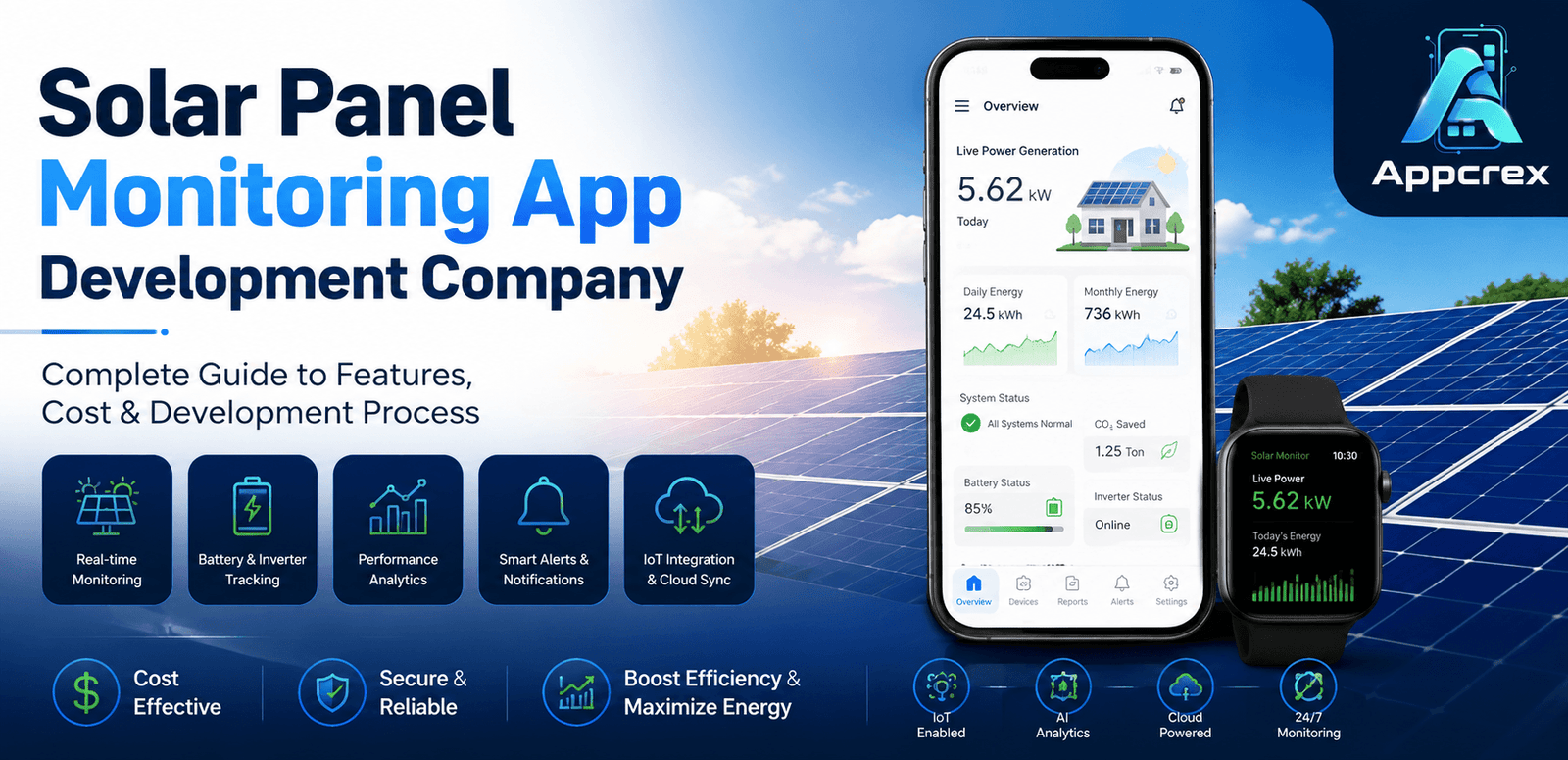
📌 Key Takeaways
- Solar Monitoring Apps provide real-time insights into energy generation, battery performance, and system health.
- IoT integration and AI-powered analytics help improve efficiency, reduce downtime, and optimize maintenance.
- Core features include live dashboards, smart alerts, historical reports, weather integration, and remote monitoring.
- Development costs vary based on IoT connectivity, AI features, cloud infrastructure, and platform complexity.
- AppCrex builds secure, scalable, and custom Solar Panel Monitoring Apps for residential, commercial, and enterprise energy solutions.
Introduction
The renewable energy industry is experiencing rapid growth, and solar power has become one of the most widely adopted clean energy sources worldwide. As residential, commercial, and industrial solar installations continue to increase, businesses need smarter ways to monitor system performance, track energy production, and identify maintenance issues in real time.
This is where Solar Panel Monitoring Apps play a crucial role. These applications connect with solar panels, inverters, batteries, and IoT-enabled devices to provide users with live insights into energy generation, consumption, equipment health, and system efficiency. Instead of relying on manual inspections, users can monitor their entire solar system directly from their smartphones or web dashboards.
The demand for solar monitoring solutions is growing rapidly across India, the UAE, Saudi Arabia, the USA, Germany, Australia, and the UK, where governments and businesses are investing heavily in renewable energy infrastructure and smart energy management.
A professional Solar Panel Monitoring App Development Company helps energy providers, EPC contractors, solar installers, and enterprises build secure, scalable, and feature-rich applications with IoT connectivity, AI-powered analytics, cloud infrastructure, and real-time monitoring capabilities.
Whether you’re developing a monitoring solution for residential users, commercial solar plants, or utility-scale projects, choosing the right development partner ensures your application delivers reliable performance, data accuracy, and long-term scalability.
Just Read : How Much Does It Cost to Build a React Native App in UAE? Complete Guide (2026)
What is a Solar Panel Monitoring App?
A Solar Panel Monitoring App is a mobile or web application that allows users to remotely monitor and manage the performance of their solar energy systems.
The app collects real-time data from connected devices such as:
- Solar Panels
- Smart Inverters
- Battery Storage Systems
- Smart Energy Meters
- IoT Sensors
The collected data is processed in the cloud and displayed through an intuitive dashboard, enabling users to monitor energy production, system health, and operational efficiency from anywhere.
A modern solar monitoring application typically provides:
- Real-time energy generation
- Battery status monitoring
- Inverter performance
- Energy consumption tracking
- Fault detection
- System health reports
- Historical performance analytics
- Weather-based production insights
- Maintenance alerts
- Remote monitoring
These capabilities help users maximize energy output, reduce downtime, and improve the overall return on investment (ROI) of their solar installations.
Just Read : Cost to Develop a FinTech App: Complete Development Guide, Features & Pricing (2026)
How Does a Solar Panel Monitoring App Work?
A Solar Panel Monitoring App combines IoT devices, cloud computing, and mobile technology to provide continuous visibility into the performance of solar energy systems.
1. Solar Panels Generate Electricity
Solar panels capture sunlight and convert it into electrical energy.
The amount of energy generated depends on factors such as:
- Sunlight intensity
- Weather conditions
- Panel efficiency
- Installation angle
2. Smart Inverter Processes Power
The inverter converts DC electricity into AC electricity while continuously recording system performance.
It tracks data such as:
- Output voltage
- Current
- Power generation
- Operational status
3. IoT Gateway Collects Data
Connected IoT devices gather information from the inverter, battery systems, and smart meters before securely transmitting it to the cloud using communication protocols such as Wi-Fi, Ethernet, MQTT, or cellular networks.
4. Cloud Platform Processes Information
Cloud infrastructure stores and analyzes incoming data in real time.
The platform performs tasks such as:
- Performance analysis
- Historical reporting
- AI-based predictions
- Fault detection
- Alert generation
5. Mobile App Displays Live Dashboard
Users can access all important information through an intuitive mobile application.
The dashboard typically displays:
- Current power generation
- Daily energy production
- Monthly performance
- Battery charge level
- Energy consumption
- System efficiency
- Device status
6. Smart Alerts & Notifications
The app automatically notifies users about:
- Equipment failures
- Performance drops
- Battery issues
- Inverter errors
- Maintenance reminders
These alerts help users respond quickly and reduce system downtime.
Why Invest in Solar Panel Monitoring App Development?
The adoption of solar energy continues to accelerate, creating significant opportunities for businesses to invest in smart monitoring solutions.
Increasing Renewable Energy Adoption
Governments and private organizations worldwide are encouraging renewable energy through subsidies, tax incentives, and sustainability initiatives. This has increased the demand for intelligent solar monitoring platforms.
Better Operational Efficiency
Real-time monitoring enables users to detect issues early, improve maintenance planning, and maximize energy generation.
Remote System Management
Users can monitor multiple solar installations from anywhere using their smartphones, reducing the need for frequent on-site inspections.
AI-Powered Performance Optimization
Artificial Intelligence can analyze system behavior, identify efficiency losses, predict equipment failures, and recommend maintenance before breakdowns occur.
Growing Enterprise Demand
Solar EPC companies, utility providers, commercial facilities, and industrial plants increasingly require custom monitoring applications to manage large-scale solar assets efficiently.
Just Read : Custom Software Development Company: Complete Guide to Services, Process, Cost & Benefits (2026)
How to Build a Solar Panel Monitoring App? (Step-by-Step Guide)
Developing a Solar Panel Monitoring App requires expertise in mobile app development, IoT connectivity, cloud computing, AI-powered analytics, and renewable energy systems. A structured development approach helps businesses build secure, scalable, and reliable monitoring solutions.
Step 1: Define Your Business Requirements
The first step is identifying the type of solar monitoring solution you want to build.
Common business models include:
Residential Solar Monitoring App
Designed for homeowners to monitor:
- Solar power generation
- Battery performance
- Electricity consumption
- Daily and monthly savings
Commercial Solar Monitoring Platform
Suitable for businesses managing multiple rooftop solar systems.
Features include:
- Multi-site monitoring
- Energy reports
- User management
- Performance analytics
Utility-Scale Solar Plant Monitoring
Built for large solar farms with features like:
- Centralized dashboards
- Fleet monitoring
- Predictive maintenance
- AI-powered analytics
- Equipment management
Solar Installer & EPC Platform
Allows installation companies to monitor customer systems remotely, schedule maintenance, and provide after-sales support.
Choosing the right business model helps define the app’s features, architecture, and long-term roadmap.
Step 2: Research Your Target Users
Understanding user requirements ensures the application delivers practical value.
Your research should focus on:
- Homeowners
- Solar EPC companies
- Commercial facilities
- Industrial plants
- Utility providers
- Renewable energy startups
Also analyze competitors, pricing models, and industry standards to identify opportunities for differentiation.
Step 3: Design an Intuitive UI/UX
A Solar Monitoring App should present complex energy data in a simple and user-friendly format.
Essential screens include:
- User Login
- Home Dashboard
- Live Energy Monitoring
- Device List
- Battery Dashboard
- Alerts & Notifications
- Historical Reports
- Weather Forecast
- Settings
Interactive charts, graphs, and color-coded indicators make it easier for users to understand system performance.
Step 4: Develop an MVP
Start with a Minimum Viable Product (MVP) that includes the core monitoring features.
MVP Features
- User Registration
- Device Pairing
- Live Energy Dashboard
- Battery Monitoring
- Performance Reports
- Push Notifications
- Admin Dashboard
Launching an MVP allows businesses to validate the product before investing in advanced analytics and AI capabilities.
Step 5: Add Advanced Features
Once the MVP is validated, introduce premium features such as:
- AI Energy Forecasting
- Predictive Maintenance
- Weather-Based Analytics
- Multi-Site Monitoring
- Remote Device Management
- Solar ROI Calculator
- Carbon Footprint Tracking
- Smart Recommendations
These features improve customer satisfaction and provide additional value.
Must-Have Features of a Solar Panel Monitoring App
A feature-rich application helps users monitor, optimize, and maintain their solar systems efficiently.
User App Features
User Registration & Login
Allow secure access using:
- Mobile Number
- Google Login
- OTP Verification
Real-Time Energy Monitoring
Users can view:
- Current Power Generation
- Daily Output
- Weekly Reports
- Monthly Reports
- Total Lifetime Energy
Live monitoring provides complete visibility into system performance.
Battery Monitoring
Display important battery information such as:
- Charge Level
- Charging Status
- Backup Time
- Battery Health
This helps users optimize energy storage.
Inverter Monitoring
Track inverter performance including:
- Output Voltage
- Current
- Efficiency
- Error Codes
- Operational Status
Early issue detection reduces maintenance costs.
Energy Consumption Dashboard
Provide detailed insights into:
- Home Energy Usage
- Solar Energy Consumption
- Grid Power Usage
- Exported Electricity
These insights help users reduce electricity bills.
Historical Reports
Generate reports showing:
- Daily Performance
- Weekly Performance
- Monthly Trends
- Annual Production
- Energy Savings
Users can export reports for analysis.
Smart Alerts & Notifications
Automatically notify users about:
- System Faults
- Battery Issues
- Low Power Generation
- Maintenance Reminders
- Device Offline Status
Instant alerts reduce downtime.
Weather Forecast Integration
Display weather information including:
- Temperature
- Cloud Cover
- Solar Irradiance
- Rain Forecast
Weather data helps estimate future solar production.
Device Management
Users can:
- Add New Devices
- Remove Devices
- Rename Systems
- Monitor Multiple Installations
Ideal for businesses managing several locations.
Installer Panel Features
Solar installers require a dedicated dashboard to manage customer installations.
Features include:
- Customer Management
- Device Registration
- Installation Records
- Warranty Tracking
- Maintenance Scheduling
- Remote Diagnostics
- Service History
This improves after-sales support and operational efficiency.
Admin Panel Features
The admin dashboard manages the complete platform.
User Management
Admin can:
- Create Users
- Approve Accounts
- Suspend Accounts
- Manage Permissions
Device Monitoring
Monitor:
- Connected Devices
- Offline Devices
- Device Health
- Firmware Status
Analytics Dashboard
View:
- Total Energy Generated
- Active Installations
- System Performance
- User Activity
- Revenue Reports
Notification Management
Send:
- Maintenance Alerts
- Product Updates
- Promotional Messages
- Emergency Notifications
Content Management
Manage:
- Help Articles
- FAQs
- System Guides
- Tutorials
Also Read : AI App Development Guide: Features, Cost & Process (2026)
AI Features for Solar Monitoring Apps
Artificial Intelligence significantly improves monitoring accuracy and operational efficiency.
AI Energy Generation Prediction
AI analyzes weather conditions and historical performance to predict future energy production.
This helps users optimize energy consumption and storage.
Predictive Maintenance
AI identifies abnormal equipment behavior before failures occur.
It can detect:
- Panel Degradation
- Inverter Issues
- Battery Problems
- Performance Loss
Predictive maintenance reduces repair costs and minimizes downtime.
AI Fault Detection
Automatically identify:
- Low Panel Output
- Device Malfunctions
- Communication Errors
- Abnormal Energy Patterns
Users receive instant alerts for faster issue resolution.
Smart Energy Recommendations
Based on usage patterns, AI can recommend:
- Best charging times
- Energy-saving tips
- Battery optimization
- System efficiency improvements
Carbon Savings Calculator
AI estimates:
- Carbon Emissions Reduced
- Trees Saved
- Environmental Impact
This helps users visualize the sustainability benefits of their solar systems.
IoT Integration for Solar Monitoring
IoT is the foundation of modern solar monitoring applications.
Common integrations include:
- Smart Inverters
- Smart Energy Meters
- Battery Management Systems (BMS)
- Weather Stations
- IoT Sensors
- Smart Controllers
Supported communication technologies:
- Wi-Fi
- Ethernet
- MQTT
- Modbus
- LoRaWAN
- NB-IoT
- Bluetooth Low Energy (BLE)
Reliable IoT connectivity ensures accurate data collection and real-time monitoring.
Technology Stack for Solar Panel Monitoring App Development
A modern technology stack ensures scalability, security, and long-term performance.
Frontend
- Flutter
- React Native
- Swift (iOS)
- Kotlin (Android)
Backend
- Node.js
- Python
- Java
Database
- PostgreSQL
- MongoDB
- InfluxDB (Time-Series Data)
Cloud Infrastructure
- AWS IoT
- Microsoft Azure IoT
- Google Cloud Platform
Third-Party Integrations
Most Solar Monitoring Apps integrate:
- Payment Gateways (for subscription plans)
- Weather APIs
- Maps APIs
- Push Notification Services
- SMS & Email APIs
- Analytics Platforms
- Firmware Update Services
These integrations enhance functionality and improve the overall user experience.
